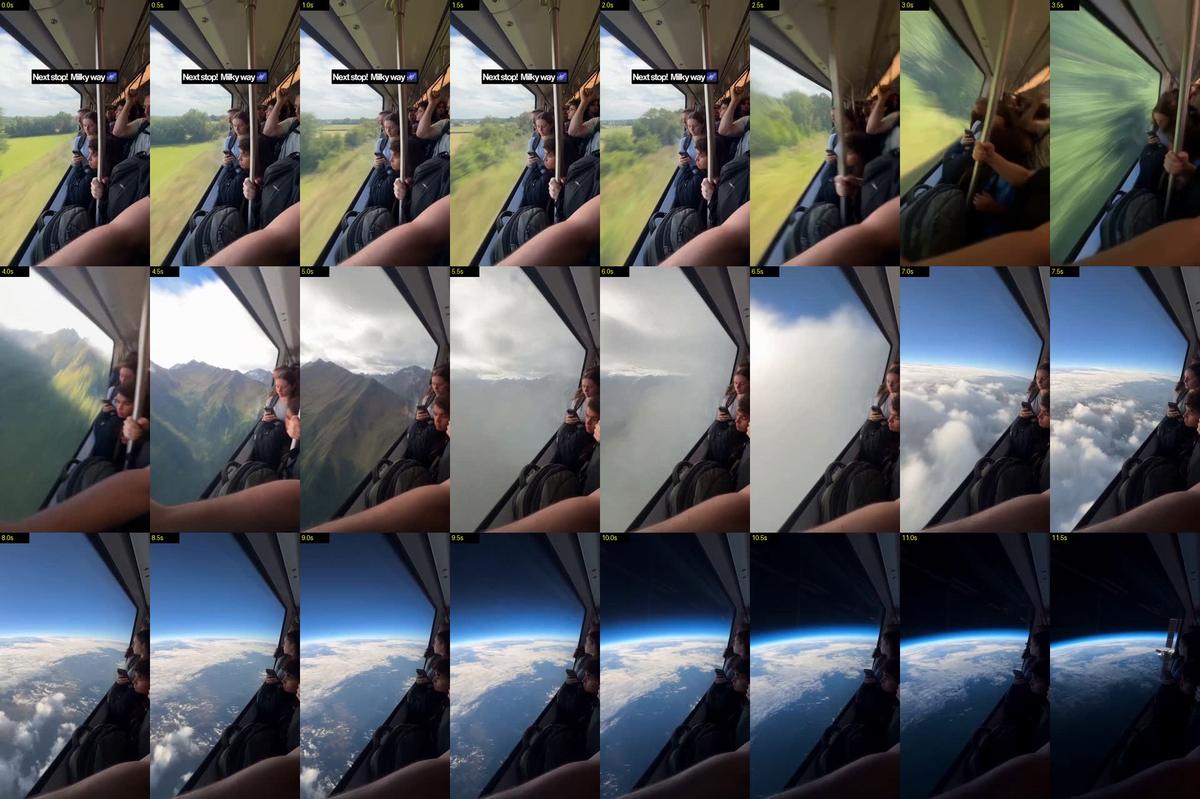
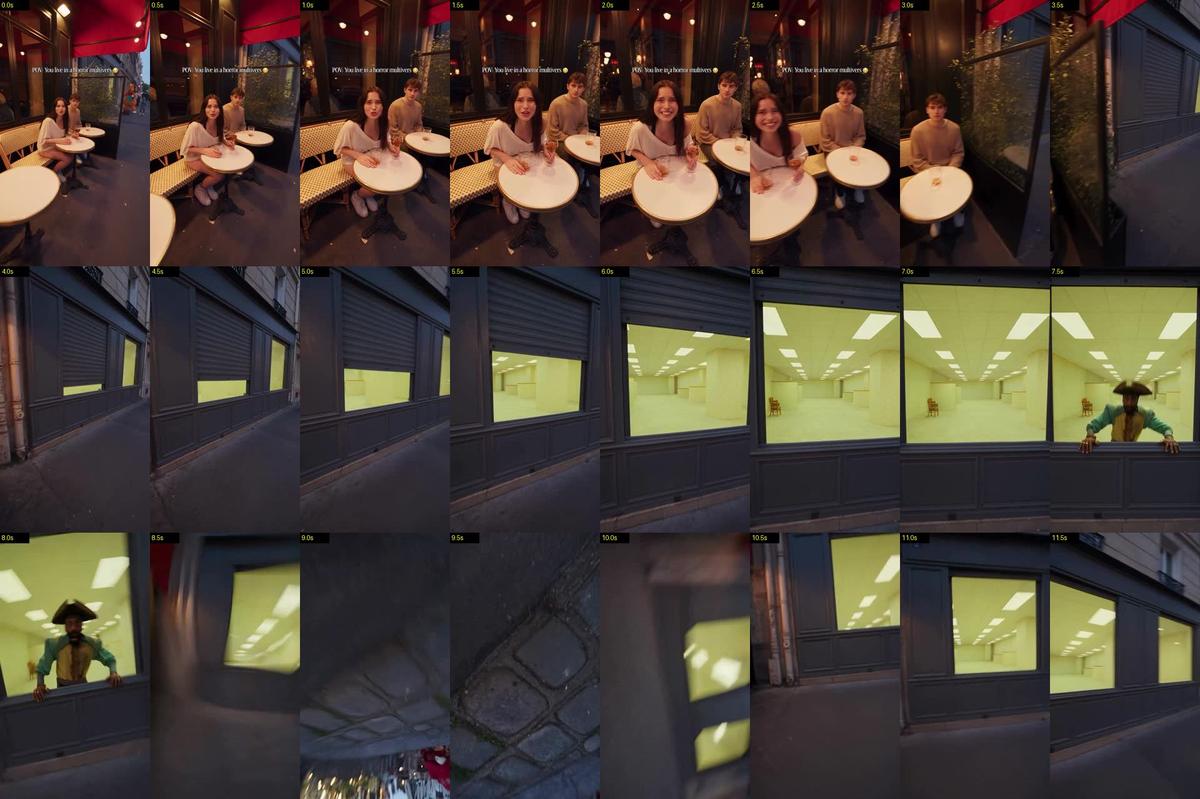
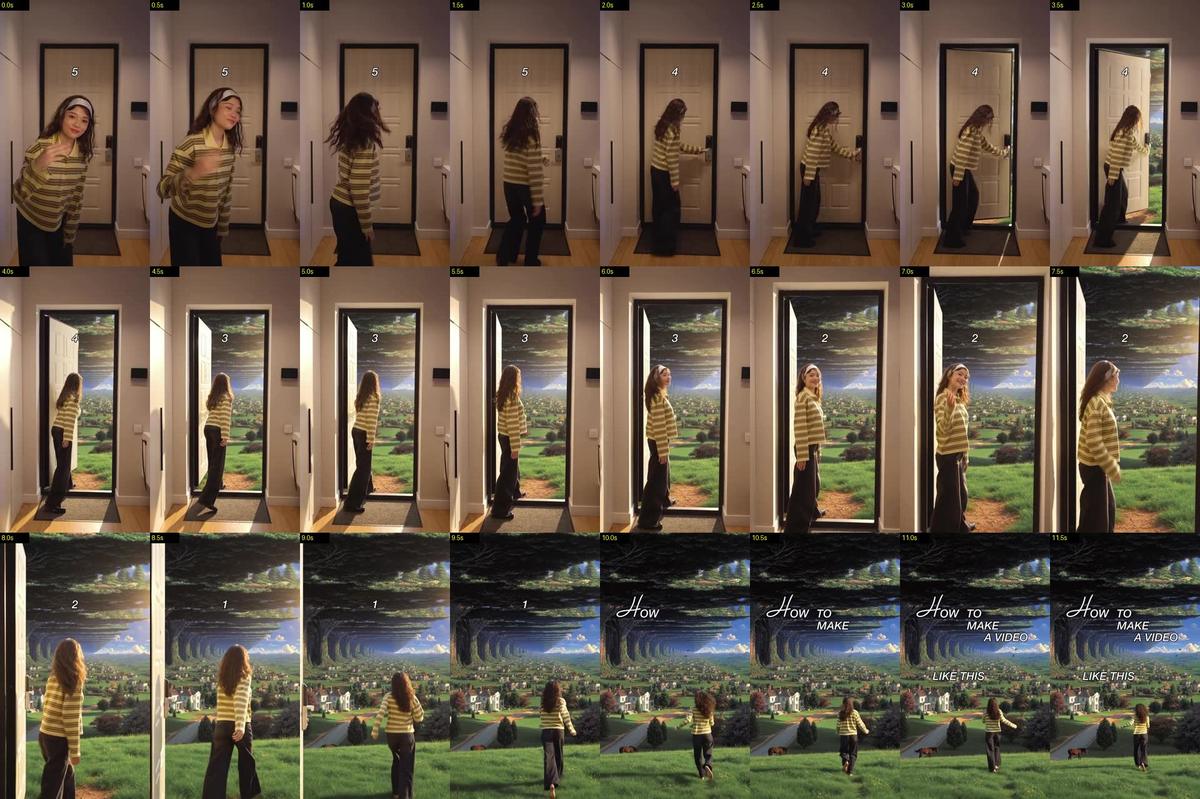
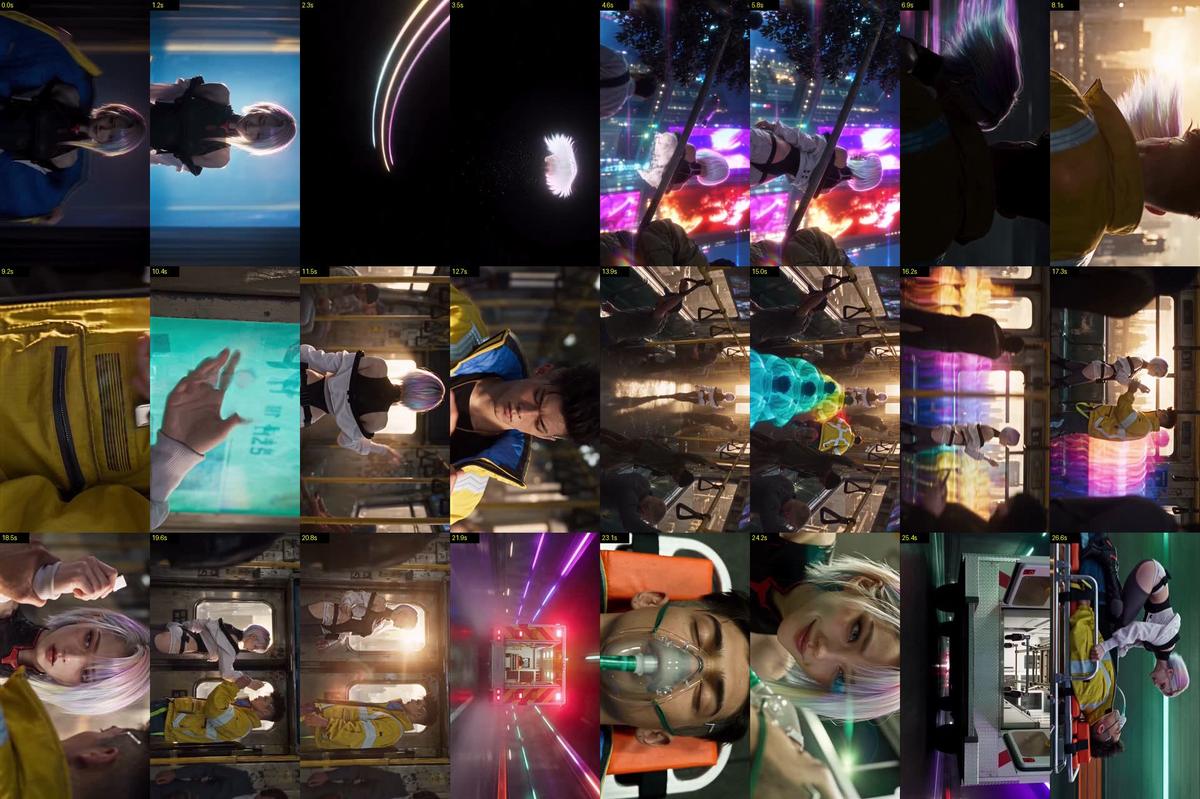
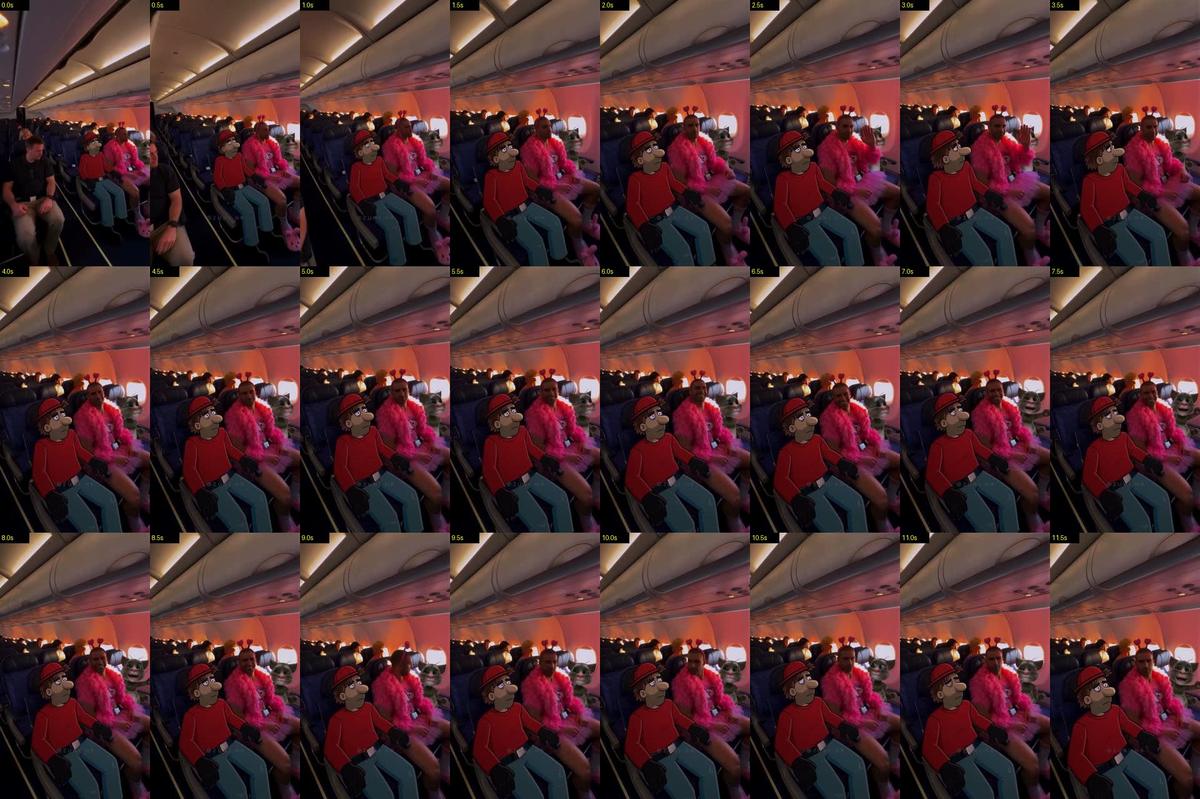
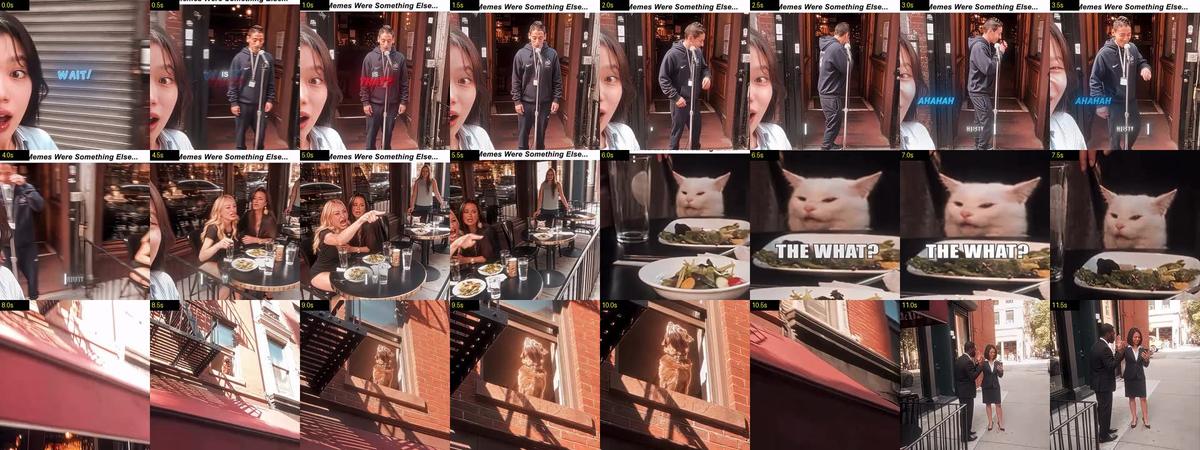
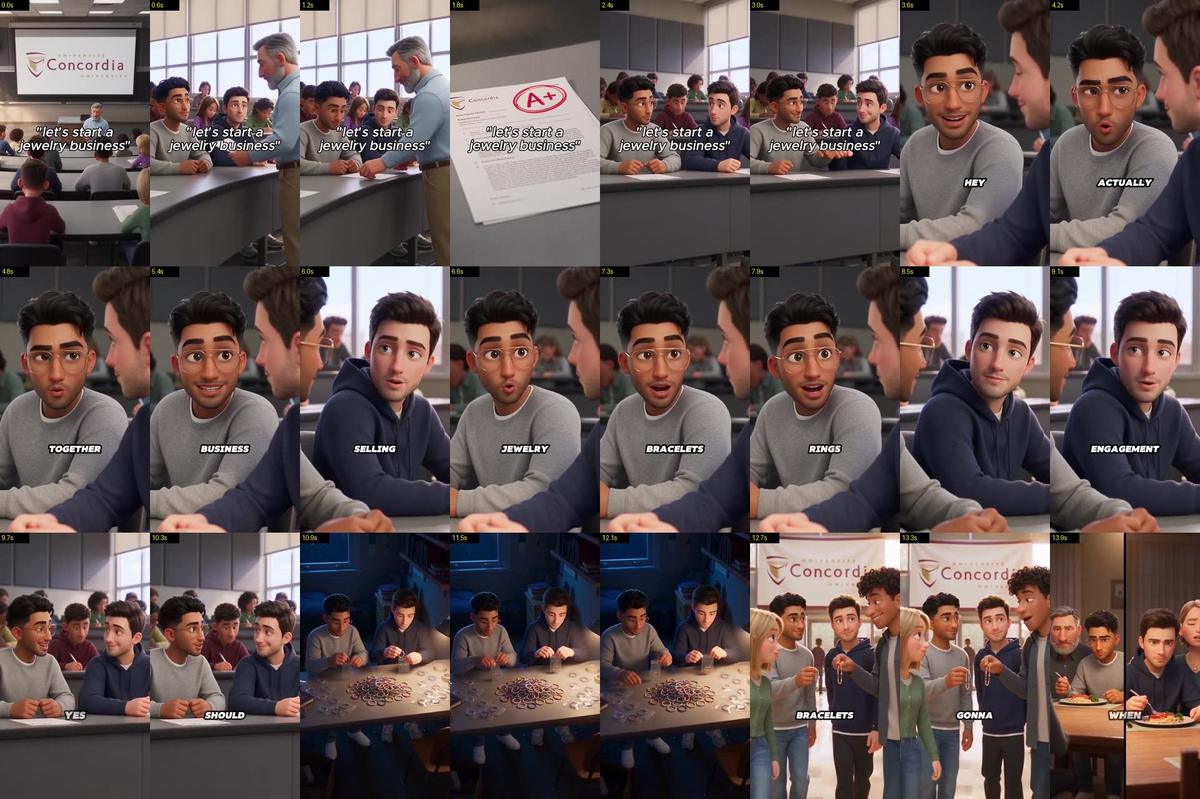
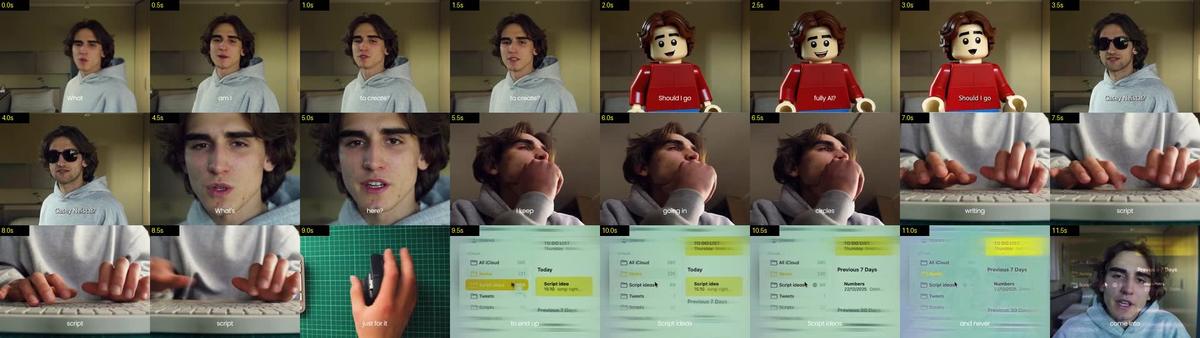
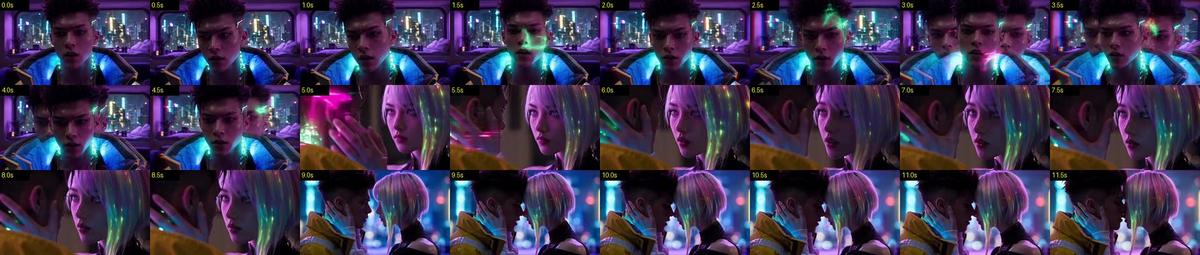
Create one continuous 30-second chaotic amateur first-person smartphone video filmed by a standing passenger inside a completely packed magnetic-levitation commuter train. Use a single unbroken take with no cuts, jump cuts, dissolves, crossfades, double exposures, portals, morphing or artificial scene transitions. The train begins as an ordinary weekday commute on Earth and then physically travels through an impossible journey from the surface of Earth into space, past aircraft and atmospheric objects, beyond satellites and rockets, past the Moon and planets, through asteroid fields and the outer Solar System, beyond the heliosphere, into the enormous star fields of the Milky Way, through gigantic colorful nebulae, dense stellar regions and finally toward the breathtaking central region of the galaxy. Everything must feel physically connected, as though the same train is genuinely traveling through each environment.

The interior is a completely packed standing-room-only maglev commuter car. Passengers are pressed shoulder-to-shoulder, gripping overhead straps and vertical poles. Backpacks are squeezed between bodies, coats and loose clothing shift with acceleration, straps swing on their inertia, and the entire carriage constantly vibrates and rattles. The camera is a cheap smartphone held at chest height by one standing passenger who grips a pole with the other hand. The phone itself is NEVER visible because the phone is the camera. The framing is crooked, slightly off-center, partially blocked by shoulders and arms, and imperfect like genuine accidental footage. The camera constantly shakes, rolls, yaws and gets thrown around by acceleration. Use realistic rolling-shutter distortion, autofocus hunting, exposure pumping, blown highlights, crushed noisy shadows, low-bitrate compression, macroblocking and smeared motion blur. It must look like genuine spontaneous smartphone footage, not professional cinematic footage.

The camera always looks through the LEFT-SIDE WINDOWS at approximately 90 degrees to the train's direction of travel. The train always travels forward and the outside world always streams past the windows from front-to-back. Never switch to a forward-facing train-nose view. Never show the front of the train. The same carriage, same passengers, same poles, same straps and same windows remain visually consistent throughout the entire journey. The interior is the constant realistic anchor while the outside world becomes increasingly impossible.

At 0 to 3 seconds, begin with an ordinary bright Earth weekday commute. Green countryside, trees, fields, distant roads, houses, power lines and small buildings streak past the left windows. The environment feels like a real populated region rather than an empty landscape. Multiple ordinary objects naturally populate the sky and ground: distant commercial airplanes at different altitudes, a small helicopter, birds moving in a loose group, transmission towers, wind turbines, construction cranes, road traffic, buses and trucks. Objects have different distances and speeds with realistic parallax. The passengers are tired and mostly uninterested, behaving like normal commuters, some looking at phones, some staring outside, some talking quietly. A calm public-address chime sounds and an announcer quietly says, "Next stop: the Milky Way." Nobody screams. The train suddenly accelerates and everyone instinctively tightens their grip as the carriage gives a hard lateral jolt.

From 3 to 6 seconds, the train rapidly climbs through enormous mountain terrain. Mountains rise outside the windows while the ground drops farther below. Aircraft remain visible at lower altitudes and gradually become smaller as the train climbs. A commercial passenger plane crosses the distant sky while another aircraft leaves a long contrail far below. A small research helicopter disappears beneath the train. Clouds appear in multiple layers with enormous volumetric depth. The train punches through massive cloud formations, with bright sunlight flashing through the carriage. Rain droplets and vapor briefly streak across the windows. Passengers sway naturally with acceleration, straps swing from inertia and clothing moves realistically. The camera shakes harder as the train climbs. Nearby clouds race rapidly across the window while distant mountains move more slowly, creating strong realistic depth.

From 6 to 9 seconds, the clouds suddenly fall away below and the curvature of Earth becomes visible through the left windows. The blue atmosphere forms a thin luminous arc around the planet. Oceans, continents, enormous cloud systems and weather patterns become visible far below. The train continues climbing physically through the atmosphere. The sky gradually changes from bright blue to deep blue and then black as altitude increases. This must be a real continuous change in atmospheric brightness, not an overlay or transition.

As altitude increases, atmospheric objects naturally become less common. Commercial aircraft disappear below. A weather balloon drifts far beneath the train. High-altitude research aircraft become tiny silhouettes. Several faint contrails remain far below. The curvature of Earth becomes increasingly dominant. The train passes through the last thin layers of cloud and atmosphere. The passengers begin looking through the windows with increasing curiosity.

From 9 to 11.5 seconds, the train completely leaves Earth's atmosphere and enters space. Earth remains visible behind and below the train and continuously becomes smaller. It must actively recede and slide backward through the side window rather than remaining parked. The thin blue atmospheric rim becomes smaller with distance. The Moon appears as a small distant pale body. Several satellites are visible at different distances: a communication satellite with solar panels, a small weather satellite and a tiny research spacecraft. One small satellite passes relatively close to the window and rapidly moves across the frame with strong parallax while distant satellites barely move. A small rocket or launch vehicle can be seen far below following a distant trajectory, becoming smaller as the train accelerates away. Nothing should look like a crowded science-fiction space highway.

The passengers become noticeably quieter. One person softly says, "Ohh." The camera is partially blocked by a nearby shoulder as the operator tries to angle toward the window while still gripping the pole.

From 11.5 to 14 seconds, the train races through the Solar System. The Moon remains appropriately distant and naturally slides across the side window before disappearing behind the train's direction of travel. The Earth continues shrinking behind the train. The Sun is visible as a brilliant distant body, maintaining consistent physical scale relative to distance. Mars, Venus and Jupiter can appear briefly as distant planetary bodies at different depths, never becoming artificially oversized. One distant spacecraft slowly crosses the background. A faint comet appears far away with a delicate tail pointing away from the Sun. Sparse asteroids begin appearing in the distance.

The train enters a large asteroid region. Rocks have completely different shapes, sizes and distances. Tiny fragments move rapidly across the window while enormous distant asteroids drift slowly. Their surfaces show craters, dust, ice and realistic mineral variation. A few asteroids pass extremely close to the train, creating strong parallax and motion blur. One large irregular asteroid passes close enough to cause a sudden violent camera shake. A smaller fragment strikes the train hull with a sharp metallic impact. Dust and fragments continue moving according to inertia.

From 14 to 16 seconds, the asteroid field gradually becomes thinner as the train accelerates toward the outer Solar System. The planets become smaller behind the train. The Sun becomes a tiny bright point. The environment grows darker and more enormous. Tiny distant probes and spacecraft occasionally cross the background. The train approaches the outer boundary of the Solar System.

A gigantic extremely faint blue-white boundary of the heliosphere becomes visible ahead. It must appear as a huge diffuse region of charged particles and subtle glowing plasma, not as a portal. The train physically crosses through it. The surrounding particle density changes gradually. The passengers remain physically anchored inside the carriage.

From 16 to 18 seconds, the train enters the outer Milky Way environment. The star field becomes dramatically denser. At first there are scattered stars, then thousands, then enormous concentrations of stars. Stars exist at many different distances. Nearby stars produce stronger relative motion as the train passes, while distant stars barely shift. Dark molecular clouds form subtle silhouettes between the stars. Faint distant galaxies appear as tiny barely visible smudges in the background.

The enormous structure of the Milky Way gradually becomes visible as a vast luminous band stretching across the darkness. The train is traveling inside the galaxy rather than simply looking at a flat galaxy image. Different layers of stars, dust and gas pass the window with realistic depth.

From 18 to 21 seconds, the train physically enters a gigantic stellar nursery. A massive colorful nebula appears in the distance and gradually surrounds the train as it travels into it. The nebula must have genuine volumetric depth, not look like a flat background. Massive clouds of deep blue, violet, magenta, crimson, amber and warm orange gas extend in every direction. Dark dust lanes cut through the glowing clouds. Bright young stars are embedded at different depths. Thin luminous filaments twist through the gas.

Nearby gas clouds move faster across the window while distant nebula structures barely move, creating enormous depth and scale. Star clusters appear inside the nebula. Some stars are blue-white, others yellow, orange and red, with realistic stellar color differences. The colorful nebula light naturally enters through the left-side windows and illuminates the passengers, poles, straps and interior surfaces. Reflections appear naturally on the window glass.

From 21 to 23 seconds, the train emerges from the nebula into an extremely dense stellar region. Giant blue-white stars, orange supergiants, red stars and countless smaller stars surround the train. A gigantic distant supernova remnant appears as a translucent expanding shell of gas and dust. The train passes through part of the outer region of the remnant. Huge cosmic structures dwarf the train and make it appear microscopic.

The camera remains chaotic and handheld. A nearby bright star briefly overexposes the phone sensor, causing realistic blown highlights and autofocus hunting. The exposure quickly compensates. Do not make the star explode or create an artificial lens flare.

From 23 to 25 seconds, the density of stars increases dramatically as the train approaches the central regions of the Milky Way. Massive stellar clusters appear at different distances. Dark molecular clouds form enormous black structures against the glowing background. Giant red and blue emission nebulae stretch across the frame. Dense clouds of stars appear almost like luminous cities in the distance, but they remain completely natural astronomical structures.

Objects continue obeying distance and scale. Nearby dust clouds move rapidly. Medium-distance stars shift slowly. Distant clusters barely move. Nothing appears attached to the train or moves randomly.

From 25 to 27 seconds, the galactic center becomes visible far ahead. The star density becomes overwhelming but still physically believable. Vast dark dust lanes cut through an enormous golden-white concentration of stars. Huge molecular clouds and glowing gas structures surround the central region. The center remains far away and continuously grows as the train approaches.

The passengers gradually become completely focused on the left windows. Some stop looking at their phones. One passenger slowly turns their head toward the window. Another grips the pole tighter. Their reactions remain subtle and realistic.

From 27 to 29 seconds, the train physically enters the central region of the Milky Way. Stars are now packed across the entire side window. Enormous glowing gas clouds drift past. Dark dust structures partially obscure the background. Far ahead, the region surrounding Sagittarius A* becomes visible.

Do not show a giant fantasy black hole. Show a physically believable supermassive black hole environment: an extremely dark central gravitational region surrounded by subtle hot accretion material and gravitationally distorted background stars. The surrounding stars appear slightly warped near the central region. The train continues moving forward through the dense stellar environment. The black hole remains enormous in the distance rather than suddenly appearing beside the train.

From 29 to 30 seconds, the view becomes almost incomprehensibly massive. The entire left-side window is filled with dense stars, glowing gas, dark molecular clouds, distant clusters and the luminous galactic core. The train appears microscopic against the scale of the galaxy.

The passengers stare silently through the window in stunned disbelief. Nobody screams. One person quietly whispers, "What is that?" At approximately 29.7 seconds, the calm PA voice quietly says, "Welcome to the Milky Way." The train continues moving underneath the announcement. End while the train is still traveling deeper into the galactic center.

ENVIRONMENTAL OBJECT DENSITY AND NATURAL PHYSICS:

The world outside the left-side windows must never feel empty. Every environment contains multiple naturally occurring objects appropriate to its location, but never random objects floating everywhere. Maintain believable hierarchy, distance and scale.

Nearby objects move quickly across the window. Medium-distance objects move more slowly. Extremely distant objects barely move. Use strong realistic parallax. Objects can pass behind window frames, passengers, poles and shoulders and naturally disappear from view.

Aircraft near Earth must behave like real aircraft. Satellites must follow believable orbital motion. Rockets must have realistic trajectories. Spacecraft must remain small and distant. Asteroids must have different sizes, shapes, distances and velocities. Comets must have tails oriented away from the Sun. Planets must remain enormous but appropriately distant. Nebulae must have volumetric depth. Stars must exist at many different distances.

Never create identical repeated objects. Never make objects appear simply because the camera points toward them. Objects should enter and leave the frame naturally because the train is moving.

LIGHTING:

The lighting evolves naturally throughout the journey.

0 to 3 seconds: ordinary 5600K Earth daylight with realistic sunlight, sky brightness and natural shadows.

3 to 6 seconds: bright cloud illumination, strong sunlight flashes through volumetric clouds, realistic atmospheric scattering.

6 to 9 seconds: bright high-altitude blue gradually becoming darker blue, with Earth's curved atmosphere glowing naturally.

9 to 11.5 seconds: deep black space with cold sunlight, subtle reflected planetary light and faint stars.

11.5 to 16 seconds: realistic Solar System lighting with sunlight becoming progressively weaker as distance increases.

16 to 18 seconds: cold deep-space illumination with dense stars.

18 to 21 seconds: colorful nebula light naturally illuminating the carriage with blue, violet, magenta, crimson, orange and amber reflections.

21 to 25 seconds: mixed stellar illumination from thousands of stars, with occasional intense highlights from nearby bright stars.

25 to 29 seconds: increasingly warm golden illumination from the dense galactic center mixed with deep shadows and dark dust.

29 to 30 seconds: intense but physically believable galactic-core illumination with deep contrast.

All exterior light enters naturally through the LEFT-SIDE WINDOWS. Do not add artificial interior lighting to create the colors.

PASSENGER REALISM:

Keep all passengers completely ordinary throughout the journey. Realistic skin pores, subtle capillary variation, natural blinking, breathing, eye movement and imperfect facial symmetry. Clothing has realistic folds and responds to acceleration.

Passengers must continuously perform small independent movements: shifting weight, adjusting their grip, blinking, looking around, checking phones, turning their heads, tightening their hands around poles and reacting to acceleration.

Do not make the passengers freeze. Do not make everyone react simultaneously. Do not make them perform dramatic movie acting.

Their emotional progression is subtle:

ordinary commute → mild confusion → curiosity → quiet amazement → disbelief → stunned silence.

No screaming. No exaggerated acting.

PHYSICS:

The train always travels forward.

Passengers sway according to acceleration.

Straps swing according to inertia.

Loose clothing reacts to movement.

Objects outside have different velocities and distances.

Earth recedes continuously.

The Moon passes naturally.

Satellites follow believable orbital trajectories.

Asteroids have realistic trajectories and different speeds.

The heliosphere is crossed physically.

Stars have different apparent motion based on distance.

Nebulae have volumetric depth.

Nothing teleports.

Nothing freezes.

Nothing suddenly appears.

Nothing changes position without physical cause.

There must be no impossible camera behavior.

CAMERA:

Cheap smartphone camera held at chest height.

One-handed operation.

Other hand gripping a pole.

63-degree wide field of view.

Crooked imperfect framing.

Frequent partial obstruction by shoulders and arms.

Strong handheld shake.

Natural rolling-shutter jello.

Autofocus hunting.

Auto-exposure pumping.

Blown highlights.

Crushed noisy shadows.

Low-bitrate compression.

Macroblocking.

Smearing motion blur.

No stabilization.

No professional camera movement.

No cinematic composition.

No drone view.

No third-person view.

No external camera.

The phone itself is NEVER visible.

AUDIO:

No music.

Only cheap compressed smartphone microphone audio.

Constant maglev motor roar.

Mechanical clatter.

Metallic carriage vibration.

Rattling poles.

Straps knocking against rails.

Passenger breathing.

Subtle clothing movement.

Earth sequence: normal train ambience, distant traffic and faint atmospheric noise.

Climb: increasing mechanical strain, wind and hollow atmospheric whistle.

Space: exterior becomes silent but the train's internal mechanical vibration remains audible.

Asteroids: metallic hull knocks and sharp impacts.

Heliosphere: deep low-frequency resonance.

Nebula: mechanical train sounds remain dominant with subtle environmental vibration.

Galactic center: enormous distant low-frequency resonance and structural vibration.

At approximately 29.7 seconds, calm PA voice:

"Welcome to the Milky Way."

No music. No cinematic sound design. No exaggerated explosions.

REALISM LOCK:

The footage must look like a real person accidentally captured something impossible on a cheap smartphone.

The cosmic environments can be unimaginably spectacular, but the camera footage itself must remain ugly, imperfect and believable.

Do not make the cosmic environment look like a clean NASA visualization.

Do not make stars look like identical dots.

Do not make nebulae look like painted backgrounds.

Do not make planets oversized.

Do not make the galaxy look like a flat image.

Everything must have depth, scale, distance, motion and atmospheric interaction.

The viewer should constantly feel that the train is physically traveling through a real three-dimensional universe.

CONTINUITY LOCK:

ONE SINGLE CONTINUOUS TAKE.

No cuts.

No jump cuts
SCENE CONTEXT
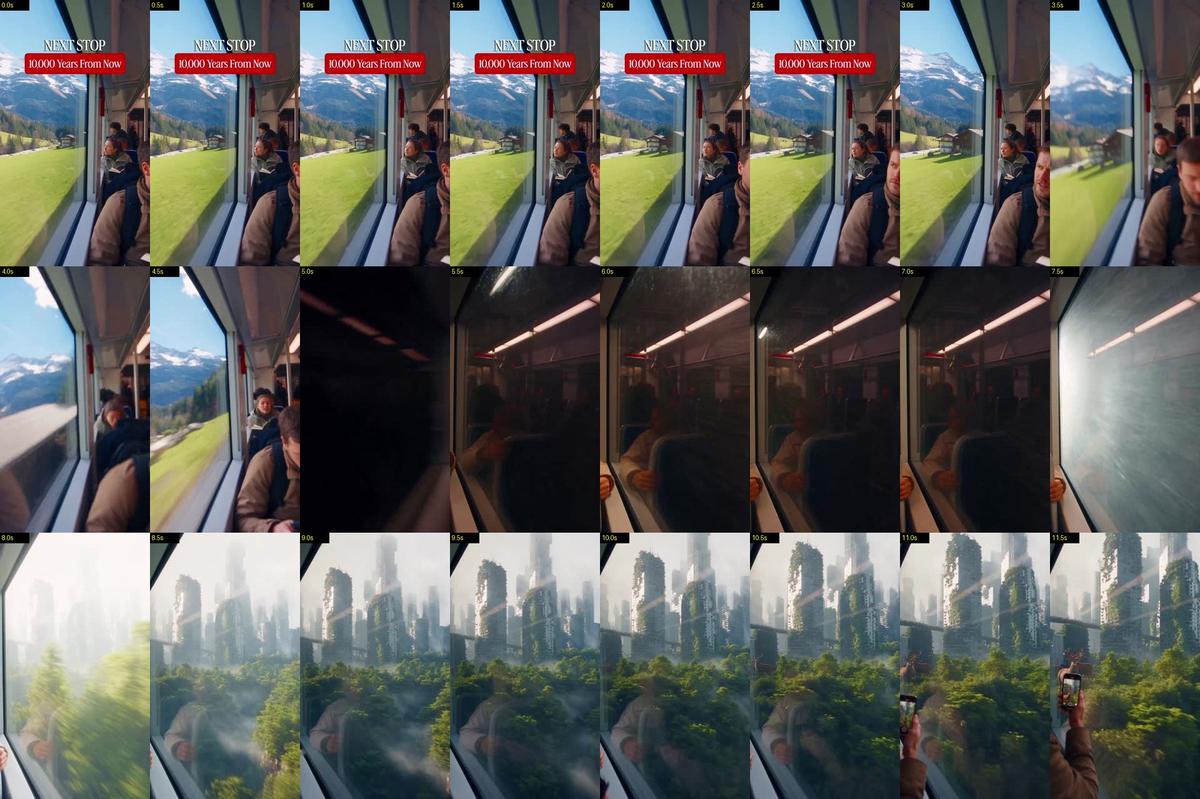
Create one continuous 30-second ultra-realistic amateur smartphone POV video filmed by a passenger inside a modern passenger train traveling through a beautiful mountain
landscape.
ONE SINGLE UNBROKEN TAKE.
No cuts, no jump cuts, no dissolves, no portals, no teleportation, no scene resets, no POV changes and no exterior camera shots.
The entire video is one continuous physical journey from the present day into Earth approximately 10,000 years in the future.
The train begins in a beautiful modern alpine landscape.
A strange automated announcement suddenly reveals that the next stop is 10,000 years in the future.
The train accelerates dramatically.
It enters a mountain tunnel.
Inside the tunnel, the world outside rapidly changes through time.
The train eventually emerges into a completely transformed Earth.
Human civilization is no longer clearly visible as a functioning society.
Ancient abandoned cities have been reclaimed by nature.
Huge forests cover former urban areas.
New rivers run through old streets.
Massive waterfalls pour from collapsed structures.
New wildlife has evolved.
The world must feel mysterious, beautiful, enormous and slightly unsettling.
The viewer should feel:
"Where did humanity go?"
The video must feel like authentic accidental smartphone footage rather than a polished science-fiction movie.
ABSOLUTE CAMERA / POV LOCK
The camera is a cheap smartphone held at chest height by ONE standing passenger.
One hand holds the phone.
The other hand grips a vertical train pole.
The phone itself is NEVER visible.
The camera ALWAYS looks through the EXACT SAME LEFT-SIDE TRAIN WINDOW.
The viewing direction remains approximately 90 degrees to the train's direction of travel.
The train ALWAYS moves forward.
The outside environment ALWAYS travels from FRONT TO BACK across the LEFT window.
NEVER show the front of the train.
NEVER show the rear.
NEVER rotate the camera toward the direction of travel.
NEVER switch windows.
NEVER switch passengers.
NEVER use third-person perspective.
NEVER use an exterior camera.
NEVER use drone footage.
NEVER use cinematic camera movement.
The SAME window frame, SAME vertical pole and SAME nearby passenger remain visible throughout the entire video.

The camera may shake naturally because of acceleration and track vibration.
Use realistic cheap-smartphone characteristics:
slightly crooked framing,
rolling-shutter wobble,
autofocus hunting,
automatic exposure adjustment,
realistic motion blur,
minor compression artifacts,
glass reflections,
subtle fingerprints and smudges,
slight image sharpening,
natural smartphone dynamic range.
TRAIN INTERIOR
The train is modern and believable.
Ordinary passengers are inside.
People are sitting and standing naturally.
Several passengers are near the LEFT window.
Backpacks, jackets, coats and loose clothing react naturally to train movement.
Keep the SAME passengers throughout the entire video.
Do not make everyone react simultaneously.
Reactions must feel spontaneous:
confusion,
curiosity,
surprise,
nervous laughter,
excitement,
fear,
people moving closer to the window,
people stepping backward,
people grabbing friends,
people quietly filming with their phones.
Never make the passengers behave like actors.
0–3 SECONDS — PRESENT DAY
The train travels through a spectacular modern alpine landscape.
Outside the LEFT window:
snow-covered mountains,
green valleys,
pine forests,
rocky cliffs,
small mountain villages,
modern roads,
bridges,
a river,
distant cable cars,
occasional hikers,
normal modern infrastructure.
Bright natural daylight.
The scenery moves naturally past the window.
Passengers are relaxed.

Someone is looking at the mountains.
A normal train PA chime suddenly sounds.
The automated announcement calmly says:
"Next stop... 10,000 years from now."
There is a brief silence.
Several passengers look confused.
One passenger says:
"What?"
Another passenger looks toward the ceiling speaker.
Someone laughs nervously.
The train suddenly begins accelerating.
3–5 SECONDS — SUDDEN ACCELERATION
The train rapidly accelerates.
Passengers instinctively grip the vertical poles.
Loose clothing and hanging straps move backward from inertia.
The camera shakes realistically.
The modern alpine scenery begins moving much faster across the LEFT window.
The train races toward a massive mountain tunnel.
A passenger near the window leans forward in disbelief.
Someone quietly says:
"Wait..."
The train enters the tunnel at high speed.
Do NOT spend too much time inside the normal modern tunnel.
5–8 SECONDS — RAPID TIME TRAVEL
The tunnel sequence must be FAST.
The modern concrete tunnel rapidly transforms.
Artificial lights disappear.
Concrete becomes rough natural stone.
Modern railway infrastructure disappears.
Rock layers rapidly pass the window.
Small cracks.
Ancient rock formations.
Water dripping from the ceiling.
Dust.
Fossils.
Roots.
Different geological layers flash past.
The outside world rapidly changes through thousands of years.
Modern vegetation disappears.
Ancient vegetation appears.
Then disappears again.
The train continues forward without stopping.
NO PORTAL.
NO MAGICAL FLASH.

NO TELEPORTATION.
The viewer must clearly understand that the SAME train is physically traveling forward through time.
Passengers become increasingly confused.
One passenger grips the pole tightly.
Another passenger moves closer to the window.
Someone whispers:
"No way..."
8–10 SECONDS — FUTURE EARTH ARRIVAL
A faint natural light appears ahead.
The train continues at high speed.
The tunnel suddenly opens.
The camera sees a completely transformed landscape.
For a brief moment, the passengers say nothing.
The modern world is gone.
Massive forests cover the valley.
Huge trees grow around the remains of old infrastructure.
A wide river flows through what used to be a developed urban area.
Mist hangs in the distance.
The train continues forward.
Someone quietly says:
"What happened?"
10–13 SECONDS — THE ABANDONED CITY
The train passes a huge abandoned city.
But it must NOT look like a typical science-fiction futuristic city.
It is an ancient human city from our era that has been abandoned for thousands of years.
Massive skyscrapers are partially collapsed.
Their surfaces are covered with thick vegetation.
Tree roots break through concrete.
Vines cover windows.
Birds fly through empty buildings.
Waterfalls fall from broken elevated structures.
A former highway is completely covered by trees.
A river now flows through an old street.
The city has become part of the ecosystem.
Passengers rush toward the LEFT window.
Several people stare silently.
One passenger raises their phone.
Another passenger slowly steps closer to the glass.
13–16 SECONDS — FUTURE WILDLIFE
The train continues through the transformed landscape.
Reveal multiple species of evolved future wildlife.
Do NOT show only one creature.
Show different animals at different distances.
A herd of large deer-like animals moves through the vegetation.

Smaller mammals cross the old railway embankment.
Large birds fly between abandoned buildings.
A group of unusual but biologically believable herbivores feeds near the river.
The animals must NOT look like fantasy monsters.
They must feel like believable descendants of modern animals after thousands of years of evolution.
Different animals behave independently.
Some graze.
Some walk.
Some run.
Some look toward the train.
Some ignore the train completely.
16–19 SECONDS — CREATURE APPROACHES THE WINDOW
One large evolved herbivore becomes curious about the train.
It slowly approaches the railway.
Its movement must feel heavy and biologically realistic.
Detailed skin and fur.
Visible muscles beneath the body.
Natural breathing.
Natural eye movement.
Realistic footsteps.
The creature gradually comes closer to the LEFT window.
Passengers notice it.
One passenger moves backward.
Another passenger leans toward the glass.
Someone whispers:
"Look at that..."
The animal comes very close to the window.
Its face fills a large portion of the frame.
Its eye briefly looks directly toward the passengers.
The glass remains intact.
The creature does NOT attack.
It simply observes the strange moving train.
The camera autofocus briefly hunts because of the extreme close distance.
19–22 SECONDS — PREDATOR MOMENT
The peaceful moment suddenly changes.
In the background, a large evolved predator begins chasing one of the smaller animals.
The chase happens naturally.
The predator is powerful but biologically believable.
No fantasy armor.
No glowing eyes.
No supernatural behavior.
It runs through tall grass and vegetation.
The prey escapes between trees.
The predator briefly turns toward the moving train.

It slows.
It watches the train.
The passengers become nervous.
One passenger pulls another person slightly backward.
Someone says:
"Oh my God..."
The predator eventually continues after its prey.
The train keeps moving.
22–25 SECONDS — HUMANITY'S REMAINS
The train passes another enormous abandoned structure.
This time, reveal something emotionally striking.
A giant old human monument or observation tower remains standing above the forest.
Nature has completely surrounded it.
Trees grow through the structure.
Birds nest on the upper levels.
A waterfall runs through part of the abandoned architecture.
The passengers become quiet.
The camera stays locked on the LEFT window.
Someone softly says:
"Are we the only ones left?"
Do NOT show modern humans outside.
The world should feel almost completely free of present-day civilization.
25–28 SECONDS — THE HUGE REVEAL
The landscape opens into an enormous valley.
Reveal a gigantic future ecosystem.
Huge forests.
Massive waterfalls.
Wide rivers.
Abandoned city ruins in the distance.
Multiple herds of evolved animals moving across the landscape.
Birds flying overhead.
Mist between mountains.
The scale must feel enormous.
Then, far in the distance, something much larger moves behind the trees.
Only part of its body is visible.
Do NOT fully reveal it.
The passengers notice it.
Everyone becomes silent.
One passenger slowly says:
"What is that?"
The enormous creature continues moving behind the distant forest.
Do NOT make it a fantasy monster.
It should feel like a plausible, extremely large future animal.
28–30 SECONDS — FINAL CLIFFHANGER

The train continues forward.
The huge silhouette disappears behind the trees.
The passengers remain silent.
The future landscape continues moving past the LEFT window.
A quiet PA chime sounds.
After a short burst of static, the automated voice calmly says:
"Next stop... 20,000 years from now."
CUT TO BLACK EXACTLY AT 30 SECONDS.
FUTURE EARTH REALISM LOCK
The future must NOT look like a generic futuristic movie.
No flying cars.
No neon cities.
No giant holograms.
No robots everywhere.
No futuristic highways.
No shiny sci-fi buildings.
Instead, show a realistic Earth transformed by thousands of years without modern civilization.
Nature reclaims human infrastructure.
Forests grow through buildings.
Rivers change their courses.
Coastlines shift naturally.
Weather and erosion damage structures.
Animals evolve naturally.
Human architecture becomes archaeological remains.
The world must feel ancient even though it is our future.
CREATURE DESIGN LOCK
Future animals must be biologically believable.
Use evolutionary variations of familiar animal body plans.
Realistic fur.
Realistic skin.
Natural muscle movement.
Realistic weight.
Natural breathing.
Natural eyes.
Natural walking and running mechanics.
No fantasy armor.
No glowing bodies.
No supernatural abilities.
No cartoon anatomy.
No giant monster behavior.
No unnecessary aggression.
Animals should behave like wildlife.
WINDOW INTERACTION LOCK
When a creature approaches the train:

The train continues moving.
The animal must maintain believable physical distance.
The glass remains intact.
The animal's reflection may subtly appear in the glass.
Passengers' reflections remain visible.
Natural glass glare and fingerprints remain visible.
Autofocus may briefly hunt.
No creature may magically appear inside the train.
No creature may break the fourth wall.
PASSENGER REACTION LOCK
Reactions must happen naturally and at different times.
Announcement:
confusion.
Acceleration:
surprise and nervousness.
Future city:
disbelief.
Wildlife:
excitement.
Creature at window:
fear and fascination.
Predator:
tension.
Abandoned human monument:
silence and realization.
Final giant silhouette:
complete silence and uncertainty.
Do NOT make everyone scream.
Do NOT make everyone react simultaneously.
SCALE AND PARALLAX
Maintain realistic parallax through the LEFT train window.
Nearby vegetation moves quickly.
Medium-distance animals move slower.
Distant mountains move very slowly.
Large structures at medium distance move naturally.
Animals close to the railway should move rapidly across the frame.
Distant herds should move slowly.
The train must feel physically connected to the landscape.
LIGHTING
Present:
natural daylight,
soft mountain sunlight,
realistic atmospheric haze.
Tunnel:

dark wet rock,
weak artificial train lighting,
dust and moisture particles.
Future Earth:
natural sunlight,
soft atmospheric haze,
rich greens,
warm sunlight through trees,
cool shadows,
subtle mist,
realistic reflections.
No excessive cinematic color grading.
No neon.
No artificial glow.
No fantasy lighting.
AUDIO
No music.
Cheap smartphone microphone.
Train motor.
Metal vibration.
Wheel noise.
Rattling poles.
Passenger breathing.
Wind.
Mountain ambience.
Tunnel resonance.
Future forest ambience.
Bird calls.
Animal footsteps.
Distant animal calls.
Predator sounds.
Passenger whispers and gasps.
At 0 seconds:
PA chime.
"Next stop... 10,000 years from now."
At approximately 3 seconds:
"What?"
At approximately 6.5 seconds:
"No way..."
At approximately 10.5 seconds:
"What happened?"
At approximately 17 seconds:
"Look at that..."
At approximately 20 seconds:
"Oh my God..."
At approximately 24 seconds:

"Are we the only ones left?"
At approximately 27 seconds:
"What is that?"
At approximately 29.5 seconds:
PA static.
"Next stop... 20,000 years from now."
All dialogue must sound spontaneous and naturally recorded inside the train.
No dramatic soundtrack.
No trailer music.
No artificial cinematic voiceover.
TIMING AND PACING LOCK
The first three seconds establish the present-day world and deliver the unexpected announcement.
Immediately after:
"Next stop... 10,000 years from now."
the train accelerates.
The transition from present to future must be FAST.
Do NOT waste time inside the tunnel.
By approximately 8 seconds, the future should already begin appearing.
By approximately 10 seconds, the train must be fully inside the future world.
Prioritize:
future Earth reveal,
abandoned civilization,
multiple evolved animals,
close window interaction,
predator-prey action,
humanity's remains,
huge final silhouette.
The majority of the video should contain visual discoveries.
The pacing should feel:
calm present
→ unexpected announcement
→ sudden acceleration
→ rapid time travel
→ shocking future reveal
→ abandoned civilization
→ wildlife discovery
→ close creature encounter
→ predator tension
→ realization of humanity's disappearance
→ gigantic final reveal
→ mysterious cliffhanger.
FINAL CONTINUITY LOCK
ONE TRAIN.
ONE PASSENGER POV.
ONE SMARTPHONE.
ONE LEFT WINDOW.
ONE VIEWING DIRECTION.

ONE CONTINUOUS FORWARD JOURNEY.
NO CUTS.
NO PORTALS.
NO TELEPORTATION.
NO CAMERA ROTATION.
NO POV CHANGE.
NO EXTERIOR CAMERA.
NO SCENE RESET.
The SAME passengers remain inside the SAME train from beginning to end.
The SAME window frame remains visible.
The SAME vertical pole remains visible.
The SAME nearby passenger remains partially visible.
Only the world outside the window changes.
The journey must clearly communicate:
MODERN EARTH
→ NEXT STOP: 10,000 YEARS FROM NOW
→ IMMEDIATE ACCELERATION
→ RAPID TIME TRAVEL
→ FUTURE EARTH
→ ABANDONED HUMAN CIVILIZATION
→ NATURE RECLAIMS THE WORLD
→ EVOLVED WILDLIFE
→ CLOSE WINDOW ENCOUNTER
→ PREDATOR AND PREY
→ HUMANITY'S REMAINS
→ MASSIVE FUTURE ECOSYSTEM
→ MYSTERIOUS GIANT CREATURE
→ NEXT STOP: 20,000 YEARS FROM NOW
The final result should feel like authentic accidental smartphone footage of a normal train that somehow traveled into Earth's future, with realistic physics, believable wildlife, natural
passenger reactions, constant environmental movement and an overwhelming sense of scale and mystery.
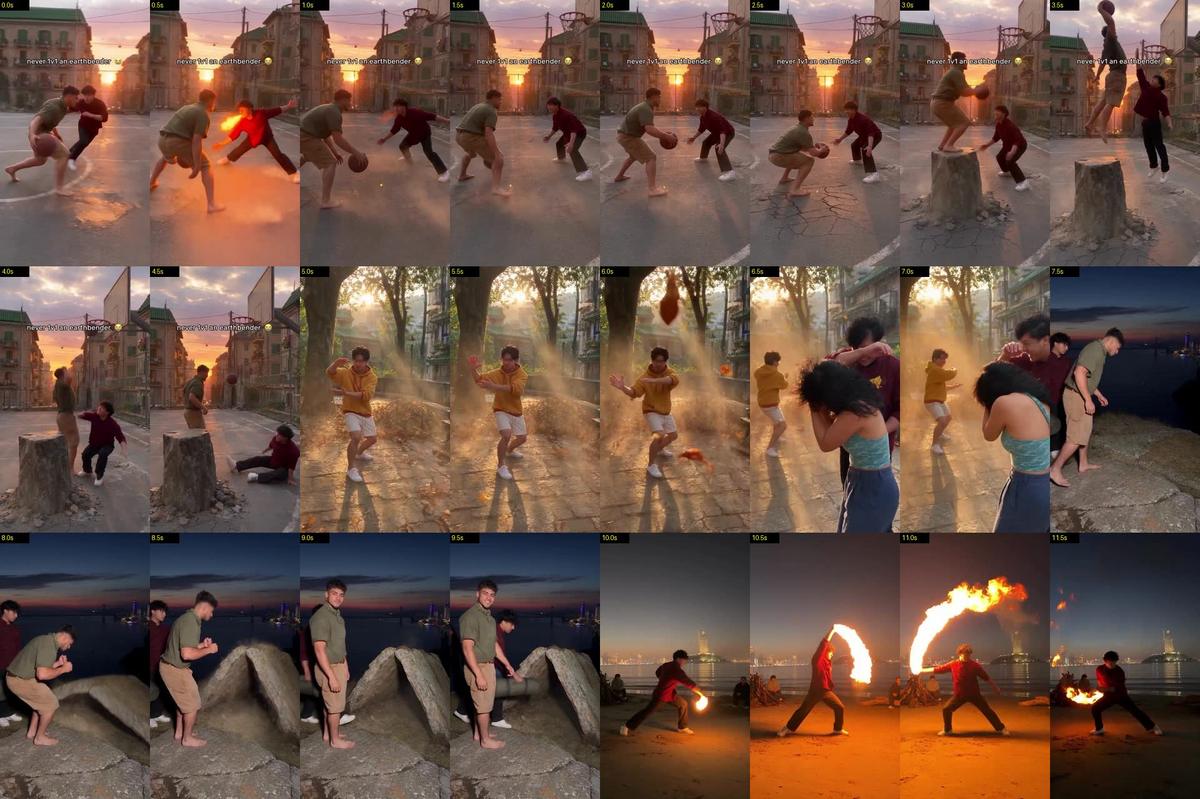
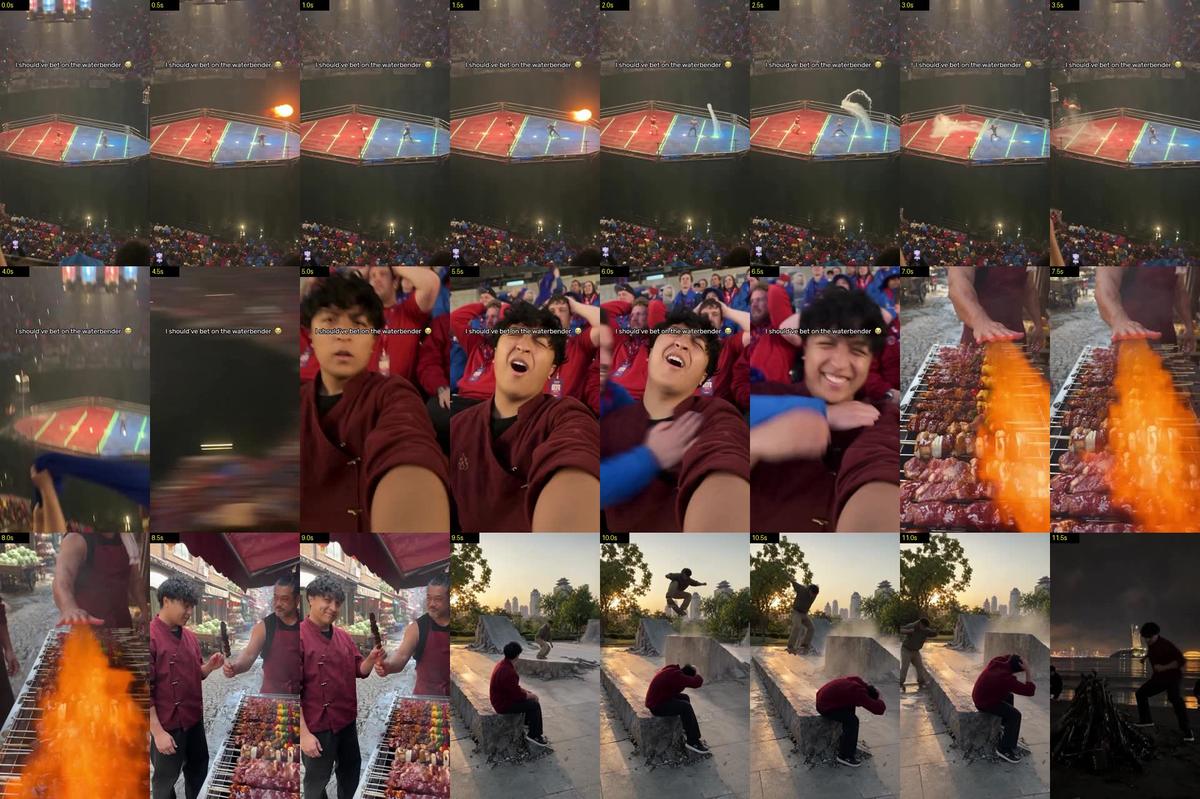
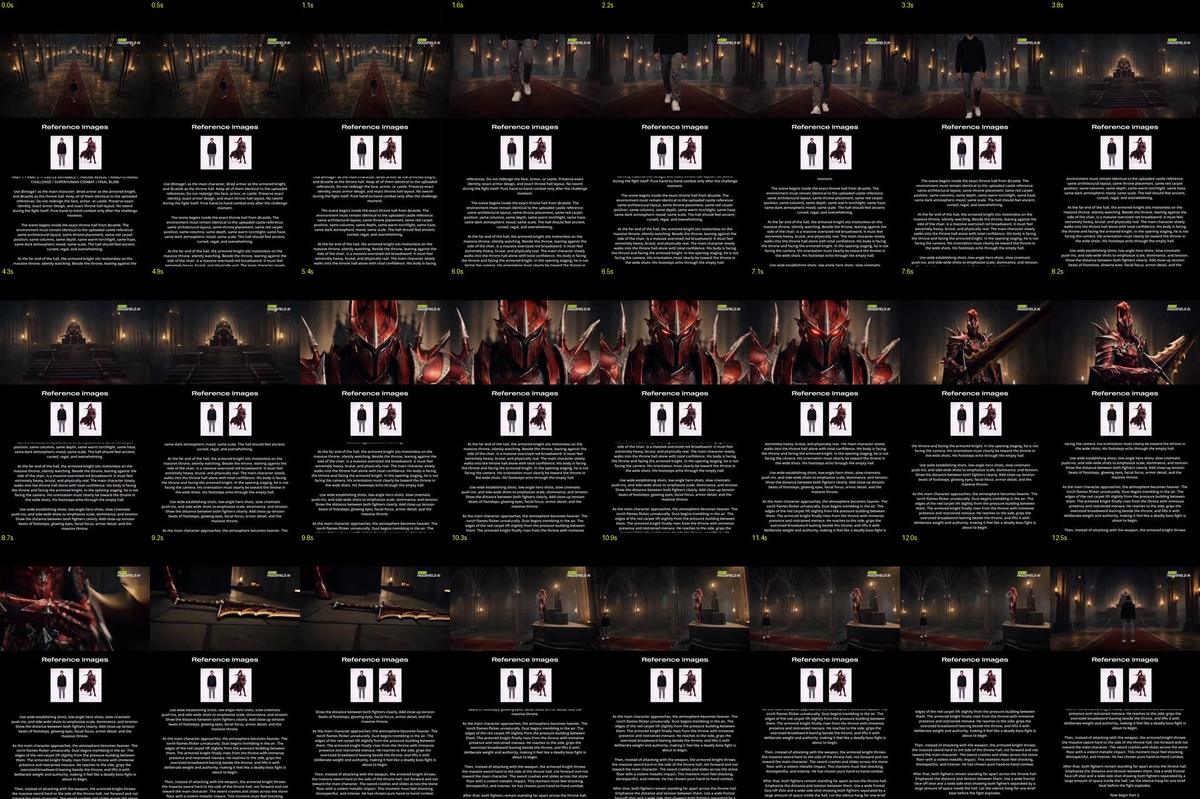
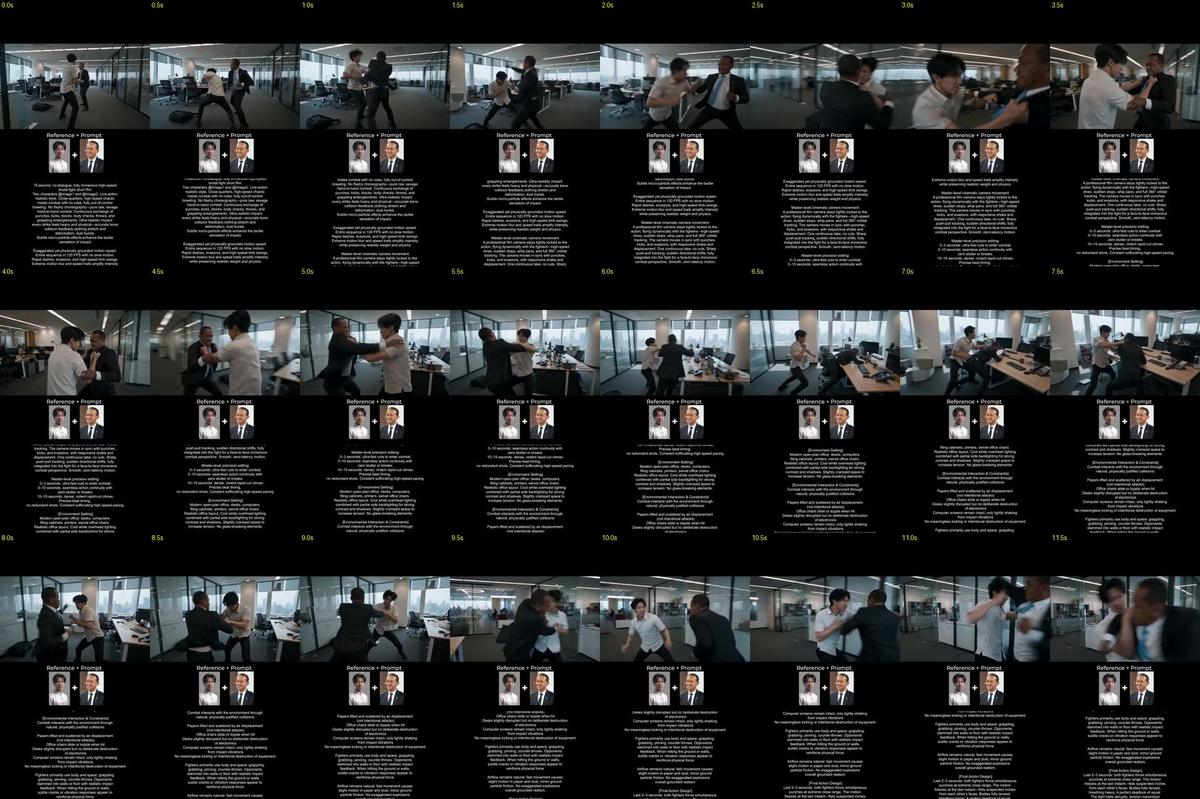
<<<video_1>>> is my finished video. Use <<<video_1>>> as the reference for the entire edit. Use the uploaded selfie only for the replacement person's identity. Replace the man in the deep red jacket (the main character, a firebender, who gets dunked on at the basketball court, gets caught in the leaf storm in the park, tosses his sleeping bag into the stone tent, does the fire dance on the beach, gets splashed by the river, eats the seared sushi and lights the sky lantern) with that same recognizable selfie identity in every shot he appears in. Match the selfie's facial structure, skin tone, eyes, brows, nose, lips, distinctive marks, facial hair, hairline, hair color, texture and length; at the river his hair and clothes get soaked. Do not inherit the original performer's messy black curly hair or add hair, makeup or facial hair absent from the selfie. Keep the earthbender in the olive T-shirt, the airbender in the yellow hoodie, the waterbender in the teal top, the grandmother, the sushi chef, the ice-cream vendor and every other person exactly as they are. Keep the original body proportions and the deep red mandarin-collar jacket, black T-shirt and black trousers. Transfer the original performance exactly: every look to camera, smile, laugh, flinch, fall, kick and the fire from his hands. Do not copy the selfie's fixed pose or expression. Do not invent extra gestures, expressions or shots. Preserve the exact camera positions and movement, cuts, shot order, duration, speed, aspect ratio and existing audio. Preserve the rock, the stone tent, the wind, the leaves, the water, the fire, the sailboat, the lanterns and all the light exactly as they are. Match the replacement person to each shot's existing light, with the same focus, motion blur, grade and grain. No new music, dialogue, titles, transitions or graphics.
<<<image_1>>> is my selfie (face and hair identity). @Image2 is a full-body photo of me (build and proportions only).
A two-panel character reference sheet photographed like a real wardrobe fitting, on a plain mid-grey paper backdrop in soft, flat, overcast window daylight. No studio key light, no rim light, no dramatic shadows. Natural skin texture, real fabric. Exactly two views of the same person, nothing else on the sheet: no text, no labels, no colour swatches, no extra heads.
LEFT PANEL (about 40% of the width): full body, standing relaxed at a three-quarter angle, feet fully visible on the floor, arms loose, weight slightly on one leg.
RIGHT PANEL (about 60% of the width): a large three-quarter face close-up from mid-chest up, head turned slightly, chin slightly lowered, direct eye contact with the camera, calm natural expression, lips closed.

THE PERSON: exactly the person in <<<image_1>>>. Keep the real face 100%: face shape, eyes, brows, nose, lips, skin tone and any marks exactly as in the photo. Keep the real hair, its colour, texture and length.
BUILD: match @Image2 exactly for build and proportions. Do not add muscle, do not make them slimmer, taller or shorter than the photo.

COSTUME (modern designer streetwear from a world where fire-people wear black, deep red and gold; real clothes you could buy):
- A deep oxblood-red heavyweight cotton-twill overshirt jacket, slightly oversized, with a short stand-up mandarin collar and an asymmetric diagonal wrap front that fastens at the right side with three small matte brass toggles. A small, subtle flame emblem embroidered tone-on-tone in dull gold thread on the left chest. Sleeves pushed a little up the forearms. The red is deep and dull, not bright or shiny.
- A plain black crew-neck T-shirt underneath, visible at the collar.
- Loose black cotton trousers with a straight, open, uncuffed hem.
- Black leather low-top trainers with off-white rubber soles, lightly worn.
No jewellery. No robes, no armour, no belt sash, no gloves, no topknot, no hat.
Photographic, like a 35mm film still: natural colour, soft grain, true-to-life proportions. Not a 3D render, not an illustration, not glossy skin, not a costume-shop look.
A photographic prop reference sheet of one real object: an earthbender's stone tent on a dry grassy hilltop. Shot like documentary photos of a real stone structure, on a real camera, natural soft overcast daylight, true colours, sharp detail. Not CGI, not a 3D render, not concept art, not a game asset.

THE OBJECT: a small A-frame shelter made of two thick slabs of the hilltop's own grey bedrock that have been pushed up out of the ground and leaned against each other. Each slab is about 2 metres long, 1.3 metres wide and 15 to 20 centimetres thick, with rough, irregular, naturally broken edges (never cut, never rounded, never smooth). Where their top edges meet they rest unevenly, with a small natural gap and chips. Together they make a low, wide triangle about 1.1 metres high at the ridge and 1.8 metres wide at the base, open at both ends, big enough for two people lying down.

MATERIAL: real weathered grey granite with natural cracks, mineral speckles, iron-orange stains, patchy grey-green lichen growing only on the old top surface, darker and cleaner faces where the stone was underground. The undersides and lower edges still carry clumps of dark brown soil, torn grass roots and small stones stuck to them. The stone has real weight: it sits heavy, slightly sunk into the ground.

GROUND CONTACT: the bottom edges of both slabs are buried in the hilltop. Along each base the turf is torn open in a ragged strip, showing dark soil and roots, with the grass bent and flattened outward around it, a few loose stones and soil crumbs scattered next to it. No clean holes, no trenches, no perfect lines.

LAYOUT: four photos on one sheet, neutral thin white borders, small plain labels:
1. BEFORE: the same spot before it rises: a flat, low patch of grey bedrock set flush into the grassy hilltop, about 2.5 metres long, with a natural crack running down its middle, grass and soil around its edges.
2. AFTER, three-quarter view: the finished stone tent on the hilltop, a rolled-up blue sleeping bag lying on the ground beside the opening for scale.
3. AFTER, straight-on front view into the opening: the triangular dark inside, the inner faces of the slabs with soil on them.
4. CLOSE-UP of the base where a slab meets the ground: torn turf, dark soil, roots, small stones, lichen on the upper stone.

No people. No text other than the four small labels. 3:2 landscape sheet.
A real photograph in the city's EARTH DISTRICT, a dense old neighbourhood of heavy stone and brick apartment blocks with green-glazed tile roofs and olive-painted shutters, at sunset on a hot late-summer evening: the sun sitting just above the horizon and visible in the frame, a glowing orange, pink and soft violet sky, a natural lens flare, long shadows, warm rim light on every edge, a little haze, eye-level from the sideline of a public basketball court squeezed between the blocks. Worn painted asphalt with faded lines, a chain-net hoop on a steel pole, a high chain-link fence, balconies with laundry and potted plants, power lines overhead. Around the court edges raw grey rock pillars have been pushed straight up out of the ground, with cracked broken edges and torn-up asphalt around their bases, gravel and dust spilled out; one flat-topped waist-high rock pillar stands right in front of the hoop like a launch step. Drink bottles and a backpack by the fence. The setting sun blazes straight down the street at the end of the court between the buildings.
Shot at normal standing eye height like a real place someone would photograph on their phone: natural colour, true perspective, real materials, real wear and dirt, soft grain. No statue, no giant monuments in view. No people. No readable text, no logos, no watermark. Not a 3D render, not concept art, not an illustration.
SCENE CONTEXT
A one-on-one pickup game in the earth district at sunset, the street court between the old apartment blocks where they grew up playing: the hero, a firebender, guarding his earthbender friend. The earthbender crosses the hero over and gets a step past him, but the hero fires one short blast of flame out of his palm to the side and the kick of it shoves him sideways across the asphalt, right back in front of him. It doesn't matter: the earthbender plants, the court itself lifts him on a slab of rock, and he dunks right over the hero. The hero lands on his backside and they both burst out laughing. A friend films from the sideline. Fast, raw and real. 6 seconds, one continuous handheld phone shot, real time, no cuts.

SCENE GOAL
The hero uses his fire to stay in front of the earthbender, and still gets dunked on, because defending an earthbender on his own ground is unfair; they both know it and laugh.

ACTIVE REFERENCES
<<<image_1>>> (YOUR EARTHBENDER FRIEND, always barefoot): a broad, sturdy young man, short textured black crop faded at the sides, a short beard line, an oversized olive-green T-shirt, tan canvas carpenter shorts, a green bandana tied loosely at his neck, strong bare feet. 100% matches.
<<<image_2>>> (YOU, the main character, a firebender): your character sheet, wearing a deep oxblood-red cotton-twill overshirt jacket with a short mandarin collar, an asymmetric wrap front with small brass toggles and a small gold flame embroidered on the left chest, sleeves pushed up, a black T-shirt, loose black trousers, black low-top trainers. 100% matches in body, face and clothes; never more muscular, never slimmer.
<<<image_3>>> (YOUR SELFIE, face and hair identity ONLY; ignore the background): every close view of your face matches this selfie exactly.
<<<image_4>>> (THE COURT, location): the public basketball court between old stone apartment blocks with green tile roofs, the chain-net hoop, the chain-link fence, balconies with laundry, power lines, the low sun down the street at the far end. Controls geometry, materials, light and atmosphere ONLY, not framing.

LOCATION AND DIRECTION
A friend films from the sideline at chest height, 6 metres from the hoop, the hoop on the RIGHT of the frame. The street runs away into the background, the setting sun at its far end between the apartment blocks. Both players are close to the camera and large in the frame from the first frame, full body, mid-court near the hoop. The hero guards between the earth friend and the hoop, facing LEFT. The earth friend drives in from the LEFT toward the hoop. The court is worn, clean asphalt.

CAMERA AND LOOK (the most important thing)
This is raw footage filmed on a real iPhone by a real person, like an Instagram story, not a film. Handheld, imperfect framing, constant small shakes and breathing drift, auto-exposure and autofocus that hunt a little, the phone's wide main lens with mild edge distortion, real phone compression, noise in the shadows. Never gimbal-smooth, never locked off, never a crane or drone move. No phone is ever visible in the frame. Real time at normal speed: no slow motion, no speed ramps, no freeze frames. 9:16 vertical.
One light world: only the light sources named below exist. The same light, haze, noise and blur fall on everyone and the background alike; nobody is lit separately, no studio light, no glow on skin.
Whenever a face is close, the camera is at or slightly above the level of the eyes, never below the chin.
Natural colour, true skin texture, real fabric, real wear and dirt. Not CGI, not a video game, not a movie trailer.

SHOT, 0.0s-6.0s, one continuous handheld phone shot, at normal speed the whole way through; the dunk lands at 4.0s.
0.0s-1.0s: ALREADY mid-action: the earth friend dribbles hard at the hero from the LEFT, barefoot, and crosses over to his left, slipping a step past the hero's shoulder toward the hoop; the hero, guarding low with arms wide, is beaten by a step.
1.0s-1.6s: the hero throws his left palm straight out to the LEFT, away from the drive, and one short, sharp blast of plain orange flame bursts out of it for less than half a second; the kick of the blast shoves his whole body sideways to the RIGHT like a hard push: his sneakers skid sideways across the asphalt about a metre and a half with a loud scrape and a puff of dust, and he slides to a stop square in front of the earth friend again, low, arms wide, grinning. The flame is gone; his hands are empty.
1.6s-2.6s: the two of them face off a metre apart, the earth friend dribbling low, jab-stepping, both trash-talking; the hero stays in front of him.
2.6s-3.2s: the earth friend plants both bare feet and sinks into a deep crouch, ball raised; while he is still crouched with both feet on the ground, the asphalt under his soles cracks with a sharp snap into one short, thick, flat-topped slab of grey rock, chips jumping.
3.2s-3.6s: with his bare feet pressed flat on its top, the slab punches straight up out of the court to knee height in a fraction of a second, carrying him up on it, his knees bending deeper under the load; it stops dead and he springs off its flat top, launching far higher than a normal jump. The hero jumps with him, an ordinary jump, his right arm stretched up to block.
3.6s-4.0s: at the top, a full head above the hero, the earth friend slams the dunk through over the hero's fingertips at 4.0s, the chain net rattling loudly; the ball drops out through the bottom of the net and bounces away across the court.
4.0s-4.8s: the hero comes down off-balance, stumbles back and sits down hard on the asphalt; the earth friend drops down onto his feet beside the slab.
4.8s-6.0s: the earth friend points at the hero and cracks up; the ball bounces a couple more times, smaller each time, and rolls away; the hero laughs on the ground, shaking his head; the phone shakes as the friend filming laughs behind it.

PHYSICS
Everything happens at real speed, 100% for the whole clip: no slow motion, no speed ramps, no freeze frames. The action fills the whole clip; nothing is stretched.
Fire: one single short blast from his left palm, aimed away from where he goes, like the kick of a fire extinguisher: plain orange-yellow campfire flame with dark smoky edges, NO blue, under half a second. Its push is real and visible: his body is thrown sideways by it, his feet slide on the asphalt, his jacket whips. No flame stays in or around his hands before or after; his hands never glow.
Rock: the slab is heavy fresh-broken stone with angular faces, rising in a fraction of a second and stopping dead. It rises BEFORE his feet leave the ground, with his soles on its flat top the whole way up, like a lift that punches him upward; his feet are always on its top surface, never sinking into it, never inside it, and the rock is never just beside him. His jump comes from the slab.
The hero's jump is a normal human jump. Both bodies fall with real gravity and land with real weight. The basketball is one real ball, visible the whole time: after the dunk it falls through the net, bounces on the asphalt and rolls away.

LIGHTING
The sun is setting at the far end of the street, low between the apartment blocks: golden backlight down the street toward the camera, long dark shadows of the players stretching across the asphalt toward the camera, warm gold haze in the street, the players' faces partly in shade with warm edges, lens flare when the sun peeks between them. The fire blast lights the hero and the asphalt orange for an instant.

AUDIO
Ball bouncing on asphalt, bare feet slapping, sneakers squeaking, one short roaring whoosh of flame, the scrape of his skid, a sharp crack and grinding thud of rock, the chain net rattling, the ball's bounces, the hero's thud on the asphalt, loud real laughter and trash talk (non-verbal). No words. No music.

ACTING
Competitive friends messing around: the hero cocky after his fire save, then dunked on and laughing at himself. The earth friend calm and dominant, then laughing. Natural, never wide-eyed.

LOCKS
Exactly one fire blast, from the hero's left palm only, and it moves him. Exactly one rock slab, rising under the earth friend's feet before he leaves the ground, his feet always on top of it. The dunk lands at 4.0s and goes in. Exactly one basketball, visible from start to end. Both players stay large in the frame. No hugging. No slow motion at any moment. The friend filming is never visible. No text. No phone visible.
ONE real photograph of a real place at night, a single full-frame view: no grid, no panels, no people, no text, no labels.

THE PLACE: the generator hall of an old 1920s brick power plant in a big city, at night. A long, WIDE hall with soot-blackened brick walls, tall brick arches, riveted steel tie-beams and small arched windows high up.

THE RECEIVERS: along the LEFT wall stands a row of five identical receivers about three metres apart, lined up side by side like a row of cannons, every one aimed straight across the hall at the yellow line. Each is a heavy machine on a black cast-iron stand: a long horizontal body of ribbed dark-brown glazed porcelain insulator rings, about two metres long, at waist height. Its BACK end is against the left wall, where thick braided copper cables drop into an iron conduit in the floor. Its FRONT end faces the yellow line and carries a pitted, scorched copper ball the size of a football.

THE GAP (the most important part): between the copper balls and the yellow line lies a long, wide stretch of bare, scorched concrete, SIX METRES across, about three times a man's height: much wider than the walkway behind the line, the widest open space in the picture. Nothing stands on it. Black scorch streaks run across it from the line toward each copper ball, and each ball has a burnt black star on the floor beneath it. The yellow line is far from the receivers: anyone standing on it would be a long way from the nearest copper ball.

THE YELLOW LINE: one worn, painted yellow line on the scuffed concrete, running down the length of the hall parallel to the row of receivers, on the far side of THE GAP. This is where a lightning bender stands, facing his own receiver's copper ball across the gap.

THE WALKWAY AND RIGHT-HAND WALL: behind the yellow line, a three-metre walkway, then the right-hand brick wall: a panel of big round analogue gauges set into an arched wooden door, a large round wall clock with a white face and black hands, steel welding visors hanging on pegs on a wooden rail, wooden crates, and a long, low, worn wooden bench against the wall. On the bench: a small dented black metal kettle with a curved spout and a wire handle, sitting on a little three-legged iron stand that holds it a hand's width above the bench, and beside it a dented tin noodle cup with chopsticks in it. On the brick wall above the crates, a small peeling, half-torn paper poster of a stylised masked face in red and black, with no words.

THE CAMERA: a wide view at standing eye height from the walkway close to the right-hand wall, looking diagonally down the hall and across THE GAP. In the frame: the bench, kettle, crates, visors and gauge door at the bottom right; the yellow line running away from the bottom of the frame down the hall; THE GAP of empty scorched floor wide open across the middle of the picture; the row of receivers on the left, receding down the hall, their copper balls aimed back across the gap at the yellow line. A wide 24 mm lens, level horizon, deep focus.

THE LIGHT: caged tungsten work lamps hanging on long cords from the tie-beams, all switched on, each throwing a warm pool of light on the floor and walls; the whole hall is readable, with soft shadows between the lamps, darker toward the far end and the high ceiling. Warm, natural tungsten colour, no blue light.

Real, used, dirty and industrial: real brick, porcelain, copper, cast iron, wood and tin. Nothing sci-fi, nothing glowing, nothing magical, no electricity.
SCENE
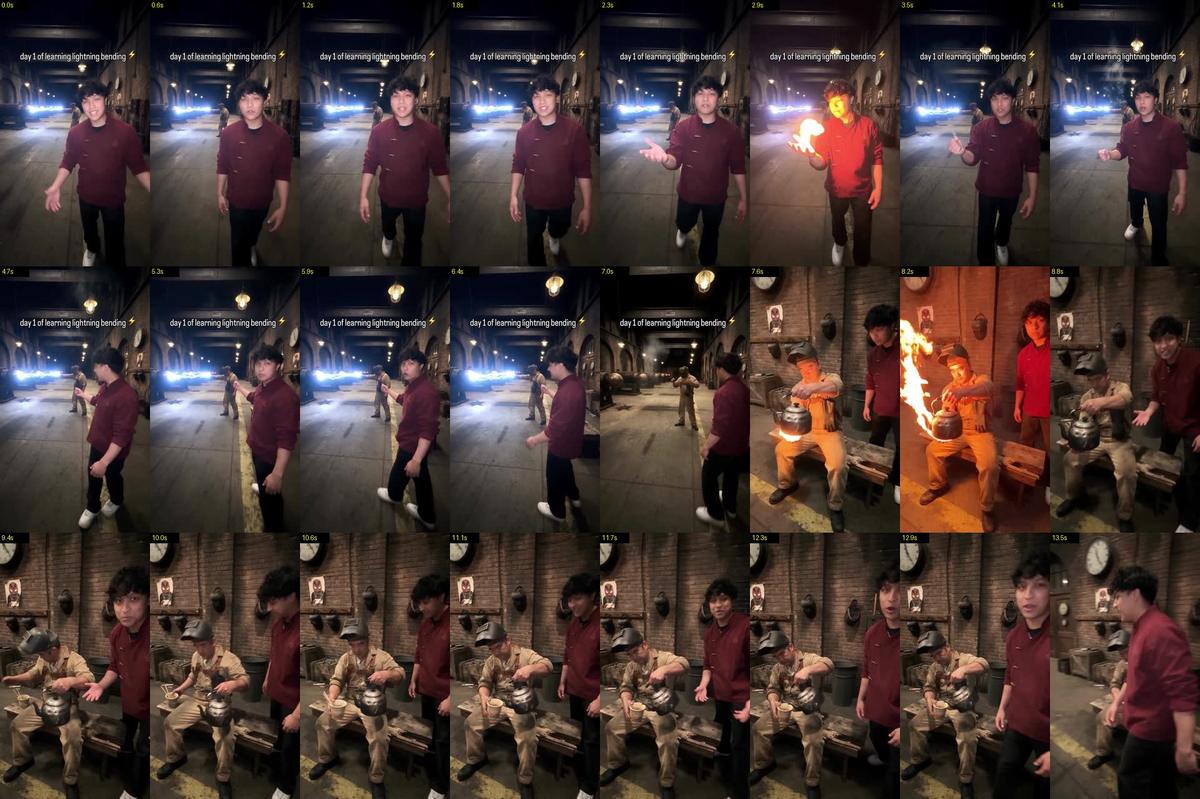
Night inside the dark generator hall of an old brick power plant in a big city, where workers who can bend lightning power the plant by firing it into big receivers. The young man can only bend fire; tonight is his first day of trying to learn lightning, and the foreman agreed only to watch. A raw iPhone vlog filmed by his friend with the phone's flashlight on: 30 seconds, one continuous handheld take. It opens on the foreman already firing a bolt of lightning in the background while the young man walks backward toward him introducing the place; the foreman heats his kettle with a flame from his palm and makes his noodles; the young man admits he has been trying for two hours, asks how it's done, settles into his stance, tries his firebender way and gets fire again. Part one.

SCENE GOAL
The young man badly wants to learn lightning and is filming his first day for his followers; he is a bit clueless about how, and takes each failure seriously but quietly. The foreman has seen apprentices come and go; he agreed only to watch while he makes his noodles, and he talks to the young man, not to the lens.

REFERENCES
<<<image_1>>> (YOU, FULL BODY + FACE: your character sheet): the young man in the dark red wrap-front jacket with toggle fastenings and a small embroidered flame on the chest, black t-shirt, dark trousers, worn white sneakers. His face and hair come only from <<<image_1>>> and <<<image_2>>>. 100% match in face, build and clothes. Controls this person only, not light or framing.
<<<image_2>>> (YOUR FACE: a clear, unfiltered selfie): face and hair identity only.
<<<image_3>>> (THE FOREMAN): the worker in his mid-forties, stocky, greying temples, stubble, tired eyes; tan canvas coveralls, brown leather harness, dented steel welding visor on a headband, black work boots. 100% match. Controls this man only.
<<<image_4>>> (THE HALL AT NIGHT): one photo of the hall at night. It controls the place, its layout and its darkness: the row of receivers on the left aimed like cannons across six metres of bare floor at the yellow line, the yellow line, the walkway, the gauge door, the clock, the visors, the crates, the bench with the kettle on its stand, the weak caged lamps and the deep shadow between them. Film every shot from where the timeline says, not from the photo's angle.

THE HALL (the same in every second)
A long, wide brick generator hall at night. Along the LEFT side stands a row of heavy receivers like a row of cannons, each a long body of ribbed dark-brown porcelain rings on a black cast-iron stand, with a pitted copper ball on its front end aimed across the hall. Six metres of bare, scorched concrete, about three times a man's height, lie between the copper balls and the worn yellow line that runs the length of the hall. Benders always stand behind the yellow line, on the walkway side, and fire across those six metres at their own receiver. Behind the line: a walkway, then the right-hand brick wall with a panel of round gauges in an arched wooden door, a big round clock, welding visors on pegs, wooden crates, a small torn poster of a masked face, and the foreman's long, low wooden bench. On the bench: a small dented black kettle on a little three-legged iron stand, and a tin noodle cup with chopsticks. Far down the hall, one other worker wipes a receiver with a rag.
Screen direction: the friend always films from the walkway side of the yellow line and never crosses to the receiver side, so every punch, every flame and every bolt crosses the frame toward the LEFT, level, into the copper ball in front of the person.

LIGHT (night: a dark hall, the friend's iPhone flashlight on)
Night. The steady light is the weak warm pools of the caged tungsten lamps hanging far apart; the rest of the hall is deep shadow and the far end fades into darkness. The friend films with his iPhone's flashlight switched on the whole time, the way people film in a dark warehouse: its small white light falls on whoever is near the phone from the front and fades quickly with distance, so the people close to the phone are lit and the hall behind them stays dim. The lamps and the flashlight stay exactly the same from the first frame to the last.
One light world: only these lights exist, plus fire and electricity at the moments they happen. The same light, noise and blur fall on everyone and everything; nobody is lit separately, no studio light, no rim light; skin, hands and clothes never glow on their own.
Fire and electricity are by far the brightest things in the hall and they only ever add light: when they fire, the phone can't hold them and the picture blows out, then recovers to the same dim hall.

CAMERA
Raw handheld iPhone footage filmed by his friend, like an Instagram story vlog, with the phone's flashlight on. The friend is never in the frame and nobody in the frame holds a phone. He holds the phone in one hand at his own face height, about four metres from the young man while they walk, so the young man is whole, head to sneakers, with both hands in view and nowhere near the lens; then about two and a half metres from the bench while the foreman makes his noodles; then in THE ATTEMPT FRAMING for the attempt. The frame drifts, sways and tilts a little with his hand and breathing, small natural wobbles smoothed by the iPhone's stabilisation, imperfect framing he keeps correcting; it is never still, even while nothing moves in front of it. It turns slowly toward whoever speaks. Fire and electricity don't move the phone. Autofocus and auto-exposure hunt and jump; the wide main lens, real phone compression, heavy noise in the dark areas, soft night detail, everything in real time. 9:16 vertical. Muted natural colour; real skin, fabric, brick, porcelain, copper and tin.

HOW THINGS LOOK
THE LIGHTNING POSE (the power-plant workers' pose): a long, strong lunge, side-on to the receiver, right foot forward, the front knee bent and the back leg straight, torso upright; the right arm straight out at shoulder height toward the copper ball with the index and middle fingers together; the left arm stretched straight back behind, both arms in one line through the shoulders. One hand points.
THE FOREMAN'S BOLT: from THE LIGHTNING POSE behind the yellow line, a crackling white-hot bolt of lightning glowing blue, as thick as a finger, leaps level out of his two right fingertips across the six metres of floor into the copper ball, joining his hand to the ball like the arc between two electrodes. It stays connected, its jagged path re-forming every frame, short forks along it all reaching toward the ball; the ball flares white where it hits. LIGHT FROM ELECTRICITY: it blows out the picture and flickers blue-white over him, the receiver and the floor between them.
LIGHT FROM ELECTRICITY (every time): while any electricity is on, it is the brightest thing in the hall and its light comes from its whole length: cold blue-white light that flickers rapidly and unevenly, like a welding arc, very bright one frame and darker the next, with hard shadows that jitter. It lights the person making it, the receiver and the floor between them, falling off quickly with distance, and it hits the lens: a soft glare washes across the image with each flicker and the exposure jumps. Its core blows out to pure white with a blue glow around it. No steady glow, no spotlight, no floodlit room.
THE READY STANCE (the young man's firebending stance): behind the yellow line, side-on to his receiver, feet a long stride apart with the right foot forward, the front knee bent over the toes and the back leg straight, weight balanced between both feet, torso upright and relaxed, chin level; both fists up, the right fist forward at chest height and the left fist at his ribs. Balanced and strong, the stance of a trained martial artist.
SETTLING IN (how the young man starts every attempt, about two and a half seconds, unhurried and with real weight, the way a trained martial artist starts a form): standing behind the yellow line facing his receiver, he draws one slow breath in through his nose; as he breathes out, his right foot slides forward along the concrete with a soft scuff, his weight sinks onto his bent front knee, he shifts his back foot once to get it right, and his arms rise into place. Then he holds the stance for a breath, focused, his chest rising and falling, eyes on the copper ball across the floor.
THE ATTEMPT FRAMING (how every attempt is filmed): the friend stands on the walkway about six metres from the young man, close to the right-hand wall, looking down the hall at a slight angle. The young man is whole, head to sneakers, side-on in the right half of the frame, behind the yellow line, facing LEFT; the yellow line runs away down the hall past his feet; across the six metres of bare floor, on the left of the frame, his receiver aims its copper ball back at him, and the rest of the row recedes down the hall behind it.
REAL FIRE (every time): plain orange-yellow campfire flame with dark smoky edges, no blue, ragged and gone in a moment. It lights whoever made it orange for an instant; the exposure blows orange, then recovers. No glow left on the skin; the hand it comes from never burns.
THE FIREBENDER PUNCH: from THE READY STANCE, a sharp exhale through the mouth and ONE straight punch with his right fist toward the copper ball; his left fist stays at his ribs. A short burst of REAL FIRE leaps out just in front of his knuckles, about an arm's length, and burns out in the air within half a second, far short of the receiver; for that instant the picture floods orange and blows out, then recovers.

VOICES (descriptions, never spoken)
The young man: a 24-year-old man, warm, light mid-range voice, relaxed and natural, a neutral accent. The foreman: an older working man's voice, deep, gravelly and slow, worn and a little breathy, like a man of sixty who has worked nights for decades; warm underneath. Only the lines below are spoken, each exactly once, by the named person. No subtitles or on-screen text.

TIMELINE, one continuous take
0.0s, the very first frame: behind the young man, the foreman is already firing THE FOREMAN'S BOLT from THE LIGHTNING POSE behind the yellow line, visor down; the bolt is already blazing across the floor into his receiver's copper ball in the first frame, blowing out the far side of the picture blue-white, and it stays on, unbroken, until 8.8s.
0.0s–4.4s: already walking. The friend walks slowly forward down the walkway, filming. The young man walks backward ahead of him, away from the camera, facing the lens and talking, about four metres away and whole, lit from the front by the flashlight; he takes small backward steps, heels first, glances once over his shoulder, and his arms swing loosely at his sides. The foreman and his bolt are further down the hall behind him, in the left half of the frame; with each step the young man gets closer to him.
0.2s–4.4s: SPEECH (the young man, to the lens): "Day one of learning lightning bending, because I can only bend fire." Casual, a half smile. From the word because, he lifts his right hand palm up at chest height and a REAL FIRE flame flickers up off his open palm while he says the rest; as he finishes the sentence he closes his fist on it and a wisp of smoke slips out between his fingers.
4.6s–8.6s: still walking backward, he turns half round and points back at the foreman, who is still firing THE FOREMAN'S BOLT. SPEECH (the young man, to the lens, said once): "So right now we're at the power plant. These guys basically power the whole city." Casual tour guide; on the words these guys his pointing hand is aimed at the bolt.
8.8s: the bolt cuts out with a snap; the picture settles back to the dim hall and a curl of smoke rises off the copper ball.
8.8s–11.0s: the foreman straightens, flips his visor up onto his head, takes three steps back to his bench and sits down. The young man stops beside the bench; the friend comes up to about two and a half metres away, so both men are whole in frame and the foreman's hands are easy to see.
11.0s–12.0s: the foreman lifts the small dented kettle off its little stand by its wire handle with his left hand and holds it up in front of his chest. No steam: it has gone cold.
12.0s–14.0s: he slides his open right hand underneath the kettle, palm up, a hand's width below its flat sooty bottom, and a small REAL FIRE flame grows up out of the middle of his palm and spreads across the bottom of the kettle like the flame of a gas stove, lighting his face and hands orange; he holds it there, watching the spout, the lid on, until steam starts to puff out of the spout. The young man holds an open hand toward him. SPEECH (the young man, to the lens): "And this guy's gonna teach me." Quick, hopeful.
14.0s–15.6s: the foreman closes his right hand and the flame goes out; with that hand he picks up his tin noodle cup from the bench and holds it out, then tips the kettle over it: a thin stream of steaming water runs out of the tip of the curved spout into the cup. He doesn't look up. SPEECH (the foreman, to the young man): "I said I'd watch." Flat, dry.
15.6s–17.6s: SPEECH (the young man, to the lens, a little sheepish): "I've been at this for two hours already, by the way."
17.6s–20.0s: The young man walks a few steps along the walkway to his practice spot behind the yellow line, across from the receiver next to the foreman's, asking over his shoulder. SPEECH (the young man, to the foreman): "So how do you do it? It's in the breath, right?" The foreman stirs his noodles and does not answer. The friend backs away down the walkway into THE ATTEMPT FRAMING.
20.0s–22.4s: SETTLING IN: a slow breath in; as he breathes out his right foot scuffs forward and his weight sinks into THE READY STANCE, facing LEFT toward his receiver, his back foot shifting once, fists rising; he holds it for a breath, eyes on the copper ball across the floor.
22.6s: THE FIREBENDER PUNCH toward the copper ball on the left: the short burst of fire in front of his knuckles floods the picture orange and burns out in the air, far short of the receiver. Fire again, not lightning.
23.0s–24.0s: he holds the punch a beat and stares at his fist. SPEECH (the young man, to himself, quiet): "Damn."
24.0s–26.8s: small, real frustration, behind the yellow line: he shakes his hand out, breathes out hard through his nose, steps out of the stance, rolls his shoulders and looks across at the copper ball, jaw tight.
26.8s–28.2s: SPEECH (the young man, to himself, low and determined): "Dang. Let me try again."
28.2s–30.0s: he steps back to his spot behind the yellow line, facing his receiver, and starts SETTLING IN again: a slow breath in, his right foot beginning to slide forward.

ACTING
The young man: relaxed and charming in the intro, a bit clueless and hopeful with his questions, calm and focused while settling in, quietly frustrated after the fire. The foreman: dry and unbothered, a practical old worker warming his kettle and making his noodles. Every beat has room to breathe.

AUDIO
The deep hum of the hall under everything. The bolt: a deafening electric crackle and roar from the very first frame that cuts off with a snap. The palm flames and the fire punch are whoomphs; the flame under the kettle a soft roar like a gas ring, then the kettle starting to hiss; water pouring from the spout into tin, chopsticks on tin, footsteps on concrete, the young man's slow breaths and the sharp exhale of the punch. Sound effects and voices only.

LOCKS
One continuous take. The foreman's bolt is on from the first frame to 8.8s. The young man stays about four metres from the camera during the intro, his hands nowhere near the lens. The kettle: lifted, the palm underneath with the flame across its bottom, steam, then the pour from its spout into the cup. Fire in three places only: the young man's palm, under the kettle, in front of his knuckles. Every effect blows out the picture; the hall itself stays the same dim hall. The young man's face stays clean. Every line exactly once, as written, by the named speaker.
Photorealistic cinematic shot, 2.39:1 anamorphic. HIGH ANGLE CLOSE-UP — camera positioned above her and angled down at her face and hands, close enough that her head, shoulders and the camera she holds fill the frame, with a sliver of the rooftop metal panels and the city far below visible at the edges. HANDHELD with natural organic micro-shake and breathing; framing stays locked on her — no walking, no pan, no zoom.LOCATION:
CITY
 Scene: The same rooftop, same bright clear midday. Only fragments of the environment read at the frame edges: corrugated metal roof beneath her, a hint of blue sky and hazy city rooftops in the background bokeh — the giant penguins are OUT OF FRAME or suggested only as a soft dark mass and their shadow falling across the roof. Action:
KAYE
(Wardrobe A: white tee, thin silver chain, small hoop earrings, hair loosely clipped with strands loose in the wind) sits on the rooftop holding a real photo camera in both hands. She looks UP and off-camera toward the penguins with an open, delighted expression — eyes bright and tracking something enormous above her, a genuine unforced SMILE spreading across her face. She raises the camera to her eye, one eye closing behind the viewfinder, steadies her elbows, and presses the shutter — a small recoil in her hands, the shutter click. She lowers the camera to check the screen, her smile widening at what she got, glances up again with a quiet laugh, then lifts the camera for one more frame at a slightly different angle. Natural, unhurried, absorbed — she NEVER looks into the lens of our camera. Lighting & look: Crisp midday sun as key — warm directional light across her face and forearms, defined shadow under her jaw and the camera body, bright rim on her hair with loose strands catching light, sky bounce filling the shadow side. Honest skin texture: pores, fine vellus hair, natural micro-shine, faint sun squint. Realistic reflections and specular detail on the camera's lens barrel and body. Shallow depth of field — her eyes and the camera tack sharp, background rooftop and city softly dissolved. Strict photoreal cinema, natural color, film grain. Physics/realism: True camera-handling behaviour — correct grip, thumb near the dial, index finger on the shutter, elbows tucked for stability, the small physical click and settle when she shoots; her hair and t-shirt move in the rooftop wind; her eyeline stays consistently up and off-frame where the giant penguins tower. Lens: STRONG anamorphic lens character: horizontal squeeze and compression, oval elliptical bokeh, horizontally stretched highlights, curved barrel edge distortion, chromatic aberration toward the edges. NO lens flares, NO light streaks, NO floating bokeh circles. 2.39:1. Negative: no looking into the camera, no talking, no camera movement beyond handheld shake, no zoom, no visible camera brand logos, no fake or exaggerated smiling, no skin smoothing or beauty filter, no cartoon look, no text, no watermarks, NO MUSIC, no soundtrack — only diegetic ambience: rooftop wind, shutter clicks, distant city hum, deep penguin calls off-frame.
โลกในฝัน ฉาก 16 · Giant Penguins Over The City Seedance 2.0 (Higgsfield)
SCENE 16 — GIANT PENGUINS OVER THE CITY (rooftop, photographing) LOCATION:
CITY
 Photorealistic cinematic shot, 2.39:1 anamorphic. STATIC framing, HANDHELD — locked composition with natural organic micro-shake and breathing, as if an operator stands on the rooftop holding the camera. No walking, no pan, no zoom, no tracking. Scene: Daytime on the rooftop of a mid-rise city building — corrugated metal roof panels in the immediate foreground, vent pipes, a low parapet. Beyond it, an ordinary dense cityscape: mid-century concrete and tile apartment blocks, office buildings, a red-and-white lattice radio tower, streets and low hills far behind, under a bright blue sky with big soft cumulus clouds. Standing AMONG the buildings, towering far above them, is a group of COLOSSAL HUMBOLDT PENGUINS — real penguins scaled to skyscraper height, rising between and behind the apartment blocks, some near, some further back, all facing different directions, calm and utterly unbothered. The nearest one, at the right edge of frame, is enormous and close, its head tilted back with beak open in a natural braying call. Action:
KAYE
 (Wardrobe A: wide-leg jeans, white tee, silver accessories, sneakers) sits on the rooftop in the foreground — cross-legged or with knees up on the metal roof, seen from behind and slightly to the side — holding a camera to her eye and PHOTOGRAPHING the penguins: she frames a shot, presses the shutter, lowers the camera to check the screen, adjusts, lifts it again for another angle, unhurried and delighted, as if photographing wildlife on an ordinary outing. Meanwhile the penguins live their own lives at giant scale: slow head turns, blinking, the near one calling with its beak open and throat working, another shifting weight, flippers adjusting slightly, feathers ruffling in the breeze. Her hair and t-shirt move in the rooftop wind. She never looks at the camera. Lighting & look: Bright clear midday sun — crisp directional light, hard defined shadows on the metal roof and building facades, brilliant white cloud tops, deep saturated blue sky, warm sunlight on the penguins' pale chests against cool shadow sides. Realistic haze layering the distant city and hills for depth. Strict photoreal cinema, natural color, film grain, high dynamic range. Physics/realism: The penguins are REAL Humboldt penguins in every detail at impossible scale — true feather structure with the fine waterproof plumage sheen, pink-and-black beak markings, the species' distinct chest band, wet dark eyes, natural blinking and head-cocking, subtle body sway to stay balanced, believable mass; only their size is impossible. Correct scale relationships: their shadows fall across the buildings and streets below, and the buildings correctly occlude their bodies. Reference match: Reproduce the reference composition closely — a group of giant penguins standing among city buildings under a blue cloudy sky, the largest one at the right edge with its beak open, the red-and-white lattice tower visible mid-frame, tiled roof panels across the bottom foreground. Take composition, staging and subject placement only; the reference is a painting — the output must be strictly PHOTOREAL, with light and grade per this scene's Lighting & look block, not the painting's flat palette. Lens: STRONG anamorphic lens character: horizontal squeeze and compression, oval elliptical bokeh, horizontally stretched highlights, curved barrel edge distortion, chromatic aberration toward the edges. NO lens flares, NO light streaks, NO floating bokeh circles. 2.39:1. Negative: no camera movement beyond handheld shake, no zoom, no cartoon or CGI-plastic penguins, no painterly or illustrated look, no aggression or monster behaviour, no destruction, no people panicking, no her looking at camera, no text, no watermarks, NO MUSIC, no soundtrack — only diegetic ambience: wind on the roof, distant city hum, shutter clicks, deep penguin calls.
โลกในฝัน ฉาก 15 · The Shark That Follows Seedance 2.0 (Higgsfield)
SCENE 15 — THE SHARK THAT FOLLOWS (forest road, bicycle) LOCATION:
road
 Photorealistic cinematic shot, 2.39:1 anamorphic. Camera positioned ON the road AHEAD of her, low-medium height, facing back down the road so she rides TOWARD the lens with the shark behind her — a locked framing that holds her centered as she approaches. HANDHELD with natural organic micro-shake and breathing; the camera may drift back very slightly to keep distance, but NO zoom, NO pan, no whip movement. Scene: A narrow two-lane asphalt road winding through a dense old-growth forest — enormous redwood-like trunks rising out of frame on both sides, thick undergrowth, ferns and moss, a canopy so high and dense it forms a green tunnel. A single bright shaft of sunlight breaks through a gap in the canopy far down the road, lighting a patch of wet asphalt; faded yellow center lines and a white edge line run along the tarmac. Action:
KAYE
 (Wardrobe A: wide-leg jeans, white tee, silver accessories, sneakers) rides an ordinary bicycle along the road at an easy pace, relaxed, one hand occasionally off the bars, hair moving in her own airflow — a completely normal, pleasant ride. Floating in the air a few meters behind and slightly above her, following her like a loyal dog, is an ENORMOUS GREAT WHITE SHARK — swimming through the air with slow, calm sweeps of its tail, keeping pace, drifting gently up and down. It is unmistakably FRIENDLY: relaxed posture, soft unaggressive eyes, mouth closed or barely open in a gentle natural curve that reads as a smile, no threat display whatsoever. It follows patiently, tilting slightly when she turns. She glances back over her shoulder once with an easy, fond smile — completely used to it — then faces forward again and keeps riding. The shark drifts a little closer, then settles back into its following distance. Lighting & look: Deep forest light — cool green shade dominating, dim and layered, with warm god rays breaking through the canopy gap and pooling on the asphalt; strong atmospheric haze between the trunks giving enormous depth; soft dappled light moving across her and the shark as they pass under gaps. Rich, natural, cinematic contrast — the shark's pale underside catching the warm shaft, its back reading dark against the green gloom. Strict photoreal cinema, natural color, film grain. Physics/realism: The shark is a real great white in every respect — true anatomy and proportions, rough denticle skin texture, gill slits opening and closing, scars and nicks on the snout, wet-looking eye, natural muscular tail propulsion; it moves through air exactly as it would through water, with real inertia, glide and slow banking. Only its medium is impossible. Her bicycle physics are ordinary and real — wheel rotation matching speed, slight steering corrections, chain sound, tyres on wet tarmac. Reference match: From the ref take the composition and staging only — the forest road as a green tunnel, a lone shaft of light down the middle, the giant shark hanging in the air over the roadway facing the viewer, dwarfing everything. Do NOT copy the ref's painterly rendering or its muted palette: the output must be strictly PHOTOREAL, graded per this scene's Lighting & look block. Lens: STRONG anamorphic lens character: horizontal squeeze and compression, oval elliptical bokeh, horizontally stretched highlights, curved barrel edge distortion, chromatic aberration toward the edges. NO lens flares, NO light streaks, NO floating bokeh circles. 2.39:1. Negative: no aggression, no open jaws lunging, no chasing or attack behaviour, no blood, no horror tone, no cartoon or CGI-plastic shark, no painterly look, no zoom, no camera movement beyond handheld shake, no cars, no other people, no text, NO MUSIC, no soundtrack — only diegetic ambience: forest birds, wind in the canopy, tyres on asphalt, a low deep whoosh as the shark moves.
SCENE 13 — REAL-LIFE TETRIS (girl in the armchair on the hill) REFERENCE:
165d562f11071ca82c1fa091551878a3
 Location:
TETRIS
 Photorealistic cinematic shot, 2.39:1 anamorphic. Camera positioned BEHIND and slightly to the side of her at a low-medium height, framing her in the near foreground (back and shoulder, gamepad in hands) with the city skyline filling the background — an over-the-shoulder wide. HANDHELD with subtle organic micro-shake and breathing, locked on this framing: no walking, no pan, no zoom. Scene: Late afternoon on a grassy hill overlooking a modern city. A worn vintage armchair stands alone in the grass, angled toward the skyline. In the distance, a district of CONTEMPORARY high-rise apartment towers — clean glass-and-concrete facades, balconies, rooftop units — standing in an incomplete row with obvious gaps between them, like an unfinished Tetris board. Above the skyline, several massive rectangular BUILDING BLOCKS hang in the open sky — real chunks of modern apartment buildings, complete with windows, balconies, railings and lit interiors, in L-shapes, squares and long bars, floating and slowly descending like tetrominoes. Action:
KAYEEE
(Wardrobe A: wide-leg jeans, white tee, silver accessories, sneakers) sits deep in the armchair, fully relaxed — one leg hooked over the armrest, head back against the cushion — holding a RETRO GAMEPAD in both hands, thumbs working the d-pad with the small precise flicks of a practiced player. Every input has a visible consequence in the sky: a floating apartment block rotates 90° with a heavy, weighty turn, slides sideways over the skyline, then drops and locks into a gap in the building row with a settling impact — dust puffing from the seam, windows lighting up as it connects, birds scattering. She keeps playing calmly, another block appearing higher in the sky and beginning its slow descent as the shot ends. She never looks at the camera; her focus is on the skyline. Lighting & look: Warm late-afternoon sun raking across the hill — long grass shadows, golden rim light on her shoulders, hair and the chair's worn upholstery, glass towers catching hot reflections, deep atmospheric haze between city layers giving real depth. Physically correct light on the floating blocks: sun on their tops, true cast shadows sliding across the buildings and the hill below as they move. Strict photoreal cinema, natural color, film grain, no VFX glow, no game HUD. Physics/realism: The blocks behave like enormous real concrete structures — massive inertia, slight settle on impact, debris dust, realistic material weight; the grass, her hair and clothes move in a light breeze; the gamepad and her thumb movement are perfectly in sync with each block's motion. Reference match: From the ref take the core idea and composition only — real apartment-building sections floating in open sky above a residential skyline, photographed as if genuinely there. Do NOT copy the ref's dated Soviet-era panel blocks or its palette: the buildings here are MODERN high-rises, and color follows this scene's Lighting & look block. Lens: STRONG anamorphic lens character: horizontal squeeze and compression, oval elliptical bokeh, horizontally stretched highlights, curved barrel edge distortion, chromatic aberration toward the edges. NO lens flares, NO light streaks, NO floating bokeh circles. 2.39:1. Negative: no game UI, no score counter, no glowing outlines, no cartoon or CGI-plastic buildings, no camera movement beyond handheld shake, no zoom, no looking at camera, no text, NO MUSIC, no soundtrack — only diegetic ambience: wind, distant city hum, gamepad clicks, low rumble as blocks land.
โลกในฝัน ฉาก 12 · The Frame In The Desert Seedance 2.0 (Higgsfield)
SCENE 12 — THE FRAME IN THE DESERT (breakout) reference:
7790c0e4aba2f7b20edaefaae9e16672
 Photorealistic cinematic shot, 2.39:1 anamorphic. STATIC LOCKED CAMERA — NO ZOOM, NO CAMERA MOVEMENT, tripod-still frame for the entire shot. Scene: A vast empty desert at late afternoon: rippled sand dunes to the horizon, heat shimmer, a lone dry shrub, long shadows. In the center of frame, an ornate gilded picture frame is held upright at chest height — we see only a single human hand and forearm gripping its left edge, the holder otherwise out of frame. Inside the frame, instead of a canvas, is
KAYE
— standing at FULL HEIGHT, her entire body from head to sneakers fitting inside the frame's opening (Wardrobe A: white tee, wide jeans, silver accessories). She appears genuinely SHRUNK and TRAPPED inside it: the gilded edges are hard physical walls around her, her feet stand on the frame's bottom rail as if it were the floor of a cell, her hands press flat against the invisible plane of the opening. The scale illusion must be perfect and believable — a real person actually imprisoned inside a small hand-held frame, not a photo or a cut-out. Action: She is trapped and knows it: standing full-height inside the frame, she pushes and slaps her palms against the invisible front plane, tests the inner edges like the walls of a cage, looks up and down for a way out, breathing fast — real captivity panic, not mime. Decision snaps onto her face. She braces a hand on the top rail for leverage, plants one foot and KICKS OUT the RIGHT SIDE of the frame — once, twice — the gilded wood cracks and bursts open with flying gold splinters and dust. She then GETS OUT — this escape must be fully visible on screen, not implied or cut around: she pushes her leg, then her shoulder, then her whole body through the broken right edge, climbs over the splintered rail and steps completely OUTSIDE the frame. The instant she crosses the frame's plane she becomes FULL-SIZE again, landing on the real desert sand beside the frame — clearly free, entirely outside it, nothing of her left inside the opening. She steadies herself and RUNS OFF TO THE SIDE across the dunes, kicking up sand, shrinking into a small distant figure. The frame is left EMPTY — through its broken opening we now see only bare desert. The hand keeps holding the now-broken frame, motionless. Camera never moves. Lighting & look: Hot late-day desert sun as key — golden raking light, warm sand bounce fill, crisp long shadows, heat-haze shimmer near the ground, tiny dust motes glowing when the frame shatters. Surrealist-painting composition (Magritte energy) rendered in strict photoreal cinema: anamorphic optics, deep focus so both frame and horizon stay sharp, natural color, film grain. Physics/realism: The wood breaks with believable splinter physics, her kick has real weight and follow-through, sand reacts to her footfalls, clothing and hair respond to motion and desert wind. Reference match: Frame trick exactly like the ref — a THIN ornate gilded frame held up at chest height by hands/forearm entering from the LEFT edge of shot, the holder's dark-sleeved shoulder just clipping frame-left; the view through the frame is PERFECTLY aligned with the desert behind it, a seamless continuous-perspective illusion (horizon and dune lines match through and around the frame). The frame's RIGHT side is the part she kicks out — it breaks open with a splintered gap like the ref. After breaking out she runs away across the sand becoming a small distant figure exactly like the ref, leaving a dotted trail of footprints curving across the dunes from the frame to her. Do NOT copy the ref photo's faded tint — color per this scene's Lighting & look. Lens: STRONG anamorphic lens character: horizontal squeeze and compression, oval elliptical bokeh, horizontally stretched highlights, curved barrel edge distortion, chromatic aberration toward the edges. NO lens flares, NO light streaks, NO floating bokeh circles. 2.39:1. Negative: NO zoom, NO camera movement, no cuts, holder's body never revealed beyond hand/forearm,
SCENE 4 — FLOATING SKY TRAIN STATION (above the clouds) Photorealistic cinematic shot, 4:3. Static handheld camera: locked framing with subtle organic micro-shake, documentary feel, no pan, no zoom, no tracking. Scene: DAYTIME, high above the world. A small open-air railway platform FLOATS IN THE SKY — the entire station levitates among and just above a bright sea of clouds, no ground anywhere, only sky and cloudscape around and below it. The platform is a real, physical structure suspended in mid-air: concrete platform slab with a yellow safety line at its edge, a bench, lamp posts, an overhead canopy on the right side, a glowing departure clock and illuminated station signs — an ordinary commuter station that simply hangs in the open blue. Beyond the platform edge there are no rails and no trackbed — just clouds drifting slowly beneath where the tracks should be. Clear daylight, soft cumulus tops around platform level, a light breeze moving thin wisps of cloud across the platform floor. Action:
KAYEEE
 (Wardrobe A: wide-leg jeans, white tee, claw clip in hair, watch, sneakers) stands near the platform edge behind the yellow line, absorbed in her phone, one hip relaxed, classic commuter waiting pose, hair and t-shirt stirring gently in the breeze. From the distance, out of the clouds, the train approaches — LEVITATING in open air with nothing beneath it, parting thin cloud wisps as it comes. It glides into the floating station and decelerates smoothly to a stop along the platform, bobbing almost imperceptibly, cloud mist curling under its belly. Doors hiss open with warm interior light. She glances up from her phone, pockets it without any surprise, and walks to the open door and boards like it's the most normal commute in the world. The train remains stopped as the shot ends. Camera stays put the whole time. Lighting & look: Bright clean daylight above the clouds — high sun, crisp white cloud tops with soft blue shadow sides, gentle atmospheric haze toward the horizon, natural sky bounce filling shadows, warm interior light from the open train doors as a subtle contrast. 35mm cinema realism, medium depth of field, natural true-to-life color per this block (NOT the ref's tint), film grain, quiet airy atmosphere. Physics/realism: The station is convincingly solid and static in the air; cloud wisps and mist are visibly displaced under and around the arriving train; her hair, shirt and the station signage cables react to the light breeze; correct deceleration weight and a barely-visible hover bob when stopped. Reference match: From the ref take ONLY the train design and platform composition — a vintage commuter train with a boxy YELLOW front face, rounded cab roof, two round glowing headlights, destination board above the windshield, weathered metal skin, no wheels touching anything; platform structure on the right with its practical lights (departure clock, station signs), her stance at the platform edge like the ref commuter. Do NOT copy the ref's dark teal night grade — this scene is bright DAY above the clouds, color strictly per the Lighting & look block. Negative: no camera movement beyond handheld micro-shake, no zoom, no rails, no trackbed, no ground below, no wheels, no extra characters in focus, no night or teal tint, no text overlays, NO MUSIC, no soundtrack, no score — only natural diegetic ambience (wind, hum of the train, door hiss, her footsteps).
โลกในฝัน ฉาก 6 · Nyc Door To The Green Fields Seedance 2.0 (Higgsfield)
CENE 6 — NYC DOOR TO THE GREEN FIELDS (high angle) Photorealistic cinematic shot, 2.39:1 anamorphic. STATIC camera, HIGH ANGLE — locked elevated position looking down at the sidewalk from roughly second-floor height (like a fixed camera mounted on a building), no pan, no zoom, no movement of any kind. Scene: A busy New York street in daylight — canyon of stone and glass facades, fire hydrant, steam drifting from a manhole, taxis passing at the frame edge, real Manhattan texture. In the middle of the wide sidewalk stands a single freestanding wooden door in a simple weathered frame — no wall around it, fully practical, on real hinges. Through the doorway, once opened: a completely different world — an endless vivid sunlit GREEN FIELD of tall soft grass rolling toward MAJESTIC MOUNTAINS on the horizon, snow-dusted peaks under a clean blue sky, warm summer light spilling out of the doorway onto the grey pavement. Action:
KAYE
(Wardrobe A: wide-leg jeans, white tee, silver accessories, sneakers) walks along the sidewalk with the flow of the city, stops in front of the door. She pauses, takes a visible deep breath — shoulders rising and falling in a small sigh of release — then opens the door: green light and a soft warm gust wash over her. She steps through the doorway onto the grass and immediately breaks into a RUN, sprinting freely across the field toward the mountains, arms loose, hair flying, getting smaller in the sunlit grass while the door stays open behind her. Meanwhile the city ignores the miracle completely: pedestrians stream past the door in both directions without a glance, a small group of two-three people stands chatting in the corner of frame by a storefront, someone checks their phone, a dog-walker passes — pure everyday indifference. Camera never moves; the high angle holds both the sidewalk life and the field through the door in one frame. Lighting & look: Real overcast-bright NYC daylight on the street — soft top light, neutral grey pavement tones, realistic facade bounce — against warm saturated summer sunlight pouring from the doorway; a crisp rectangle of green-and-blue cut into the urban grey. Two believable light worlds in one shot, physically correct spill and contact shadows at the threshold. 35mm cinema realism, deep-medium focus so street, door and field all read clearly, natural color, film grain, documentary credibility. Physics/realism: The door behaves like a real object — weight in the swing, hinge motion, its shadow on the pavement; grass through the doorway moves in its own breeze; her transition over the threshold is seamless and physical, footsteps shifting from concrete to soft ground; passersby have natural gaits and real crowd variety. Reference match: From the ref take only the door design and the idea of the doorway as a window into another world — simple weathered light-wood door and plain frame, freestanding, practical. Do NOT copy the ref's palette or grade; color per this scene's Lighting & look. The world beyond is this scene's own: green field with mountains, not the ref's interior. Lens: STRONG anamorphic lens character: horizontal squeeze and compression, oval elliptical bokeh, horizontally stretched highlights, curved barrel edge distortion, chromatic aberration toward the edges. NO lens flares, NO light streaks, NO floating bokeh circles. 2.39:1. Negative: no camera movement, no zoom, no high-angle drift, no fantasy VFX glow at the door, no passersby reacting, no recognizable logos or storefront brands, no text, NO MUSIC, no soundtrack — natural street ambience, wind from the field, her breath and footsteps only.
โลกในฝัน ฉาก 3 · Whale In The Clouds Seedance 2.0 (Higgsfield)
SCENE 3 — WHALE IN THE CLOUDS (locked landscape) Photorealistic cinematic landscape shot, 2.39:1 anamorphic. ABSOLUTELY STATIC LOCKED CAMERA — no zoom, no pan, no push-in, no drift, no parallax, tripod-locked frame from first to last frame. Scene: An immense open sky at late golden hour: towering cumulus clouds like mountain ranges, layered cloud sea below, endless atmosphere. Far away in the middle distance, a colossal photorealistic humpback-like whale glides slowly and majestically through the clouds, its body parting the mist like water. Along its flank runs a neat horizontal row of AIRPLANE PASSENGER WINDOWS — oval portholes with rounded corners exactly like on a commercial jet fuselage, evenly spaced, each with a subtle window-frame rim and warm cabin light glowing from inside, a few with tiny silhouettes of passengers; the row follows the whale's flank like a fuselage window line, softly luminous against its dusk-blue skin. Tiny silhouettes of birds pass far below it. The whale moves laterally across the frame with slow, heavy grace, tail fin pushing gently, thin wisps of cloud trailing off its fins like sea spray. Action: Nothing else happens. Pure landscape contemplation: the whale crosses a portion of the sky, clouds slowly boil and drift, light subtly shifts. Distant, calm, monumental. Lighting & look: Epic natural sky light — low warm sun raking across cloud tops, deep blue shadow valleys between clouds, god rays breaking through gaps, soft atmospheric perspective making the whale slightly hazy with distance. Ultra-realistic volumetric clouds, high dynamic range, cinematic teal-and-amber dusk grade, fine film grain, shot on large-format cinema camera with a long lens, everything in deep focus. Scale cues: The whale must read as enormous — atmospheric haze on its far side, slow motion of mass, clouds reacting to its passage. Reference match: Whale realism as in the flying-whales ref — fully photoreal humpback body: believable wet-looking skin with barnacle texture, natural pectoral fin and fluke articulation, true anatomical proportions, soft daylight modeling on its mass; it glides through air with the same calm physical credibility as the ref whales, plus the evenly spaced row of oval airplane-style passenger windows along its flank, glowing with warm cabin light. Lens: STRONG anamorphic lens character: horizontal squeeze and compression, oval elliptical bokeh, horizontally stretched highlights, curved barrel edge distortion, chromatic aberration toward the edges. NO lens flares, NO light streaks, NO floating bokeh circles. 2.39:1. Negative: NO zoom, NO camera movement of any kind, no shake, no people, no foreground objects, no text, no lens dirt, no cartoon whale, no fast motion, NO MUSIC, no soundtrack, no score — only natural diegetic ambience.
โลกในฝัน ฉาก 5 · Flying Carpet Over The Ocean Seedance 2.0 (Higgsfield)
SCENE 5 — FLYING CARPET OVER THE OCEAN (TOP SHOT) Photorealistic cinematic shot, 2.39:1 anamorphic. STRICT TOP-DOWN AERIAL SHOT — camera looks straight down at 90°, bird's-eye view for the entire clip, keeping the carpet centered as it flies at high speed. No tilt, no angle change, top shot only. Scene: Deep open ocean seen directly from above: rich sapphire and turquoise water, sun glitter, wind-streaked wave texture, whitecaps. Racing across it — a burgundy/bordeaux Persian carpet with intricate golden and ivory oriental ornaments, tassels whipping in the wind, fabric rippling realistically at speed. Action:
KAYE
(Wardrobe A: white tee and wide jeans fluttering hard in the wind, hair streaming) sits cross-legged near the center of the carpet, hands gripping the front edge, leaning into the speed. The carpet flies FAST — the ocean surface streaks beneath with strong motion blur conveying velocity. Seagulls flash past between the camera and the carpet, briefly crossing frame as fast white streaks with wing detail. Below, a pod of dolphins breaks the surface in formation — a group of them arcing out of the water in synchronized jumps, splashes blooming white against the blue, then diving back as the carpet overtakes them. Lighting & look: Brilliant midday sun, hard sparkling specular glitter on the waves, crisp shadows of the carpet and gulls racing on the water surface, saturated but natural ocean color. Ultra-sharp aerial cinema look, high shutter clarity on the carpet with motion-blurred water for speed contrast, high dynamic range, fine grain, drone-cinema realism. Physics/realism: Carpet edges flap and ripple like real heavy fabric, her clothes and hair react to airflow, dolphin splashes and wakes behave with true water physics, carpet's shadow tracks correctly on the ocean. Reference match: The carpet is exactly like the ref — deep red/bordeaux Persian carpet with an ornate central medallion field and a wide dark-navy border filled with intricate gold-ivory oriental ornament, thin red edge trim; in flight it undulates like heavy real fabric, corners curling and rippling with graceful waves as in the ref, clean minimalist color story (bordeaux carpet against pure blue water). Seagulls and dolphins are fully photoreal wild animals — real gull feather detail and wing mechanics in the fast flybys, dolphins with wet glossy grey skin, true bottlenose anatomy, believable jump arcs, water sheeting off their bodies — BBC-documentary realism. Lens: STRONG anamorphic lens character: horizontal squeeze and compression, oval elliptical bokeh, horizontally stretched highlights, curved barrel edge distortion, chromatic aberration toward the edges. NO lens flares, NO light streaks, NO floating bokeh circles. 2.39:1. Negative: no camera tilt, no angle other than 90° top-down, no zoom, no horizon visible, no boats, no cartoon look, no text, NO MUSIC, no soundtrack, no score — only natural diegetic ambience.
A woman opens a door in a static, completely unchanged real-world interior
scene. Her face, hair, outfit, and body movements remain exactly identical to
the original footage up until the moment the door opens. The camera is
completely static and locked throughout the entire shot — no panning, no
zooming, no camera shake, no movement of any kind.

As the door swings open, instead of revealing the original background, the doorway opens directly onto a real outdoor location seen from human eye level <<<fedd4ef0-1cb5-42d6-998f-04e06a2d4d3b>>>: standing on grass at ground level, a wide green valley stretches ahead in natural daylight — scattered white Victorian farmhouses with porches, winding dirt roads, hedges, real grass with natural texture in the foreground. To one side, a line of gigantic ancient sequoia trees towers up from the valley floor, photographed like real redwood forest from below: rough fibrous bark, realistic foliage, their enormous canopies extending far overhead and casting a wide soft shadow across the ground. Beneath the canopy's edge, ordinary blue sky with real cumulus clouds and atmospheric haze over distant hills. Everything looks like actual nature photography — real vegetation, real light falloff, natural depth of field.
As the door opens, soft natural sunlight spills through the doorway, and a gentle breeze moves through it — subtly shifting the woman's hair and the fabric of her clothes, nothing exaggerated or stylized. The woman steps forward through the doorway onto the grass and begins to run freely and naturally across the field toward the valley, relaxed and joyful, natural human running motion, consistent body proportions and identity.
The environment is alive with subtle ambient motion: clouds drift slowly across the sky, a light wind ripples through the grass and gently sways the tree branches, their moving shadows shifting softly on the ground. Sunlight glints faintly off the white walls and windows of the farmhouses as the light changes. A few birds fly slowly across the sky far in the background. In the distance, a horse grazes quietly near one of the farmhouses, occasionally lifting its head and swishing its tail. All motion is slow, natural and understated — like real weather on real footage, nothing looped or artificial.
The lighting on the woman matches the outdoor environment exactly — natural daylight, soft realistic shadow beneath her feet, shadow direction consistent with the sun's position in the scene. No fantasy visual effects — no glowing edges, no flashes, no sparkles, no particles, no warping at the door frame. Strictly photorealistic documentary footage, shot on a real camera, natural color balance, no painterly look, no CGI look, no morphing. Everything before the door opens remains pixel-identical to the original video. Static locked camera throughout.
SCENE CONTEXT
Prop-only shot: one arming sword and one knight's helmet displayed together, no character present.

ACTIVE REFERENCES
<<<image_1>>> (attached character sheet) — controls metal finish, engraving style, and leather/mail tone for matching parts.

SWORD ANCHOR
A refined, well-balanced arming sword, not bulky or oversized.
Blade: straight double-edged blade, approx. 75–80cm, gentle taper to a controlled point, single central fuller, clean unchipped edges, high-polish mirror-chrome white-silver finish, no gold tint, no dark gunmetal tone.
Crossguard: straight, slightly tapered quillons, same white-silver mirror finish, small fleur-de-lis engraving centered on the guard.
Grip: wrapped in brown leather, tight spiral wrap, matching the armor's belt leather.
Pommel: rounded wheel pommel, white-silver finish, small engraved fleur-de-lis on the flat face.
Scabbard: slim brown leather body, white-silver metal throat and chape fittings.

HELMET ANCHOR
A close-fitting sallet-style knight's helm, rounded skull shape.
Shell: high-polish mirror-chrome white-silver steel, smooth rounded crown, raised center ridge front to back.
Brow line: open, upward-swept, no closed visor, fine engraved fleur-de-lis filigree along the edge, matching the armor's pauldron motif.
Neck guard: short flared rear skirt in matching plate, with a small aventail of riveted blackened chainmail at the base, matching the armor's hip-skirt mail exactly.

MATERIALS
Both objects share the exact cool white-silver mirror-chrome finish: bright, cold-toned, sharply reflective, no gold or bronze undertone. Leather matches the armor's belt tone and texture. Chainmail matches the armor's existing riveted blackened mail.

COMPOSITION
Pure white seamless background, no props other than the sword and helmet. Sword laid diagonally or standing tip-down beside the helmet, which rests upright next to it. Both objects fully visible, no cropping, no character, no hands.

LIGHTING
Soft even studio lighting, low contrast, no harsh shadow, neutral daylight (~5600K), consistent color rendering so the mirror-chrome finish reads accurately on both objects.

POSITIVE CONSTRAINTS
Sword and helmet finish identical: cool white-silver mirror chrome, never gold, never matte, never dark steel.
Fleur-de-lis engraving consistent on both objects.
Leather tone matches the armor's belt exactly.
Chainmail matches the armor's hip-skirt mail exactly.
Pure white background, no shadOws on background, no other objects, no character, no hands.
SCENE CONTEXT
Empty landscape plate: a vast red poppy field stretching from immediate foreground to a fog-layered horizon, in the flat cool light of early dawn before sunrise, no characters, no vehicles.
LOCATION MAP
Camera position: standing at ground level inside the poppy field, roughly waist-to-chest height, facing directly into the depth of the field toward the horizon.
Foreground (0–3m): dense red poppies at full bloom mixed with unopened buds on thin wiry green stems, tall grass blades, a few purple-blue lupine spikes low on the left side, morning dew sitting visibly on petals and leaf edges, stems leaning slightly under their own weight.
Midground (3–40m): the poppy field continues over gently undulating ground, a low clipped hedgerow line runs horizontally across the frame separating the near field from the far field, a compact copse of trees stands near this hedgerow, silhouetted dark green-black, its lower trunks already swallowed by ground fog.
Background (40m to horizon): three to four receding tree lines and low hills, each layer progressively paler, softer, and lower-contrast than the one in front of it due to fog and distance, the furthest ridge is barely a pale grey silhouette dissolving into the mist, no hard edge where land meets sky.
Sky: overcast pale blue-grey dawn sky, soft diffused cloud texture, gradient turning to a neutral off-white band right above the horizon where fog and sky blend together.
ATMOSPHERE AND DEPTH
Heavy ground-hugging morning fog sits low across the field, thickest at the horizon and thinning close to camera so the nearest poppies stay crisp and fully detailed. A faint visible haze occupies the air itself between camera and the tree copse, softening its edges without hiding it. At least four distinct depth bands must read clearly: sharp foreground poppies, a semi-veiled hedgerow/field line, a fog-softened tree silhouette, and a nearly dissolved furthest ridge. This layering creates real aerial-perspective depth, not a flat backdrop.
LIGHTING
Flat, soft, diffused pre-sunrise light with no visible sun disc anywhere in frame. Light source is the overcast sky itself, not a directional sun. Color temperature is cool-neutral, around 6500-7000K. Shadows are extremely soft to almost absent. The poppies keep their true saturated red color, not shifted warm. No orange, no gold, no amber cast anywhere in the sky, fog, or field. No sunrise halo, no warm rim light on the trees.
PHYSICS
Fog behaves as a real volumetric medium: it thickens with distance, sits lower near the ground, and thins near camera. Dew droplets cling to petals and grass under gravity, catching only soft, cool, low-contrast highlights. Poppy stems show natural flexible sway, no rigid or artificial stiffness.
POSITIVE CONSTRAINTS
No orange, amber, or gold color cast anywhere in the image.
No visible sun disc, no sunburst, no lens flare.
Sky stays cool pale grey-blue, not warm.
Background must show at least four separated depth layers dissolving progressively into fog, not a single flat tree line.
Poppy red stays true and saturated in the foreground, unaffected by the cool ambient light.
No people, no animals, no structures, no roads.
SCENE CONTEXT
A battle-worn female knight walks alone through a dense poppy field at foggy dawn, exhausted after combat. She drops only her helmet from her hand, is revealed from the waist up struggling to breathe, then her knees give way and she collapses backward into the standing flowers to finally rest.

ACTIVE REFERENCES
<<<image_1>>> (image1, character sheet) — controls face, hair, body proportions, and full armor/cloak/sword identity exactly as shown, including the sword sheathed at her hip belt. 100% matches reference.
<<<image_2>>> (image2, helmet + sword) — controls material finish and engraving of the helmet only in this shot.
<<<image_3>>> (image3) — controls the poppy field geography, layered misty background, and cool overcast dawn lighting. No orange or amber color cast anywhere.

CHARACTER ANCHOR
<<<image_1>>>: 20yo woman, 165cm, light slender build, blunt dark bob haircut, mirror-polish white-silver plate armor, ivory silk cloak. Her sword stays sheathed at her hip belt throughout the entire shot exactly as in the reference — it is never drawn, never falls, and is not touched. She carries only the helmet, held loosely in her right hand. Skin has realistic natural texture: visible fine pores, subtle natural oil sheen at the forehead and nose, faint uneven skin tone, small natural texture imperfections — no smooth plastic CG skin, no over-retouched or waxy finish. Battle-worn state: light dust and dirt smudged on the lower greaves and cloak hem, faint sheen of sweat on her face, hair slightly damp and mussed, no fresh visible wounds.

FIRST FRAME AND SPATIAL BLOCKING
The first visible frame already contains her boots and lower legs pushing directly through dense standing poppies and grass — no dirt path, no mud trail, no cleared walking lane anywhere in the shot. She walks straight through the growing field itself, stems and flowers bending against her boots and the hem of her cloak as she moves through them. No empty landscape before her, no delayed reveal. She walks forward, away from camera, into the depth of the field. Camera trails directly behind her at low height, matching her pace exactly.

FORMAT MODE
CONTROLLED MULTI-SHOT SEQUENCE. Two shots connected by one HARD CUT. No fade, no crossfade, no dissolve.

OPTICS
LENS IS 84° ACROSS ALL SHOTS. NOT NEGOTIABLE.
84° diagonal field of view, classic wide-angle lens character, camera physically close to the subject throughout (0.8–1.5m from her boots in the opening, closing to 1.5–2m from her torso after the rise). Environment stays visible to the frame edges, deep readable spatial context, straight lines stay rectilinear, no fisheye curve.
LENS LOCK SHOT A = 84°. LENS LOCK SHOT B = 84°.

CAMERA — SHOT A (single continuous take)
Opens low and directly behind her, near heel height, tracking her boots and cloak hem pushing through the standing poppies at walking pace. As the helmet falls, camera holds this low trailing position. The camera then cranes upward while arcing from behind her to a three-quarter front position, ending directly ahead of her at chest height, moving backward at her slowing walking pace. This reveals her from the belly up along with the misty layered poppy field behind her, sword still sheathed and undisturbed at her hip. Camera holds this front framing as she stops, breathes, glances aside, then sinks downward as her knees give way.

ACTION TIMING — SHOT A
0:00 to 0:02 — Close on her boots and lower legs pushing through dense standing poppies, no cleared ground visible anywhere, heavy tired stride, cloak hem dragging through the flowers, camera trailing low behind her. A light steady breeze moves through frame: the cloak edges ripple and drift, surrounding poppy stems sway continuously in the same wind direction.
0:02 to 0:03 — The helmet slips from her loosened right hand and falls beside her feet into the standing flowers, striking the ground with a dull heavy thud, stems flattening only at the point of impact, the blackened mail aventail flopping and settling a beat after the shell lands.
0:03 to 0:05 — Camera cranes and arcs upward and forward, repositioning to a three-quarter front view at chest height, revealing her from the belly up and the foggy field behind her, sword visibly still sheathed at her hip. The breeze continues, lifting loose strands of her bob haircut and stirring the cloak. Her eyes are empty and tired, she exhales visibly, breathing heavy and labored.
0:05 to 0:06 — She turns her gaze aside, exhausted, then her knees buckle; her upper body sinks suddenly downward in frame as she drops to her knees, camera holding its position.

CUT: HARD CUT to Shot B.

CAMERA — SHOT B
New angle: camera positioned to the side and slightly elevated, looking down and across at a patch of fully standing, undisturbed poppies — not a pre-flattened or cleared spot. She topples backward from kneeling into the flowers. Her sword remains sheathed at her hip throughout, unremarked.

ACTION TIMING — SHOT B
0:00 to 0:01 — She falls backward into flowers that are standing at full height right up until the moment of contact. Her body weight bends and compresses the poppies and grass live, on impact, not before — stems snapping and flattening only where her body actually lands, cloak flaring and settling around her, petals dislodging and drifting on the breeze.
0:01 to 0:03 — She lies still on her back among the just-crushed poppies, breeze still moving loose hair strands and the edge of her cloak, exhales one long breath, and finally closes her eyes.
0:03 to 0:04 — She lifts one hand and rests it gently on her own belly, breathing beginning to slow.

PHYSICS
The helmet has real steel mass: it falls in a short arc, strikes the ground with a single dull impact, does not bounce beyond a small realistic settle, and its mail aventail lags behind the shell's motion before flopping down a beat later. Her fall backward follows real weight transfer: knees buckle first under fatigue, torso drops after, cloak billows and settles under gravity, poppy stems compress and spring back only partially where crushed. The poppy field itself is untouched and fully grown right up to the instant of contact in both shots — no pre-cleared ground, no staged empty patch.

LIGHTING
Flat, soft, diffused pre-sunrise overcast light, matching the established location lock. No visible sun disc, no orange or gold cast anywhere on her armor, the cloak, or the sky. Cool-neutral color temperature (~6500–7000K). Her mirror-polish armor shows soft, dulled reflections under the fog-diffused light, dust patches reducing shine in places. Shadows remain extremely soft to near absent throughout both shots.

AUDIO
Light wind moving steadily through the poppy stems, faint distant birdsong of early dawn. Her boots pressing into the dense grass and flowers. The helmet's impact: a dull heavy thud followed by the soft jingle-settle of chainmail. Her breathing is heavy, labored, and audible throughout, becoming a long exhale as she lies down. No dialogue. No subtitles. No music.

POSITIVE CONSTRAINTS
Same face, hair, armor, and sheathed sword identity in both shots, matching <<<image_1>>> exactly.
Only the helmet falls in this sequence. The sword is never drawn, never falls, and stays sheathed at her hip in every frame of both shots.
No dirt path, no mud trail, no cleared lane — dense standing poppies and grass fill the ground plane in every frame she walks through.
Skin shows real natural texture and imperfection, not smooth plastic CG skin.
A light wind is continuously visible moving her hair, cloak, and the surrounding poppies throughout both shots.
The spot where she falls is full of standing, untouched flowers until the exact moment of impact — no staged clearing.
No added characters, no dialogue, no visible fresh wounds.
(add your image) Create a professional character turnaround sheet showing:
full body front view, side view, back view, and portrait close-up.

Style: ultra realistic 3D character render, cinematic soft lighting, neutral studio background, high detail skin and fabric, professional character design sheet.
Create a 30-second vertical 9:16 photorealistic live-action short film set in Bangkok, Thailand. The entire video must look like an extraordinary real event spontaneously filmed on a recent iPhone: crisp natural detail, realistic daylight, subtle handheld movement, authentic Thai locations, natural motion blur and believable real-world physics.
No artificial cinematic fantasy style, no animation and no collage-like imagery.
IMAGE REFERENCE MAPPING — IMPORTANT
@image1 is the only identity, appearance and outfit reference for the human character.
@image2 is the only identity, appearance and outfit/accessory reference for the dog.
The user may upload either a single reference photo or a multi-angle character sheet.
If @image1 is a character sheet containing several views of the same person, understand that every panel represents the same character. Use the close-up views to preserve facial identity and use the full-body views to understand hairstyle, body proportions, clothing, footwear and accessories.
If @image2 is a character sheet containing several views of the same dog, understand that every panel represents the same dog. Use all visible angles to accurately preserve the dog’s face, fur markings, eye color, ear shape, body proportions, breed characteristics, coat texture, clothing and accessories.
Do not copy any physical characteristics from this written prompt that conflict with the uploaded reference images.
The uploaded images always have priority for character appearance.
CHARACTER CONSISTENCY
Preserve the exact recognizable identity of the person from @image1 throughout every shot.
Maintain the same:
* facial identity and facial proportions
* skin tone
* hairstyle, hair length and hair color
* body proportions
* complete outfit
* shoes
* accessories
* visible character-specific details
Never randomly change the person’s face, hairstyle, body, clothing or accessories.
Preserve the exact identity of the dog from @image2 throughout every shot.
Maintain the same:
* dog breed
* facial structure
* muzzle shape
* eye color
* ear shape
* fur color and markings
* coat length and texture
* natural body proportions
* leg length
* tail
* complete clothing or accessories visible in the reference
The dog initially appears at its normal real-world size based on the proportions shown in @image2.
When the dog becomes giant, only its complete overall body scale changes uniformly.
Its breed-specific proportions must remain exactly the same.
Its head, muzzle, ears, torso, legs, paws and tail must enlarge together proportionally.
Never enlarge only the head, nose, face or one part of the body.
The giant dog must look exactly like the real dog from @image2 enlarged to approximately the size of a normal passenger car.
It must never transform into another breed, monster, wolf, horse or fantasy creature.
Any clothing or accessories worn by the dog in @image2 enlarge together with its body and remain visually identical.
________________

0–3 SECONDS — CLEAN OUTDOOR PARKING LOT
Begin in a clean, bright, open-air outdoor parking lot in Bangkok during daytime.
The ground is clean smooth concrete with freshly painted white parking-space lines. The location feels safe, modern and well maintained, with trees and daylight visible around the perimeter.
Show many normal parked cars in the background and surrounding rows, but leave the central parking space and the immediately adjacent space on each side completely empty.
There must be a large clear area around the person and dog.
No car is parked directly beside or directly behind them.
The normal-sized dog from @image2 stands precisely in the middle of one empty parking bay, centered between the two white lines and facing toward the open driving lane.
The dog is not standing behind a car, beneath a car or next to a bumper.
Begin with a low handheld medium shot near dog level.
The person from @image1 is crouching in front of the dog and gently petting it.
Clearly establish the dog’s original natural size and the large amount of empty space surrounding it.
The person stands naturally, walks backward two steps into the clear open space and raises a small handheld remote control.
________________

3–6 SECONDS — CONTROLLED SIZE ENLARGEMENT
Use a stable wide side angle that clearly shows:
* the entire empty parking bay
* both painted boundary lines
* the complete body of the person
* the complete body of the dog
* normal passenger cars farther away for accurate scale comparison
The person points the remote toward the dog and presses one button.
The dog gives one short natural bark and begins growing smoothly and continuously.
The dog grows in place while remaining exactly at the center of the empty parking bay.
Its paws stay planted within the clear parking space.
It does not move toward any vehicle while growing.
The entire dog enlarges uniformly from its normal real-world size into a giant dog approximately equal in overall scale to one normal passenger car.
Every breed-specific anatomical feature from @image2 remains accurate and proportional.
The dog’s clothing or accessories, if present, grow together with its body.
Maintain at least one full empty parking space between the giant dog and every parked car.
The giant dog must never touch, press against, squeeze between or overlap any vehicle.
No muscles, monster features, smoke, glowing energy or magical particles.
This is a clean, smooth and believable scale change only.
The person looks upward at the now vehicle-sized dog with genuine amazement.
________________

6–9 SECONDS — CLIMBING ON AND DEPARTING
Remain in the same spacious outdoor parking area.
Use a low-angle wide shot showing the entire giant dog, the person, painted parking lines and surrounding empty space.
The vehicle-sized dog lowers its front body and lies down in the middle of the empty parking bay.
The person approaches safely and carefully climbs onto the dog’s back.
They sit astride the dog naturally in a believable riding position.
There is no saddle and no reins.
The person gently holds the dog’s fur around the upper neck or shoulder area with both hands without hurting the dog.
The giant dog stands, walks out of the empty bay into the clear driving lane and accelerates toward the parking-lot exit.
The acceleration naturally pulls the rider’s body backward.
They almost lose balance before gripping the fur more firmly.
Their hair, clothing and loose accessories react naturally to the speed and inertia.
The dog leaves without brushing against or passing dangerously close to parked vehicles.
________________

9–12 SECONDS — ASOKE RED LIGHT
First-person POV from the person riding on the giant dog, looking forward from approximately the rider’s eye level.
Include the upper silhouette of the dog’s head or ears only when naturally visible according to the breed shown in @image2.
Do not artificially give the dog long or floppy ears if the reference dog does not have them.
They emerge onto a real Bangkok road near Asoke intersection.
Show authentic:
* left-hand traffic
* ordinary Bangkok cars
* motorcycles
* green-yellow taxis
* pink taxis
* Thai license plates
* concrete BTS structures
* pedestrian bridges
* modern Bangkok buildings
Cars are stopped at a clearly visible red traffic light.
The giant dog slows smoothly and stops in line behind the final vehicle while maintaining a safe distance.
The dog remains consistently approximately passenger-car-sized.
________________

12–15 SECONDS — WAITING IMPATIENTLY
Use a medium-wide side view showing the entire vehicle-sized dog waiting behind traffic with the rider still seated correctly on its back.
The red traffic light is visible farther ahead.
The rider exhales impatiently and slowly lowers their upper body forward onto the dog’s soft upper back or neck area.
They rest comfortably against the fur while looking tiredly toward the traffic signal.
Include one brief natural medium close shot of the exact recognizable face from @image1 showing bored impatience.
Preserve identity perfectly.
Do not merge the person into the dog’s fur or accidentally place them beside the dog.
________________

15–18 SECONDS — GREEN LIGHT
Show a clear close shot of the traffic signal switching from red to green.
Cut back to the entire dog and rider.
The dog immediately becomes alert and begins running forward behind the moving traffic.
The rider quickly sits upright and securely holds onto the dog’s fur.
The giant dog runs using natural movement appropriate to the exact breed and anatomy shown in @image2.
Show:
* believable body weight
* realistic paw contact
* natural joint movement
* moving fur
* breed-appropriate ear movement
* realistic inertia
________________

18–21 SECONDS — OVERTAKING TRAFFIC
Use dynamic but realistic recent-iPhone tracking shots filmed from a safe distance beside the road.
The vehicle-sized dog performs powerful but controlled jumps to overtake several moving cars.
First make one diagonal jump toward the left.
Then make another diagonal jump toward the right.
The dog safely clears the roofs of the vehicles without touching them.
Show realistic:
* takeoff
* gravity
* airborne body weight
* landing impact
* paw contact
The rider bounces naturally with the dog’s movement and holds on tightly.
Keep the dog’s complete body visible whenever possible.
Its scale remains consistent and its head stays proportional to its body.
________________

21–24 SECONDS — MOO PING STALL
After passing through the green light, the dog notices a small authentic roadside Thai moo ping cart beneath a BTS structure.
A Thai auntie stands or sits behind the cart, calmly grilling chicken skewers over a charcoal grill.
Do not use:
* extreme close-ups
* fisheye lenses
* nose POV
* camera positioned directly in front of the dog’s muzzle
Use a natural medium-wide three-quarter side angle from approximately 4–6 metres away, equivalent to a normal 35–50 mm camera perspective.
Keep all of these visible together:
* the complete giant dog
* its correctly proportioned head
* the person seated on its back
* the auntie
* the complete moo ping cart
The dog slows beside the stall and gently stretches its neck slightly toward the grill while sniffing the moo ping.
The movement must remain anatomically appropriate for the breed shown in @image2.
The dog remains on the road beside the cart and never pushes its face into the grill.
Its head stays normally proportional to its body.
The auntie looks surprised and pauses briefly while holding the cooking tongs but remains safely behind the grill.
________________

24–26 SECONDS — SILENT REACTION BETWEEN DOG AND RIDER
Keep the same medium-wide side angle.
The person remains seated on the dog’s back throughout the interaction.
They do not climb down or stand beside the stall.
From the seated position, the rider leans slightly forward and looks down toward the dog with a questioning expression.
The dog stops sniffing and gently turns its head upward and slightly backward as far as naturally possible for its anatomy.
The dog makes eye contact with the rider and gives one quiet disappointed whine as though asking for some food.
The rider responds only by slowly shaking their head “no” with a gentle but firm expression.
The interaction is cute, subtle and readable without dialogue.
The dog looks mildly disappointed, turns forward and immediately obeys.
It does not eat, lick, bite or steal any moo ping.
________________

26–30 SECONDS — RETURN AND PERFECT REVERSE PARKING
Return to the same clean outdoor parking lot from the opening.
Maintain identical daylight, concrete, parking lines and surrounding parked vehicles.
The original central parking bay remains empty with one empty buffer space on each side.
Use a high three-quarter rear wide angle clearly showing:
* the complete giant dog
* the rider
* the complete target parking bay
* both painted boundary lines
The dog slows to a stop in front of the empty bay.
It then carefully takes several small backward steps and reverses its entire vehicle-sized body straight into the parking space, visually resembling a car correctly reversing into a parking bay.
The dog finishes perfectly centered, straight and parallel between the two white lines.
Its paws and body remain fully inside the target space.
It does not cross either line or touch any vehicle.
The dog lies down in the center of the bay.
The person carefully climbs off and stands in the clear space beside it.
They press the remote again.
The dog gives one short natural bark and smoothly shrinks in place from passenger-car size back to its original natural size from @image2.
Only its overall scale changes.
Its identity, breed, face, proportions, fur, markings, clothing and accessories remain exactly identical to @image2.
The normal-sized dog ends precisely in the center of the same parking bay.
The person crouches, gently pets the dog, lifts it naturally into their arms if its real-world size makes this physically believable, and walks out of frame.
If the dog shown in @image2 is naturally too large to be carried, the person instead pets the dog and walks away together with it.
________________

CAMERA AND VISUAL STYLE
Photorealistic recent-iPhone footage.
Vertical 9:16.
Crisp natural Bangkok daylight.
Subtle handheld movement.
Authentic phone-camera exposure.
Natural skin texture.
Highly detailed realistic fur.
Believable shadows.
Consistent physical scale.
Use normal phone-camera perspective for most shots.
Use wider establishing shots only when necessary to show the complete giant dog and surrounding environment.
Never place an ultra-wide lens extremely close to the dog’s face.
Keep @image1 and @image2 visually consistent in every shot.
The giant dog must always look like the exact real dog from @image2 enlarged uniformly to approximately the size of one ordinary passenger car.
Do not change its breed-specific anatomy.
________________

AUDIO
No dialogue.
No narration.
No generated human voice.
No background music.
Only include:
* one short natural dog bark synchronized with the first remote-control press
* one quiet disappointed dog whine beside the moo ping stall
* one short natural dog bark synchronized with the final remote-control press
The bark should sound appropriate for the size and breed of the dog shown in @image2.
No other generated speech.
________________

STRICTLY AVOID
No identity changes.
No different person.
No duplicated person.
No duplicated dog.
No random outfit changes.
No hairstyle changes.
No altered dog markings.
No breed changes.
No incorrect breed anatomy.
No extra limbs.
No malformed paws.
No warped hands.
No giant isolated head.
No oversized head.
No oversized muzzle.
No enlarged nose.
No head larger than the torso.
No monster transformation.
No muscular fantasy dog.
No wolf or horse anatomy unless the reference itself is that species.
No saddle.
No reins.
No floating rider.
No inconsistent dog scale.
No miniature vehicles.
No collisions.
No damaged cars.
No dog touching vehicles.
No squeezing between cars.
No cramped parking space.
No dog growing underneath or behind a vehicle.
No fisheye nose shot.
No camera directly in front of the dog’s muzzle at the food stall.
No cartoon physics.
No fantasy glow.
No magical particles.
No obvious CGI.
No collage.
No split screen.
No random reference-image cutaways.
No studio-white background.
No subtitles.
No captions.
No logos.
No on-screen text.
Most importantly: never replace characteristics from @image1 or @image2 with assumptions from the written prompt. Always prioritize the uploaded references for identity, appearance, clothing, breed and anatomy.
Create a 15-second photorealistic vertical 9:16 fashion-transition video featuring ONE woman and ONE miniature long-haired dachshund, Hazel. Begin with a playful sofa-to-rug tumble and the dog jumping across the woman, followed by exactly FOUR synchronized outfit changes concealed by rotating ceiling-fan blades. Five wardrobe states total: the opening pajamas, then four matching human-and-dog fashion looks.
REFERENCE ASSIGNMENT — STRICT:
@image1: The exact room, furniture, rug, ceiling fan, overhead framing, perspective, and bright interior lighting.
@image2: The woman’s exact facial identity, body proportions, black hair with bangs and two buns, and champagne satin pajama outfit for the opening.
@image3: Hazel’s exact identity and unclothed appearance: chocolate-brown coat, tan/cream eyebrows and muzzle, brown nose, expressive eyes, long feathered floppy ears, elongated dachshund body, short legs, and feathered tail.
@image4: Woman’s first fashion outfit.
@image5: Woman’s second fashion outfit.
@image6: Woman’s third fashion outfit.
@image7: Woman’s fourth fashion outfit.
@image8: Hazel’s first outfit, paired exclusively with @image4.
@image9: Hazel’s second outfit, paired exclusively with @image5.
@image10: Hazel’s third outfit, paired exclusively with @image6.
@image11: Hazel’s fourth outfit, paired exclusively with @image7.
Use character sheets only to establish the identities and clothing. Render one continuous room with one woman and one dog, never a collage or multiple views.
CAMERA AND COMPOSITION:
One completely locked overhead camera for the entire 15 seconds. Reproduce the ceiling-level downward view and composition in @image1. The camera is above the ceiling fan, looking past its large foreground motor housing and blades toward the room far below.
Keep the fan hub near the upper center, with broad dark bronze/brown blades extending across the upper foreground. Preserve the fan’s apparent size, mounting position, blade count, blade shape, and perspective from @image1. Its blades pass between the lens and the subjects, creating genuine foreground occlusion.
The cream sofa runs vertically along screen-left. The rug fills the center and right, with wooden flooring visible around it. Preserve the cushions, draped throw, rug texture and curved pattern, upper-edge stool, plants, and other decor exactly where they appear in @image1.
Place the woman on the rug immediately to the right of the sofa, her head toward the top of the image and feet toward the bottom. Hazel eventually settles on screen-right beside her upper torso. Preserve ample visibility of the woman’s full outfit and Hazel’s entire body.
No camera pan, tilt, orbit, zoom, handheld shake, reframing, lens change, or cutaway. Do not rotate the room when the fan rotates. Keep the floor, sofa, rug, and fan hub perfectly registered throughout.
OPENING CHOREOGRAPHY, 0.00–3.60 SECONDS:
0.00–0.35:
Begin immediately in the action. The woman wears the satin pajamas from @image2, barefoot, with no added jewelry or hair accessories. Her upper back and shoulder are supported near the sofa edge, while her body extends toward the adjacent rug. Hazel, unclothed as in @image3, is on the sofa beside and slightly above her shoulder.
A single small remote is held in the woman’s right hand, on the screen-left side of her body. The fan is stationary.
0.35–1.35:
The woman makes a small shoulder-and-torso turn toward the sofa, then slips and rolls sideways off the edge onto the rug. Her shoulder and upper back descend first, followed by her hips, finishing in a supine position. Her legs swing slightly together as her body settles. Keep this a low, playful, believable tumble, without a somersault or exaggerated airborne fall.
Her head turns naturally, her bangs and loose strands lag behind the motion, and the satin catches shifting highlights as the sleeves and trousers fold. Keep the two hair buns intact. Her expression briefly shows surprise, then relaxes into amused composure.
At approximately 0.65 seconds, Hazel bends her hind legs and pushes off the sofa. She makes ONE continuous lateral jump from screen-left to screen-right across the space above the woman’s upper torso. Her elongated body stretches horizontally during the jump, front paws reaching forward, hind paws trailing, ears and tail following with natural inertia.
The dog’s flight overlaps the woman’s descent. Do not wait for the woman to finish falling before starting the jump. Keep their bodies clearly separate and prevent paws or fur from intersecting the woman’s face or torso.
1.35–2.80:
Hazel lands on the rug at the woman’s screen-right side, front paws first and hind paws following, absorbing the landing with a small bend. She turns through a short natural arc so that her body points roughly along the same vertical direction as the woman, with her head near the woman’s shoulder and upper torso.
Hazel lowers into a comfortable prone position with front paws forward. Her ears settle after the landing. Keep her actual miniature-dachshund scale, short legs, and long body; do not enlarge her to match the original video’s larger dog.
The woman finishes lying flat on her back, head toward the top and feet toward the bottom. Her arms rest close to her sides and she looks upward toward the camera and ceiling fan. Both remain beside the sofa.
2.80–3.60:
The woman raises her right forearm slightly and aims the remote upward toward the fan. Show ONE clear thumb press. She then lowers that hand back toward the rug, retaining the same remote. Hazel makes a small upward head movement, noticing the activity.
The fan begins rotating only after this press, accelerating gently into a controlled, readable speed. Do not turn it into an indistinct high-speed disc.
FAN-WIPE TRANSITION RULE:
The outfit changes are hidden match cuts behind an opaque foreground blade. A blade physically sweeps across the projected positions of the woman and Hazel. Clothing changes ONLY while each corresponding region is concealed; the trailing edge reveals the new coordinated wardrobe.
Both subjects belong to the SAME transition event. Neither changes early or one full blade pass later than the other. Avoid a visible moment where the woman wears the new look but Hazel still wears the previous look in an already uncovered region.
The moving blade acts as a spatial wipe, not a magic flash. Preserve continuous blade rotation, stable lighting, and the exact background alignment through each hidden edit. Use one consistent rotation direction throughout. The four major occluding passes reveal looks 1, 2, 3, and 4 in that order.
No dissolving clothes, melting fabric, visible garment growth, glitter, smoke, light bursts, flying outfits, body morphs, or exposed wardrobe swaps.
3.60–4.10 — FIRST FAN WIPE:
A broad blade sweeps across the subjects, hiding the transition from pajamas and unclothed Hazel to @image4 and @image8.
4.10–6.15 — MATCHING LOOK 1:
The woman wears the exact taupe/brown high-neck blouse with embroidered or lace-like front detailing and gathered sleeves, dark brown ruffled mini bottom, white belt, tall dark brown boots, and coordinated accessories from @image4. Include the cream textured hat and white handbag as shown, with the hat fitted naturally over her existing hair.
Hazel wears the matching taupe blouse from @image8, including its gathered shoulder shape and front detailing. Preserve any small accessories actually shown in that reference.
The woman remains lying on the same patch of rug. Her legs are extended with a slight relaxed bend, and she makes a small confident chin adjustment toward the camera. Position the white handbag naturally beside her outer hip. Hazel holds a relaxed prone pose with a small head tilt.
6.15–6.60 — SECOND FAN WIPE:
The next major blade occlusion conceals the change to @image5 and @image9. Remove every accessory belonging only to look 1 while hidden.
6.60–8.65 — MATCHING LOOK 2:
The woman wears the pale blue asymmetrical/off-shoulder striped top, cream pleated mini skirt, layered belt details, black legwear, pink heeled shoes, and pink handbag from @image5. Match the reference neckline, strap arrangement, colors, and proportions.
Hazel wears the coordinated pale blue top, cream pleated skirt, and pink waist detail from @image9. Adapt the outfit exactly to her four-legged body as shown.
Reveal a slightly different fashion pose after the concealed edit: one of the woman’s knees angled subtly outward and her head turned a little toward Hazel. Keep her head and torso anchored in the same general position. Place the pink handbag beside her hip. Hazel makes a subtle nose or ear movement without changing location.
8.65–9.10 — THIRD FAN WIPE:
A blade crosses the pair, concealing the simultaneous change to @image6 and @image10.
9.10–11.15 — MATCHING LOOK 3:
The woman wears the white puff-sleeve lace blouse, long white tiered skirt, pearl necklace, light belt, blue handbag, and blue heeled shoes from @image6. Preserve the blouse’s fitted waist and neckline and the skirt’s exact tiered construction. Spread the skirt naturally around her legs with believable folds and gravity.
Hazel wears the white ruffled lace outfit from @image10. Keep the delicate texture, layered ruffles, and dachshund fit visible.
The woman makes a gentle smile and rests her free hand loosely near her waist. The blue handbag lies beside her hip. Hazel remains close to her shoulder, briefly angling her muzzle toward the woman. Both keep breathing naturally.
11.15–11.60 — FOURTH AND FINAL FAN WIPE:
The fourth major blade pass conceals the change to @image7 and @image11. This is the final wardrobe change.
11.60–15.00 — MATCHING LOOK 4 AND END:
The woman wears the pale yellow cardigan over the white collared top, dark brown pleated mini skirt, cream leg warmers, brown shearling-trimmed slip-on shoes, brown handbag, and small hair accessory from @image7. Preserve her facial identity, bangs, and basic hairstyle.
Hazel wears the matching pale yellow and white collared top with brown pleated skirt from @image11.
Reveal the woman with one knee slightly bent outward and one hand resting comfortably near her waist, still lying on the rug in the same orientation. Place the brown handbag at her outer hip. She looks toward Hazel with a small affectionate smile, then returns her gaze upward.
Hazel lifts or tilts her head slightly, with a restrained tail movement. Hold this final look long enough to read both outfits. The fan continues moving naturally, but further blade passages do not cause additional changes. End at exactly 15 seconds with the final look clearly visible. No dark fade, social-media outro, captions, logos, or watermark.
LIGHTING AND REALISM:
Match the bright, softly warm daylight of @image1 throughout. Stable exposure, white balance, and light direction. Soft contact shadows beneath the bodies and furniture. Natural skin texture and individual hair strands; detailed chocolate-and-cream fur; believable satin sheen, lace, knit, leather, and rug fibers.
The fan blade itself occludes the camera view; do not simulate the transition by blacking out the entire room. Use restrained motion blur on moving blade edges, the brief tumble, and Hazel’s jump. Keep identities, garments, and background crisp during the outfit holds.
Maintain one anatomically correct woman and one anatomically correct dachshund. No duplicate limbs, extra fingers, extra paws, stretched backs, changing faces, floating bodies, sliding furniture, or size drift. Handbags and accessories must rest on or be supported by a hand, body, or floor.
Exactly one opening tumble, one dog jump, one remote-button press, and four coordinated wardrobe changes. The final result should feel like a carefully choreographed overhead fashion video filmed in a real room, with clean practical-looking fan-blade transitions.
Follow the steps below to generate a similar cinematic video using your own photo and armor design.

Step 1 — Prepare your photo
Take or upload a full-body photo of yourself.
Requirements:
• Clean white background
• Full body visible from head to toe
• Arms relaxed at your sides
• Face clearly visible
• Good lighting
This helps the AI understand your identity and body proportions accurately.

Step 2 — Upload your identity reference
Upload your full-body photo into one of these tools:
• Nano Banana Pro
• ChatGPT Image Generation

The AI will use this photo as an identity reference so the generated character keeps your face and body proportions.

Step 3 — Upload the armor reference
Upload an image of the armor design you want.
This tells the AI what suit style, colors, and design to generate.
You can use any armor design such as:
• Futuristic sci-fi armor
• Superhero armor
• Cyberpunk suits
• Mechanical exosuits

Step 4 — Modify the prompt using ChatGPT (optional)
You can copy and paste the prompt into ChatGPT and ask it to customize the scene for your own character.
Example prompt to ChatGPT:
"Modify this prompt to match my uploaded identity photo and my armor design reference while keeping the cinematic style."
This helps you quickly adapt the prompt to different characters, environments, or armor designs.

Step 5 — Animate the scene
Once your image is generated:
1. Upload images to AI of your choice
2. Select the Kling 3.0 or Seedance 2.0 model
3. Paste my prompt
4. Generate your cinematic video

Tips for best results
• Use a clean white background for your reference photo
• Make sure your entire body is visible
• Upload multiple identity photos if possible
• Use high-resolution armor reference images
Character & Basic Setup

Face: Refer to the uploaded @Image1 reference image. Facial features, face shape, jawline, eyes, nose, lips, skin tone, hairstyle, and overall identity must match exactly. No beautification, no stylization, no face changes.

Body: Match the natural body proportions, height, limb length, posture, and build from the uploaded reference image exactly.

Clothing before transformation: Dark hoodie and fitted pants matching the uploaded reference image, with slight battle damage, dust, and wear from the previous fight.

Defeated armored figure setup: A towering crimson armored figure lies unconscious on the throne stairs, not on the red carpet and not on the flat ground. The body is collapsed directly on the lower steps leading up to the throne, heavy and motionless after an intense battle. It must remain clearly placed on the stairs throughout the entire scene.

Armor reference: @red armor — deep crimson metallic demonic knight armor with sharp layered plates, a horned helmet, a narrow dark visor opening, a long red ponytail plume, spiked shoulders and gauntlets, full leg armor, and a tattered dark red-black cape. The final armor must closely match this reference.

Environment reference: @castle — use the uploaded throne hall image as a visual reference for the overall appearance, mood, and architectural style, but do not rigidly lock every single background detail. Keep the image visually unified and stable, with no background glitches, distortions, or flickering. The hall should feel like the same type of gothic throne room, including stone columns, vaulted arches, chandelier, throne stairs, red carpet, torchlight, and dark haze, but prioritize a clean, stable cinematic look over exact one-to-one duplication.

Atmosphere & Visual Style

Visual tone: Cinematic widescreen dark fantasy power-absorption transformation scene.

Camera simulation: IMAX digital cinema camera, Panavision C-series lens (35mm focal length, f/4).

Color grading:
        •        desaturated dark stone environment
        •        warm orange torchlight and smoky shadows
        •        strong deep crimson highlights from the absorbed energy

Texture style:
        •        realistic dust and drifting ash
        •        subtle film grain
        •        shallow depth of field
        •        cinematic atmospheric haze throughout the hall

The transformation effect should feel supernatural, regal, and shadow-forged — not glitchy, not digital, and not sci-fi nanotech.

Primary visual effects:

Deep crimson energy streams, ember particles, black smoke, and shadow-forged metal armor pieces are pulled out from the defeated armored figure and wrap around the protagonist in heavy flowing waves. The armor should form as if cursed knight power is being inherited by a new owner, not like random floating tech fragments.

Helmet Rule

The helmet must never automatically generate directly on the protagonist’s head.

The helmet must first be summoned into the protagonist’s hand, fully visible.

Then the protagonist must put the helmet on himself by hand, creating a strong, dramatic, highly cinematic moment.

Camera Rule

Single continuous shot.

No cuts.

No background warping.

No environment flickering or glitches.

The camera begins with a low-angle forward push toward the throne stairs, then enters a slow cinematic orbit during the absorption and transformation, and finally pulls back for the final reveal.

Scene Timeline

0–1.5s · Aftermath

A low-angle cinematic shot moves slowly through the throne hall toward the stairs.

The red carpet leads to the throne.

Dust and haze drift in the torchlight.

A defeated crimson armored figure lies clearly on the lower throne stairs.

The protagonist, matching the uploaded reference image exactly, walks toward the stairs with a calm, serious, exhausted expression.

Action:

His hoodie and clothing show slight tearing and battle dust.

Camera movement:

Slow low-angle push forward.

1.5–3s · Approach

The protagonist reaches the stairs and stops beside the defeated armored figure.

Keep the fallen armored body clearly lying on the stairs, slightly angled across the steps, never falling onto the red carpet.

The camera begins a subtle low-angle orbit.

Small crimson embers and faint black smoke begin leaking from the armor seams.

Action:

The protagonist slowly reaches one hand toward the fallen armor.

3–7s · Absorption Activation

The transformation begins at around 3 seconds.

The moment his hand nears the fallen armor, a violent crimson-black energy reaction erupts.

Deep crimson energy streams, ember particles, and shadow-like black smoke are pulled out of the defeated armored figure and rush into the protagonist’s arm, chest, and eyes.

The fallen body begins breaking apart into ash, deep crimson light particles, and smoke, but remains visually positioned on the stairs until it fully dissolves.

Dust is lifted from the stairs and nearby red carpet.

Torch flames flicker slightly from the pressure of the energy.

Action:

The protagonist remains firmly standing as the power intensifies.

At this stage, his face and body must still clearly preserve the identity from the uploaded reference image.

Camera movement:

The camera pushes in closer and smoothly circles around him.

7–11.5s · Armor Formation

The armor transformation must feel darker, heavier, and more magical.

Do not use glitchy transformation effects.

Do not use scattered sci-fi nanotech behavior.

Instead, use flowing shadow-forged metal, deep crimson energy ribbons, black smoke, and heavy molten-like armor parts that emerge and lock into place with force.

Armor assembly begins:
        •        a dark inner layer tightly wraps around the torso and limbs
        •        crimson chest armor forms and seals into place
        •        spiked shoulder armor grows and locks outward
        •        gauntlets and forearm armor clamp into place
        •        waist armor, thigh guards, shin armor, and boots form in sequence
        •        a tattered dark cape unfurls behind him from smoke and crimson energy

Every armor piece must feel heavy, precise, and powerful.

Deep crimson energy pulses through the armor seams.

The damaged hoodie and original clothing are consumed beneath the armor.

By the end of this phase, most of the armor is complete, but the head is still uncovered and the face remains visible.

11.5–13s · Helmet Summon

The last remnants of the defeated armored figure’s power are fully absorbed from the stairs.

The armor on the protagonist’s body is complete, except for the helmet.

Do not let the helmet generate directly on the head.

Instead, the final helmet must be dramatically summoned into the protagonist’s hand.

Dense deep crimson light, black smoke, ember particles, and shadow-forged metal rapidly gather above one of the protagonist’s hands, forming a floating vortex of energy.

The helmet assembles piece by piece in the air, in his hand — sharp segmented crimson-black metal locking together, fully visible.

The horned structure forms clearly.

The narrow visor is clearly visible.

The long red plume trails backward in heat and smoke.

The protagonist pauses briefly, staring at the completed helmet in his hand, creating a strong cinematic dramatic moment.

13–15s · Final Reveal

The protagonist slowly and powerfully raises the helmet with his own hand and puts it on himself.

This motion must feel cinematic, deliberate, and dominant, with strong pressure and a sense of king-like arrival.

The moment the helmet touches his face and locks into place:
        •        deep crimson energy surges violently through the armor seams
        •        black smoke bursts outward from the neck and shoulders
        •        the inside of the visor ignites with a cold, focused crimson glow
        •        the horned structure locks completely into place
        •        the long red plume whips dramatically backward

The camera moves around to the front and settles into a low heroic angle.

The full deep crimson demonic knight armor is now completely formed.

Deep crimson energy pulses faintly through the armor seams.

Torchlight reflects off the polished red metal surface.

The cape hangs and drags lightly across the stairs and stone floor.

Action:

After putting on the helmet, he slowly lowers his arm, then gradually raises his head to face the throne.

Camera movement:

The camera slowly pulls back, revealing the throne hall and the newly transformed armored figure standing on the stairs in the aftermath.

Ending

No dialogue.

No extra enemies.

No explosions.

No digital glitch effects.

Only a low energy hum, heavy armor locking sounds, drifting ash, distant torch crackle, and the silence of the throne hall.
How I made it in Higgsfield:
         1. Upload your character and scene references

         2. Generate the scene in separate parts, not one full video

         3. Make multiple versions of each part

         4. Pick the best takes

         5. Edit them together for smoother action and pacing

         6. Add sound design, impact cuts, and pacing in your editor

PART 1 + PART 2 — CASTLE ENTRANCE / THRONE REVEAL / HAND-TO-HAND CHALLENGE / SUPERHUMAN COMBAT / FINAL BLOW

Use @IMAGE1 as the main character, @red armor as the armored knight, and @castle as the throne hall. Keep all of them identical to the uploaded references. Do not redesign the face, armor, or castle. Preserve exact identity, exact armor design, and exact throne hall layout. No sword during the fight itself. Pure hand-to-hand combat only after the challenge moment.

The scene begins inside the exact throne hall from @castle. The environment must remain identical to the uploaded castle reference: same architectural layout, same throne placement, same red carpet position, same columns, same depth, same warm torchlight, same haze, same dark atmospheric mood, same scale. The hall should feel ancient, cursed, regal, and overwhelming.

At the far end of the hall, the armored knight sits motionless on the massive throne, silently watching. Beside the throne, leaning against the side of the chair, is a massive oversized red broadsword. It must feel extremely heavy, brutal, and physically real. The main character slowly walks into the throne hall alone with total confidence. His body is facing the throne and facing the armored knight. In the opening staging, he is not facing the camera. His orientation must clearly be toward the throne in the wide shots. His footsteps echo through the empty hall.

Use wide establishing shots, low-angle hero shots, slow cinematic push-ins, and side-wide shots to emphasize scale, dominance, and tension. Show the distance between both fighters clearly. Add close-up tension beats of footsteps, glowing eyes, facial focus, armor detail, and the massive throne.

As the main character approaches, the atmosphere becomes heavier. The torch flames flicker unnaturally. Dust begins trembling in the air. The edges of the red carpet lift slightly from the pressure building between them. The armored knight finally rises from the throne with immense presence and restrained menace. He reaches to the side, grips the oversized broadsword leaning beside the throne, and lifts it with deliberate weight and authority, making it feel like a deadly boss fight is about to begin.

Then, instead of attacking with the weapon, the armored knight throws the massive sword hard to the side of the throne hall, not forward and not toward the main character. The sword crashes and slides across the stone floor with a violent metallic impact. This moment must feel shocking, disrespectful, and intense. He has chosen pure hand-to-hand combat.

After that, both fighters remain standing far apart across the throne hall. Emphasize the distance and tension between them. Use a wide frontal face-off shot and a wide side shot showing both fighters separated by a large amount of space inside the hall. Let the silence hang for one brief beat before the fight explodes.

Now begin Part 2.

The armored knight stands high above near the throne platform and stairs. The main character stands below at the center of the red carpet, body still facing the throne and facing the armored knight. The hall is silent for one brief moment, filled with warm torchlight, drifting haze, deep shadows, and massive scale. A crushing oppressive pressure fills the room before either fighter moves.

Then the armored knight suddenly explodes forward and jumps down from the throne stairs with terrifying force and speed. His descent feels inhuman and overwhelming. He lands on the lower floor with a massive dust impact and a brutal shockwave that tears through the red carpet, rattles loose debris, shakes nearby pillars, and sends visible pressure rippling across the hall. The throne hall itself shudders from the impact. He instantly rushes into close-range combat.

The armored knight throws the first heavy strike at superhuman speed. The main character barely blocks in time and slides backward from the force, his guard shaking. Every blow from the armored knight feels crushing, loaded with destructive power. He attacks with brutal relentless pressure: heavy punches, elbow strikes, armored body pressure, close-range impact blows, and aggressive forward momentum. Each hit disturbs the air. Dust bursts from the floor. The carpet drags and shifts under their feet. The main character slips, parries, ducks, pivots, and narrowly escapes each attack with elite precision while the space around them feels like it is vibrating from power.

The fight accelerates rapidly. Both fighters move at impossible speed. Their bodies become a blur of advanced martial skill, explosive impact, violent momentum, and precise timing. Every clash sends out sharp bursts of force, shockwaves, and dust explosions. The armored knight fights like a monstrous moving fortress, overwhelming everything in front of him. The main character begins adapting, reading the rhythm, and answering with cleaner sharper counters. A body shot lands with force. A fast elbow slips through. A knee strike is checked and redirected. Their footwork becomes more aggressive and technical as they circle, cut angles, and collide again. Cracks spread across the floor under the heaviest collisions. Loose fragments jump from the stone. Nearby torchlight flickers with every major impact.

As the exchange continues, the main character’s presence begins to rise. His movements become sharper, colder, faster, and more dangerous. He is no longer just surviving. He starts taking control of the tempo. The pressure around him becomes heavier and more focused. Dust begins spiraling outward from sudden stops and pivots. The armored knight still attacks with monstrous force, but the balance of the fight is starting to change.

They crash into a close-range forearm lock at extreme proximity. The camera performs a fast dramatic 360-degree orbit around both fighters while keeping them perfectly framed. The throne hall becomes a blur of torchlight, columns, drifting dust, torn atmosphere, and dark red scale. The force between them radiates outward from the point of contact like compressed power. Nearby dust is blown outward in pulses. At the peak of the orbit, a sudden burst of harsh light reveals the exact helmet details and the intense focus in the main character’s face. Their bodies strain against each other as if two overwhelming forces are colliding head-on.

Then the camera pushes in tighter. Both fighters are locked in place, neither willing to give ground. Pressure builds between them until the air feels unstable. Suddenly they violently shove off and slide backward across the cracked floor. A powerful shockwave explodes between them, blasting dust, debris, and loose fragments outward in all directions. The hall feels scarred from the clash.

For one split second they reset. Then both charge again.

Now the combat becomes even faster, sharper, and more destructive. Every exchange feels superhuman and dangerous. The armored knight unleashes another barrage of crushing attacks, but the main character now reads the pattern completely. His movement is colder, cleaner, and more dominant. He slips outside the final heavy strike, pivots hard to the side, and counters at the perfect moment. The armored knight’s momentum finally breaks.

The opening appears.

The main character drives in the decisive final blow with full force and overwhelming pressure. The impact feels absolute and devastating. The armored knight is overpowered and crashes violently to the ground with massive weight. Stone fractures beneath the impact. Dust erupts upward. The carpet whips from the blast. Nearby debris jumps and skids across the floor. The throne hall shakes from the force. The armored knight lies defeated on the floor while the main character remains standing, breathing hard but composed, radiating victory, pressure, and total control.

IMAX cinematic scale, dramatic lighting, warm torchlight, deep shadow contrast, atmospheric haze, violent shockwaves, environmental destruction, oppressive pressure aura, superhuman martial arts, ultra-premium action, clean readable choreography, exact face accuracy for the main character, exact armor accuracy for the armored knight, exact castle accuracy for the environment.

Negative prompts: sword during fight, weapon during fight, weapon in hand during combat, identity drift, inaccurate face, different person, altered armor design, altered throne hall, generic fantasy castle, messy choreography, floaty combat, weak impact, weak environment reaction, bad anatomy, blurry face, extra characters, text, subtitles, watermark

PROMPT 1:

Visual Style
100% live-action realism with the look of footage shot on an iPhone. Natural lighting, cold documentary tone, overcast daylight. The entire scene is a handheld single continuous take with subtle breathing-like camera shake. Focus occasionally drifts slightly out of focus. The lens edges show natural dust and smudges, making every frame feel like a spontaneous documentary capture.
Environment
A wide, empty concrete basketball court under thick grey clouds. The ground has small natural cracks and faded painted lines. An old rusty metal hoop stands at the edge. The light is flat and diffused by the cloudy sky, giving everything a cold grey tone. Dust floats in the air.
Around the court are about a dozen young players and a few bystanders. The sound of dribbling basketballs, sneakers squeaking, shouting, and casual chatter fills the space.
Main Character
A man in his early twenties (based on @image1 ). He wears a slightly worn black hoodie and has just finished playing basketball. Sweat on his face, slightly out of breath.
His demeanor is completely calm and detached. His posture is relaxed, shoulders loose, breathing steady. His expression shows no fear — only quiet confidence, like someone who has already decided the outcome.
The armor design references @image2 .
Sudden Event (15-second single take)
The ground suddenly trembles.
A deep, monstrous roar echoes from the nearby alley.
A three-story-tall monster bursts into view — dark grey rough skin, metallic bone spikes protruding from its joints, glowing red eyes. Each step cracks the concrete.
People scream and scatter in panic. Basketballs roll across the court.
The sound of chaos fills the air.
Only one person does not react.
0–3s
The camera whips across the panicking crowd.
Players sprint away in terror.
The camera lands on the young man.
He slowly stands from the sideline bench.
His towel falls to the ground.
Everyone around him is running.
He does not rush.
He exhales once.
Then calmly begins walking toward the monster.
3–6s
While people run past him screaming, he walks forward at a steady, unbothered pace.
One hand casually in his hoodie pocket.
His face is relaxed — almost bored.
His other hand lifts slightly.
A faint purple glow begins forming in his palm.
Black nano-particles flow out like liquid metal, crawling slowly up his arm.
They form glowing armor circuitry lines.
6–9s
Four spindle-shaped particle rings appear around his torso, rotating slowly like a mechanical cage.
He tilts his hand slightly.
The rings obey his movement, rotating faster.
He keeps walking toward the monster without even looking rushed.
The rings suddenly expand outward and then collapse inward.
Dark metallic armor pieces form and lock onto his body.
9–11s
Armor spreads across his body.
His hoodie tears apart and disintegrates into particles, revealing a dark patterned robe beneath.
Leg armor and boots assemble piece by piece.
His stride never changes.
Calm.
Unbothered.
Like this is routine.
11–12s
He finally looks directly at the monster.
His expression remains completely calm.
He raises one hand and slowly closes his fingers.
A violent purple shockwave erupts forward.
The monster is blasted backward through the basketball hoop, metal bending as it flies.
The creature crashes into the ground with a massive impact.
12–15s
The young man does not watch the result.
He already knows it’s over.
He simply turns around and walks back across the court.
Shocked bystanders stare at him in silence.
As he passes the camera, he glances at it briefly.
He gives a small finger-gun gesture.
Purple particles drift through the air.
The camera freezes on his back as the wind slowly replaces the sound of chaos.

PROMPT 2:
Character & Basic Setup
Face: Refer to the uploaded @image1. Facial features and face shape must match exactly. No beautification or stylization.
Clothing: Worn, weathered jacket over damaged clothing.
Armor reference: @image2 — sleek black metallic biomechanical exosuit with reflective dark chrome plating and glowing violet energy lines across the armor seams. Helmet features a sharp angular visor emitting bright purple light.
Environment: Black soil ground near a quiet lake under a dull grey overcast sky.
Atmosphere & Visual Style
Visual tone: Cinematic widescreen transformation scene.
Camera simulation: IMAX digital cinema camera using a Panavision C-series lens (35mm focal length, f/4).
Color grading:
• desaturated grey environment
• cold shadows with visible detail
• strong purple highlights from the armor energy
Texture style:
• realistic dust
• subtle film grain
• shallow depth of field
• humid atmospheric haze near the lake
The transformation effect combines alien nanotechnology and dark energy armor assembly.
Primary visual effect:
Thousands of glowing purple nanometal fragments forming the armor piece by piece around the body.
Camera Rule
Single continuous shot.
No cuts.
The scene begins underwater with a low upward angle toward the character.
The camera bursts out of the water, moving in a first-person rush along the fingers, arm, and torso.
The camera then rotates and circles around the character during the transformation and combat before slowly pulling back from a low angle.
Scene Timeline
0–1s · Stare
Underwater upward view.
The lake surface ripples above the camera, distorting the image.
The protagonist kneels on one knee beside the lake, blurred through the water.
Light scatters through the surface creating refracted patterns.
Action:
The protagonist lowers his head and slowly reaches down.
His slightly bent index finger touches the surface of the water.
Camera movement:
Very slow push forward toward the finger.
1–4.5s · Activation
Sound: whisper — “henshin…”
The moment the finger touches the water, a circular purple electromagnetic pulse explodes outward across the lake surface.
Water ripples violently.
Purple particles surge through the air.
The camera bursts out of the water in a fast first-person motion, traveling upward along the hand, arm, and torso.
Energy patterns climb across the body.
The protagonist’s eyes glow white-violet.
Purple electrical arcs crackle through the air.
Dark energy distortion pulls nearby dust and water droplets toward him.
4.5–9.5s · Armor Awakening
The camera pulls slightly back.
Purple nanometal fragments appear from the energy field surrounding the body.
The fragments behave like magnetized liquid metal.
Armor assembly begins:
• inner mechanical framework forms around the torso
• black metallic plating grows outward across the chest
• shoulder armor locks into place
• gauntlets assemble around the forearms
Each piece locks with precise metallic mechanical clicks.
Purple energy veins ignite between the armor seams.
Clothing tears and burns away as the armor expands outward.
Purple energy smoke spirals from the forming armor.
9.5–13s · Transformation & Combat
Camera pulls back further and reveals an alien insect creature lunging from behind.
The armor continues assembling while combat begins.
Action sequence:
The protagonist blocks the insect’s blade-like limb with his newly formed armored forearm.
Purple sparks explode on impact.
He pivots and delivers a powerful sweeping kick, tearing through the creature’s side.
Green fluid and black mist scatter through the air.
Remaining nanometal fragments converge around his head.
The helmet forms in segments.
The visor ignites with bright purple light.
Combat becomes brutal and fast:
• armored punches
• grappling movements
• crushing grip around the creature’s throat
The enemy collapses and disintegrates into black mist.
13–15s · Final Shot
The camera circles to the front of the protagonist.
The full black and purple exosuit armor is now complete.
He stands breathing heavily.
Purple energy pulses slowly through the armor channels.
The camera slowly pulls away revealing the bleak lakeside environment.
Wind moves dust across the ground.
Ending:
The armored figure stands silently under the grey sky.
The visor glows faintly.
The shot holds for three seconds in stillness.
No dialogue.
No explosions.
Only the sound of wind and distant water.

PROMPT 3:

Visual Style
Ultra-realistic cinematic visuals. Cracked asphalt, rusted metal, concrete debris, broken glass, and burning wreckage cover the ruined city street. Smoke and sparks drift through the air. Neon reflections shimmer through dust and firelight.
Cinematic filming style: handheld camera, shallow depth of field, and realistic motion blur. The image has natural breathing-like camera movement. Impacts create flying debris, ground vibrations, and metallic collision sounds. No magic effects, no subtitles—only real mechanical impacts and physical destruction.

⸻

Main Character
Asian adult male based exactly on @Image1. Face 100% matched. His face is covered with dust, grime, and battle scuffs. His clothing is heavily torn, with wear and dirt. His expression is focused, calm, and determined.

⸻

Mecha Armor
Advanced mechanical exoskeleton armor based on @Image2.
The armor is a modular high-tech metal structure. Each module strictly matches normal human body proportions. The material is brushed alloy metal with realistic wear, scratches, and metallic reflections.
All armor modules fly toward the body along stable trajectories and precisely align before attaching, locking into place through magnetic locks and mechanical clamps. Sparks and metallic collision sounds occur during assembly.

⸻

Enemies
Grey-black hunting beasts with rough skin, sharp metal-like claws, and glowing red eyes. They attack rapidly from multiple directions.

⸻

Shot 1 — Establishing Scene (0–2s)
A wide-angle shot reveals the destroyed city street. The hero runs at high speed down the center of the road while monsters chase from three directions. Debris scatters as his footsteps strike the ground.
In the distance, the air vibrates as multiple armor modules burst through smoke and fly rapidly toward the hero.

⸻

Shot 2 — Armor Assembly Begins (2–6s)
The camera moves closer to the character.
Boot armor modules fly in first and lock onto his left foot and ankle.
Leg armor modules fly in from both sides and attach to his thighs.
A waist module flies in from behind and locks into place.
Torso armor modules fly in from the front and back, forming the chest and abdomen armor.
Metal locks click into place one after another, with sparks scattering.

⸻

Shot 3 — Armor Completion (6–9s)

Arm armor modules fly in and attach.
The helmet flies in from behind and closes over the head.
The visor locks into place and purple energy lines slowly illuminate.
The camera circles around the hero, revealing the fully assembled armor.
The monsters begin closing in.

⸻

Shot 4 — Combat Begins (9–15s)

Three monsters leap toward the hero simultaneously.
ThE hero sidesteps and strikes the first monster with a powerful punch, knocking it backward.
He grabs the second monster and uses its momentum to spin and throw it toward a burning car.
Flames burst outward and debris scatters.
The final monster charges toward him.
The hero dashes forward and delivers a powerful palm strike.
The impact creates a visible shockwave and cracks appear in the ground.
The monster is launched away.
The hero slides to a stop and settles into a half-kneeling pose.
Smoke, fire, and burning wreckage rise behind him.
Character & Basic Setup
Use @image1 as the character appearance reference. Keep the person’s overall look, hairstyle,
clothing, facial structure, skin tone, and body proportions consistent with the reference image.
The outfit must remain exactly the same: black hoodie, gray pants, white sneakers. Do not
stylize. Do not change the clothes.
Use @armory as the strict environment reference image. You must preserve the spatial design,
layout logic, lighting style, and high-end display atmosphere shown in @armory. The scene
takes place in a narrow private weapons showroom hidden beneath a luxurious old-world hotel.
The space features dark walnut wall panels, built-in glass weapon display cabinets, warm
amber under-cabinet lighting, cool blue-white linear lights inside the cabinets, deep red textured
backdrop panels behind the displayed firearms, polished dark wood flooring, a carved wooden
door at the far end, and a central display island with a warm illuminated base.
A refined weapons consultant stands beside the glowing display island, wearing a dark formal
suit and speaking with a restrained, polished, upper-class British accent. @image1 remains
quiet, focused, and unreadable at all times, handling every handgun with the practiced
familiarity of someone who has done this for years. He is not casually browsing — he is
beginning a deliberate, combat-oriented selection process.
Atmosphere & Visual Style
The entire scene must have an ultra-realistic live-action cinematic look, with a premium neo-noir
action thriller style and the pressure-filled intensity of a top-tier IMAX crime film. The image
should feel expensive, restrained, and dangerous. The core lighting comes from the warm
under-cabinet glow, the cool linear cabinet lights, and the reflections bouncing off the dark
wooden space. Black levels must feel deep and rich, the walnut tones must be lush, the display
cabinets must retain their dark red backing, and there should be a slight haze in the air. Gun
metal, glass, lacquered wood surfaces, and countertops must all show realistic, refined
reflections.
The overall mood must feel more intimate, more close-quarters, and more like a luxury boutique
armory salon rather than a large arsenal. No exaggerated acting, no posing, no dramatics.
Every glance, grip adjustment, chamber check, and magazine insertion must feel instinctive,
precise, and highly experienced.
Camera Rules
The sequence must be edited as a high-end fast-cut montage, focused only on handgun
selection, while setting up the next scene involving rifle selection. Maintain an IMAX digital
cinema feel with a Panavision-style visual language, primarily using 35mm, 50mm, 85mm, and
macro insert lenses.
Explicitly include these shot types:
a slow push-in master shot moving through the narrow room
medium shot coverage across the display island
low-angle tray insert shots
side-profile close-ups
over-the-shoulder inspection shots
top-down tabletop shots
macro shots of slide serrations
chamber-check inserts
magazine insertion close-ups
brass bullet close-ups
polished trigger guard detail shots
reflections in the glass cabinets
a final symmetrical medium close-up freeze
The editing pace must be fast but clearly readable. Every cut must show a specific action or
decision. Camera movement should rely on slow pushes, subtle slider moves, locked insert
shots, precise rack focus, and slight low-angle pushes. No shaky handheld movement, no
meaningless whip pans, no floating camera perspective. No on-screen text. No subtitles.
Sound Rules
No music at all.
No film score.
No trailer-style low-frequency rumbles.
No exaggerated sound design.
No transition whooshes.
The entire piece must use only real environmental sound:
light footsteps on wooden flooring, fabric friction, subtle hand contact on the countertop,
magazine clicks, slide movement, chamber-check mechanics, soft case sounds, light metal
contact, restrained breathing, and brief clean dialogue.
Scene Timeline
0–2 seconds
The camera slowly pushes through the narrow luxury private armory toward the glowing central
island. @image1, wearing a black hoodie, gray pants, and white sneakers, enters the frame.
Weapons inside the surrounding glass cabinets are set against deep red back panels, with cool
cabinet lighting and warm under-cabinet lighting glowing at the same time. The carved wooden
door at the end of the room is clearly visible. The space is quiet, with only soft footsteps, fabric
movement, and faint mechanical sounds.
2–3 seconds
low voice:
“I need guns.
”
Medium shot facing the island. @image1 looks at the weapons consultant and calmly says in a
3–4 seconds
The weapons consultant gives a slight nod and replies in a restrained upper-class British
accent:
“Of course, sir.
”
4–7 seconds
With restrained elegance, the weapons consultant slides the first full-size handgun across the
dark surface of the central island toward him. Quick insert shots show: the polished slide moving
under warm light, cool cabinet lights creating thin reflections across the metal, fingers
establishing a standard grip, the thumb naturally settling along the frame, and his eyes checking
the front and rear sights. @image1 raises the handgun, tilts it slightly, studies its proportions and
grip angle, then lowers it cleanly.
7–10 seconds
A second handgun is presented. Quick detail shots show: pressing the magazine release, the
magazine sliding out smoothly, briefly feeling the weight, forcefully reseating the magazine, then
performing one clean slide rack, followed by one precise controlled chamber check, and finally
turning the pistol slightly under the mixed warm and cool lighting to inspect the surface finish
and craftsmanship. The weapons consultant remains mostly silent here. The camera focus
stays entirely on the actions.
10–12.5 seconds
Top-down view of the central island. A compact backup handgun and spare magazines are
presented, with no added dialogue. @image1 picks up the backup pistol, runs his fingers across
the grip texture, performs one short professional press check, then makes one very brief,
extremely steady trial raise to confirm natural pointability before immediately lowering it again.
Insert shots show in sequence: brass bullets, polished magazines, a subtle sleeve movement,
steady breathing, reflections of the cabinet lights across the surface, and the instant the pistol is
placed neatly back on the table.
12.5–15 seconds
The sequence enters a decision pause. Several stronger handgun options remain laid out in
front of @image1. In a tight close-up, he finally says in a low, precise voice:
“I want something robust, precise.
”
The camera lingers between his face and the handguns on the glowing island. This line must
serve as the clean final hook, leading directly into Scene 2, where rifles and shotguns are
selected.
Important Constraints
Use @image1 only as a visual reference for overall appearance and outfit consistency. The
outfit must remain black hoodie, gray pants, white sneakers. Use @armory as the strict
environment reference, preserving its narrow boutique showroom layout, deep red-backed glass
gun cabinets, warm under-cabinet lighting, cool internal cabinet lighting, carved wooden door,
and central glowing display island. The result must be ultra-realistic live-action cinema style. The
action must be fast, but clearly readable. Firearm handling must look professional: correct
trigger discipline, grip, magazine release, magazine insertion, slide rack, and chamber check
must all feel natural and believable.
Dialogue must remain minimal, and “I want something robust, precise.
” must be the final line of
Scene 1.
No music. Use only real environmental sound. No on-screen text. No subtitles. No floating. No
unnatural hovering. No anatomical errors. No extra fingers. No hand deformities. No broken
faces. No melting backgrounds. No cheap CGI look. No cartoon style. No fake gun feel. No
exaggerated acting. No meaningless motion blur. No text. No watermarks. Do not directly
mention any movie title, character name, or hotel name.
15-second, no-dialogue, fully immersive high-speed brutal fight short film.Two characters @Image1 and @Image2. Live-action realistic style. Close-quarters, high-speed chaotic melee combat with no rules, fully out-of-control brawling. No flashy choreography—pure raw. Continuous exchange of punches, kicks, blocks, body checks, throws, and grappling entanglements. Ultra-realistic impact. Exaggerated yet physically grounded motion speed. Entire sequence in 120 FPS with no slow motion. Rapid dashes, evasions, and high-speed limb swings. Extreme motion blur and speed trails amplify intensity while preserving realistic weight and physics.
Master-level cinematic camera movement:A professional film camera stays tightly locked to the action, flying dynamically with the fighters—high-speed dives, sudden stops, whip pans, and full 360° orbital tracking. The camera moves in sync with punches, kicks, and evasions, with responsive shake and displacement. One continuous take, no cuts. Sharp push-pull tracking, sudden directional shifts, fully integrated into the fight for a face-to-face immersive combat perspective. Smooth, zero-latency motion.
Master-level precision editing:0–3 seconds: ultra-fast cuts to enter combat.3–10 seconds: seamless action continuity with zero stutter or breaks.10–15 seconds: dense, violent rapid-cut climax.Editing rhythm escalates with combat intensity. Fast intercutting enhances chaos. Precise beat timing, no redundant shots. Constant suffocating high-speed pacing.

Environment SettingModern open-plan office: desks, computers, filing cabinets, printers, swivel office chairs. Realistic office layout. Cool white overhead lighting combined with partial side backlighting for strong contrast and shadows. Slightly cramped space to increase tension. No glass-breaking elements.
Environmental Interaction & ConstraintsCombat interacts with the environment through natural, physically justified collisions:
Papers lifted and scattered by air displacement (not intentional attacks)
Office chairs slide or topple when hit
Desks slightly disrupted but no deliberate destruction of electronics
Computer screens remain intact, only lightly shaking from impact vibrationsNo meaningless kicking or intentional destruction of equipment.
Fighters primarily use body and space: grappling, grabbing, pinning, counter-throws. Opponents slammed into walls or floor with realistic impact feedback. When hitting the ground or walls, subtle cracks or vibration responses appear to reinforce physical force.
Airflow remains natural: fast movement causes slight motion in paper and dust, minor ground particle friction. No exaggerated explosions—overall grounded realism.

Final Action DesignLast 2–3 seconds: both fighters throw simultaneous punches at extreme close range. The motion freezes at the last instant—fists suspended inches from each other’s faces. Bodies fully tensed, breathing heavy. A perfect deadlock of equal. The fight halts abruptly, tension maximized.
ขั้น 1 · ภาพ (Nano Banana 2)
ถ่ายรูปตัวเองชูกล้วย 2 รูป + ถ่ายรถตัวเองหลายรูป
Prompt: delete the man with hands, keep the bananas levitating
Prompt (รูปที่ 2): disassemble bananas into pieces levitating

ขั้น 2 · รถหลายมุม + ย้ายสถานที่ด้วยพิกัด (Nano Banana 2) — เอาพิกัดจาก Google Maps
Prompt: Create a layout of this car in diffrent angles(front, side, back, close up of headlight, close up of backlight, close up of front wheel, front side 3/4, back side 3/4) without white lines to divide the shots, change the location to this place 64.45552334619309, -50.5268993744517
Prompt (แยกทีละภาพ): Extract image [x], dont stretch

ขั้น 3 · รถสีกล้วย + แตกเป็นชิ้น (Nano Banana 2) — ใช้ภาพรถมุมหน้า 3/4
Prompt: Zoom in a bit to the front of the car, make it yellow
Prompt: disassemble this car in some details in the air levitating, make the details yellow as banana

ขั้น 4 · ย้ายรถไปที่อื่น (Nano Banana 2)
Prompt: Change location to this 19.276586320671722, 25.491630204028205
Prompt: Change location to this -2.73934441511004, -60.699822486554254
Prompt: Change location to this 3.003397071991386, 72.98505150997305
(ทำภาพ 8:1 ไว้ทำแถบเลือกสถานที่: Make it 8:1, don't stretch)

ขั้น 5 · วิดีโอ (Kling 3.0 · ใส่ภาพเริ่ม + ภาพจบ)
โยนกล้วย: Use reference frames as the exact start and framing: POV winter sunset with snow and sky matching. From the first frame, hands instantly throw the bananas upward—no delay. Bananas keep rising the entire clip, slowly spinning. Camera immediately becomes a continuous FPV drone chase following upward with smooth acceleration, slight roll/tilt, subtle shake, and natural motion blur. Single uninterrupted shot. Cinematic lighting, realistic textures, shallow depth of field, 4K film look. Motion: constant upward. Style: realistic cinematic.

กล้วยแตกเป็นชิ้นส่วนรถ: Use the first reference frame as the exact start and the second as the final structure. Cold winter sky, cinematic ultra-real lighting. From the first frame, banana pieces float, rotate, and drift upward while the camera performs a smooth FPV circular orbit with subtle roll, tilt, and motion blur. During the shot, pieces progressively transform from banana texture to metallic car parts (panels, bolts, wires, engine and interior), assembling into a mechanical exploded car. End frame matches the second reference exactly. Single continuous shot, no cuts, ultra-realistic 4K.

ประกอบเป็นรถ: Use the first reference frame as the exact start (exploded floating car parts) and the second as the final result (complete car on the ground in winter sunset). Parts float and slightly rotate in zero gravity while the camera performs a smooth FPV orbit with subtle roll, tilt, and motion blur. During the shot, parts magnetically assemble in sequence: bolts/wires → mechanical components → engine/suspension → interior → body panels → doors, hood, trunk. Camera orbits and slowly descends as the car fully assembles and lands on icy ground, matching the final frame. Single continuous shot, no cuts, ultra-realistic cinematic 4K.

ซูมออกเข้าช็อตหน้ารถ: Use the first reference frame as the exact start (angled front-left close shot) and the second as the final centered front view. Same snowy blue-hour environment. Camera performs a smooth drone-style dolly-out while subtly shifting to center the car as its color changes. No cuts or car movement. End frame matches the second reference exactly. Ultra-realistic cinematic 4K.

ท่ากล้องเพิ่มต่อช็อต: TILT UP — Camera focusing on the car tilt up above the car · PUSH IN — smooth cinematic forward push-in toward the car · ARC — robotic stabilized orbit motion around the car · PUSH IN WITH END FRAME

ขั้น 6 · เปลี่ยนฉากทั้งคลิป (Kling O3 Edit · วิดีโอ→วิดีโอ)
Prompt: Change all in Video 1 to Image 1
(คงการเคลื่อนกล้องเดิม แค่เปลี่ยนสถานที่ตามภาพจากขั้น 4)

ขั้น 7 · ตัดต่อ (เขาใช้ After Effects: กราฟความเร็วให้ลงจังหวะเพลง + แถบเลือกสถานที่ 8:1) — รอนข้ามได้ ใช้ CapCut ตัดตรงจังหวะแทน
Reference image [1] is a real phone photo of a sunset beach. Use it only for the layout, camera height, lens and light.

Make the same beach, empty, as if it were in a medieval fantasy world. Remove every person. A casual handheld vertical phone photo, slightly tilted.
- Keep the real waves, foam, wet sand reflections and footprints.
- Replace the palm trees with a rugged green headland of rock and tall dark pines.
- In the distance, on a steep rocky mountain at the end of the coast, a large grey stone castle with tall towers, hazy with distance, catching the last golden light.
- A weathered wooden jetty and two small wooden boats far down the beach, a thin line of smoke from a cottage chimney.
- Torn grey clouds with gold breaking through at the horizon.

Photographic and real, like iPhone footage. Not a painting, no people, no text.
The person from <<<image_1>>> (my knight character sheet) and <<<image_2>>> (my real face) replaces the person in the video and performs exactly the same motion with exactly the same timing: walking along the waterline, kicking and splashing at the incoming foam, turning, bending forward laughing, then straightening up laughing at the camera. Follow the source video frame for frame, including every change of speed: where the source speeds up or slows down, they speed up or slow down at the same moments. Keep the same waves, foam and splashes at the same moments, and the same handheld phone camera movement and framing.

Their look: real face and hair from <<<image_2>>>, bare head; blackened riveted steel plate armour with an X of riveted ridges across the breastplate, layered shoulder plates, gauntlets, steel leg armour and sabatons; a frayed deep crimson wool cape to the calves and a crimson wool scarf around the neck. The cape and scarf swing naturally with the steps and the sea wind. No symbols on the armour.

The location becomes the beach in <<<image_3>>>: the same sunset sand and surf, pine-covered headland on the right, and the stone castle on the cliff in the distance, in the same warm low sunset light. No palm trees, pines only. No other people.

Real phone footage, natural colour.
Keep the person in the video exactly as filmed: face, hair, expressions, lip-sync, every hand movement and grip, pose, timing and the camera framing, frame for frame. The reference images have no people in them, so never take a face or hair from them.
Replace only these things, from the first frame to the last:
1. The room → <<<image_1>>>: this private jet cabin, oval windows behind the person with a golden sunset above the clouds drifting slowly past, cream leather walls and burl-walnut trim.
2. The outfit → <<<image_2>>>: a tailored navy blazer, white open-collar shirt and charcoal trousers. Remove any clip-on microphone.
3. The chair and table → <<<image_3>>>: the cream quilted-leather jet seat and glossy round walnut table. The things on the table become the wagyu steak and the caviar tin on ice, each in the same spot as what it replaces.
4. Whatever they drink from → <<<image_4>>>: a crystal glass of sparkling grape juice, following the grip exactly. When it's put down it stands still on the table.

One light for everything: warm sunset light through the windows and soft cabin light, the same exposure on the person and the cabin, soft contact shadows and matching grain. Keep the original audio. No text or logos.
SCENE 1 — EYES REVEAL. One 7-second vertical 9:16 photorealistic cinematic clip.

REFERENCE INPUTS IN ORDER: Image 1 is my approved character sheet. Preserve this person’s exact recognizable facial geometry, skin tone, facial marks, natural eye colour, hair texture, hairline, hairstyle, facial hair and any head covering shown. No beautification, face slimming, added hair or changed identity. Preserve the dark-crimson velvet damask robe, wide oxblood satin shawl lapels with black piping, patterned red waist sash with antique-gold clasp, black patterned stand-collar tunic, black trousers and boots. Use identity and clothing only; discard the sheet’s grey background, layout, studio light and pose. Image 2 is ONLY the butterfly design: matte-black veined wings, tailed hindwings, long antennae and exactly two honey-cream concentric ring eyespots, one per upper wing. Discard its white background and pinned pose. Image 3 is ONLY the location: antique hotel corridor, dark wood doors and paneling, patterned carpet runner, symmetrical brass sconces glowing amber and far double door.

Stationary camera looking down the empty corridor. The final frame is a close-up from hair to upper chest, face slightly right of centre, shoulders angled about 25 degrees, head slightly tilted with BOTH eyes fully visible and looking naturally into the lens. The person’s real eye spacing defines the match; never distort their face to fit the butterfly.

0–0.4s: empty corridor. 0.4–2.6s: one butterfly flies toward the lens, actively beating its wings through repeated wide-open and folded cycles, body rising and dipping gently. 2.6–3.4s: smoothly slow its approach; two final wingbeats become slower and broader. At its last full spread, position and scale the two eyespots to match the future human pupil centres, including the head tilt.

At 3.4s, snap the corridor to black with a brief irregular electrical flicker. 3.5–3.95s: hold black with ONLY two stationary amber rings. A hidden cut replaces the butterfly with the person’s face, keeping the eyes in identical screen positions. No visible morph or sliding face. 3.95–4.35s: warm corridor light returns to reveal the face. 4.35–4.85s: amber iris rings remain clearly visible around ONE normal pupil in each eye. 4.85–5.2s: glow fades to the person’s natural eye colour. 5.2–7s: maintain natural direct eye contact and gradually form a subtle closed-mouth smile. No broad grin, crossed eyes or head turn.

Warm amber light from the camera-left wall sconce, gentle warm bounce and plausible shadows. Match the face, robe and corridor lighting. Natural skin texture; no white studio fill or pasted-on face. Moderate depth of field with softly readable doors and panel lines, restrained bokeh. A subtle focus pull follows the butterfly and settles on the face. Exposure changes only at the deliberate blackout. Exactly one person, one butterfly, one corridor and one blackout reveal. Quiet room tone, papery wingbeats and a brief electrical snap only. No music, voices, captions, text or logos.
Use GPT Image 2.5 to edit my uploaded gym frame. If I have not attached my own frame, ask me to upload it first. Keep the source aspect ratio.

Edit my supplied gym frame into a believable outdoor phone photograph. Preserve the same person, facial identity, physique, clothing, body position, framing, lens perspective and low camera angle. Replace the gym with a grassy alpine clearing beneath a vast distant natural stone arch, a snowy mountain visible through the opening, and a waterfall on the left. Use real stone texture, atmospheric depth and natural vegetation.

Replace the gym rack with exactly two slender weathered round wooden posts and one straight round dark metal pull-up bar. Keep the bar aligned with the original grip position and preserve ground height. Remove mirrors, reflected people, ceiling lights, gym equipment and floor markings.

Match the person and scene with coherent natural daylight, soft sky fill and contact shadows. Remove coloured indoor light spill. Preserve natural skin texture and ordinary phone-camera detail. No bulky overhead timber, extra crossbeams, ropes, hanging hardware, exaggerated muscles, portrait blur or glossy CGI finish.
Use Higgsfield Genjutsu Object Swap with my original full-length video and my selected environment reference. Ask for either input if missing. Preserve source duration and aspect ratio; do not substitute a short text-to-video generation.

Edit the supplied full gym video into the environment shown in the reference image. The original video controls the person's exact identity, natural physique, clothing, expressions, movements, camera motion and timing. Preserve the complete source sequence through its final frame: opening moment, camera lowered and set down, walk to the bar, all four pull-ups, release, and final recovery. Do not shorten, skip, repeat or invent any movement. The image guides the environment and bar design only; do not start or freeze the video on its pose.

Place the person in one continuous grassy alpine clearing from the first frame. The camera set-down reveals a huge distant stone arch, a snowy summit through its opening and a long waterfall on the left. Preserve the source camera's low upward angle and natural phone perspective. Maintain stable geography and correct parallax throughout the camera movement. Remove the entire gym, including mirrors, reflected duplicate people, ceiling lights, coloured light spill, equipment and floor markings. Exactly one foreground person.

Replace the rack with exactly two slender weathered wooden posts and one clearly visible straight round dark metal pull-up bar. Align the bar with the original video's actual grip positions. Hands must maintain solid contact during each repetition. Keep the bar rigid, ground height consistent, and feet grounded when the source shows contact. No bulky overhead beam, ropes or hanging hardware.

Light the person, bar and ground with the same natural daylight and sky fill as the landscape. Preserve natural skin and believable contact shadows. Keep phone-camera softness and texture consistent across the image. No studio lighting, cutout edges, excessive sharpening, heavy bokeh or glossy CGI appearance.

The waterfall flows downward with subtle irregular spray. Grass moves lightly. Two or three tiny distant birds cross the sky once in a mostly straight natural path, then exit and remain gone. Use staggered wingbeats and brief glides. No circling, respawning, synchronised flock loop or resetting positions. Mountains and arch remain solid and stationary.

Preserve the full source duration, every repetition and the final recovery. No text or captions.
ลู่วิ่งในห้อง → ดาวเคราะห์มีหลุมดำ (ภาพ) Nano Banana Pro
Use Nano Banana Pro with my uploaded video frame as the image reference. Ask me to upload the frame if it is missing. Adapt clothing details to the person in my reference. Edit the supplied frame into a convincing photograph of the same person on a rocky alien planet. Preserve his identity, proportions, pose, framing, camera height, viewing angle and walking direction. Keep his clean white T-shirt, black trousers, white socks, earphones, necklace, watch and phone unchanged. Remove the room, walking pad and cables. Put relatively level, naturally uneven dark rock beneath his feet, with realistic foot contact and an unobstructed walking surface. No marked path. A vast black hole dominates the upper-right sky, partially cropped, with a tilted luminous accretion disk and gravitationally lensed arcs above and below its dark centre. Include a small distant crescent planet and a few scattered rocky bodies. Asymmetric composition. Warm light from the disk illuminates the corresponding side of his face, clothing and terrain, with consistent shadows. Photographic skin, fabric and rock textures, restrained highlights and natural contrast. No illustration, plastic surfaces, added grain or redesigned face.
Use Higgsfield Object Swap with my original video and the matching environment image. Ask me to upload both references if missing. Use the original video as the primary reference for the person’s identity and complete performance. Use the image only for the environment and lighting. Preserve the original duration, timing, expressions, gaze, head turns, phone gestures, arm movements, proportions, clothes and walking cadence. Remove the walking pad and room. He travels forward over firm rocky terrain in the original walking direction while the camera tracks backwards at constant speed during the walking section. Keep the source viewing angle, perspective and full-body framing, including both feet and space below them. Match ground travel to each step: a planted foot stays attached to one patch of ground until it lifts. Allow only tiny contact corrections, with no retiming or invented steps. Nearby rocks show natural parallax; distant scenery changes much less. Keep the black hole enormous and distant, with very subtle movement in its luminous disk. A few suspended rocks drift slowly. Match warm illumination and contact shadows on the person. Photographic skin, fabric and terrain; believable motion blur. No sliding, floating, zoom, cropped feet, slow motion, end slowdown, static backdrop or camera orbit.
สั่ง Claude สร้างฉากบล็อกกิ้งใน Blender (กล่อง/ทรงรีแทนของจริง) Claude + Blender MCP
คุมระยะ ตำแหน่ง จังหวะ ให้ Seedance ทำตามเป๊ะ
Build a 15-second Blender blocking at 24 fps for one continuous shot.

A narrow winter fjord: steep snowy mountain walls on both sides, a dark band
of rock at the waterline, flat dark water. A small open motorboat with a
center console moves forward at about 4 m/s with a gentle swell. A woman
stands at the bow. The camera stands at the helm at eye height.

Humpback whales, real size, about 14 m: one surfaces about 75 m ahead and
lifts its tail; two breach about 15 m ahead-left, a third of a second apart;
one breaches right beside the left side of the boat. The boat rocks on their
waves.

Use only primitives. Whales are black ellipsoids with a flat tail fluke.
Animate whole bodies along paths, not body parts. Give every character its
own color. The camera position comes from the boat, the rotation from my
iPhone. Check that no whale touches the boat on any frame.
@Blocking is the strict reference for camera position, camera rotation, zoom, timing and where everything is in frame at every moment. Follow its camera movement exactly. Do not copy its primitive shapes, flat colors or the stiff sliding motion of the shapes, turn it into real footage.

Who is who (blocking color = reference):
- orange box with a round head = Masha from @Masha
- black elongated shapes with a flat tail = adult humpback whales from @Whale, about 14 meters long, real animals
- white hull with a gray deck and a gray center console = the boat from @Boat
- white shapes = steep snowy mountains, dark band at their base = wet rock at the waterline, dark blue plane = the sea, light blue = the sky: the fjord from @Fjord
@Fjord only shows how the place looks: never reproduce its camera angle, never cut to it. Every camera position and angle comes only from @Blocking.

We ARE the camera: a handheld phone held at eye height by the man standing at the helm of a small open motorboat, slowly moving forward along a narrow fjord in northern Norway in winter. The camera itself and the driver's hands are never visible. Cold winter morning, low sun behind the mountains, pink light on the snowy peaks, steel-blue water, light mist. Realistic handheld documentary footage, natural colors.

Masha is a real woman, as in @Masha: bright orange waterproof jacket, dark knit beanie, gray wool sweater, dark navy trousers, black rubber boots. She stands at the bow.

Timeline:
0-1 s: calm. The boat moves forward. Masha stands at the bow facing us and smiles into the camera, relaxed, the wind in her hair. No whales yet.
1-2 s: far behind her, to the right of Masha in frame, the back of a humpback whale rises out of the water and blows a tall misty spout. Masha does not see it, she keeps smiling at us.
2-4 s: the camera slowly zooms in on it. The whale arches its back, its tail fluke rises high out of the water, dripping, and slowly slides down as it dives. An excited male voice behind the camera shouts "Look! Look!" and Masha turns around over her shoulder to look at the tail.
4-4.5 s: fast zoom out back to wide, one smooth move, no cut.
4.5-5.5 s: just ahead on the left, very close, two humpback whales burst almost fully out of the water, one a fraction of a second after the other, twist in the air and crash down on their sides with huge white splashes. Masha snaps her head to the other side, towards them, flinches and grabs the rail.
6-8.5 s: the camera searches the water on the left. Foam and ripples spread, the boat rocks on their waves, then everything goes quiet.
9-10.5 s: right beside the left side of the boat a huge humpback whale explodes out of the water and towers over us, water pouring off its body and long white pectoral fins. The camera tilts up to follow it.
10.5-11.5 s: it falls away from the boat and slams into the water. A wall of icy spray and a wave hit the boat, water splashes over us and a few drops land on the lens, the boat lurches hard.
11.5-15 s: the camera swings back to the bow. Masha is soaked, icy water dripping from her beanie, hair and face. She turns back to us, shocked and breathing hard, then breaks into a big disbelieving smile and laughs.

One camera, one continuous shot, no cuts.
Audio: no music at all. Only natural sound: outboard engine hum, wind, small waves on the hull, the deep whale blow, huge splashes, water pouring onto the deck, the man's shout "Look! Look!", Masha's gasp and laugh. No other speech.
กลุ่ม: real footage → AI scene change · รูปแบบ: tutorial/teaching · บทคอร์ส: VFX บนคลิปจริง
เห็นอะไร: 0-3.5s: สาวในห้องโถงคอนโดโบกมือ หันไปเปิดประตูจริง ตัวเลขนับถอยหลัง 5-4 บนประตู · 4-9.5s: ประตูเปิดออกเป็นโลกแฟนตาซี ทุ่งหญ้า หมู่บ้าน ต้นไม้ยักษ์คว่ำอยู่บนฟ้า เธอหันมายิ้มแล้วเดินออกไป นับ 3-2-1 · 10-13s: เธอวิ่งในทุ่ง ข้อความ 'How to make a video like this explained 30 seconds' · 13.5-16s: คลิปต้นฉบับเปิดประตูในบ้าน 'FIRST RECORD A VIDEO OF YOURSELF OPENING A DOOR' · 16.5-21.5s: จอ higgsfield.ai → Videos → Seedance 2.0 4K · 22-25s: อัปคลิปตัวเอง + ภาพจักรวาลที่อยากได้ · 25.5-27s: ช่อง prompt 'A woman opens a door in a static, completely unchanged real-world interior scene...' 15s 16:9 4K · 28-30s: 'FOR THE FULL PROMPTS comment FANTASY' · 30.5-34.5s: ผลลัพธ์อีกครั้ง
เห็นอะไร: 0-5s ภาพลายเส้นภูเขาฟูจิค่อยๆ ลงสีแบบภาพพิมพ์ญี่ปุ่น กลายเป็นม้วนภาพแขวนป้าย Claude ชายญี่ปุ่นนั่งวาด · 6-8s ภาพเดียวกันถูกก๊อปซ้ำเต็มจอ (ทุกคนใช้ AI เดียวกัน) · 8-20s ชายยืนในทุ่ง ตัวอักษรจีน 一二三四五 โผล่ = 5 skills · 21-29s HyperFrames: โค้ด <scene> แตกเป็นตัวอักษรแล้วกลายเป็นภูเขา · 29-38s OneTake: กล้องไหลตามน้ำตกลงแม่น้ำไม่มีคัท · 38-47s Collage B-roll: กระดาษฉีก halftone นกกระเรียนบิน (with Gemini) · 48-53s Claude Animation Base: มาสคอตพิกเซลของ Claude ในงานเทศกาลโคมไฟ · 54-64s Lemo Opuscar: นกกระเรียนในพระอาทิตย์ แล้วกริดภาพ 43 สไตล์ · 65-70s การ์ด 5 ใบ 'Explore them on GitHub' · 72-84s ปิดด้วยฟูจิ+ตรา 創 'Don't just learn AI, learn what you can create with it'
Hook: เฟรมแรกลายเส้นฟูจิค่อยๆ ลงสีสวยแปลกตา + ประโยค 'Claude ทำวิดีโอได้' และคำถามว่าทุกคนใช้ AI ตัวเดียวกันจะต่างได้ยังไง
Workflow + เครื่องมือ + ต้นทุน
เครื่องมือ: Claude / Claude Code (Opus) · HyperFrames by HeyGen · OneTake skill · Collage B-roll skill + Google Gemini · Claude Animation Base · Lemo Opuscar (43 film styles)
เขียนบทเล่าเรื่อง 5 ฉาก + เสียงบรรยาย
ติดตั้ง skill จาก GitHub ใน Claude Code
สั่ง Claude สร้างแต่ละฉากเป็น HTML animation (HyperFrames)
ใช้ Gemini สร้างภาพประกอบแบบ collage
เรนเดอร์เป็น MP4 แล้วต่อกันพร้อมซับในกล่องกระดาษ
ต้นทุนประมาณ: ค่า Claude subscription เท่านั้น ไม่มีค่าโมเดลวิดีโอ (ผมอนุมาน)
ภาพ AI ภาพเดียวสไตล์ภาพยนตร์ ขยับนิดเดียว แล้วให้บทสนทนา 'ตัวเราตอนนี้คุยกับตัวเราตอนเด็ก' แบกอารมณ์ทั้งคลิป
กลุ่ม: other · รูปแบบ: other (ภาพนิ่ง AI แทบไม่ขยับ + บทสนทนาพากย์เสียง) · บทคอร์ส: ไอเดีย/คอนเซปต์
เห็นอะไร: 0-41s ภาพเดียวตลอดคลิป: เวทีมืด ไฟสปอตไลต์ 2 ดวง ผู้ชายสะพายเป้ยืนข้างรถ Nissan GTR มองเด็กตัวเล็ก (ตัวเองตอนเด็ก) ที่ยืนอยู่ไกลๆ ภาพแทบนิ่ง มีฝุ่น/ควันขยับเล็กน้อย · ซับบทสนทนาขึ้นทีละบรรทัด: 0.5s 'Are you tired?' · 6s 'No' · 9s 'You made it' · 11s 'Working on it' · 12s 'No, you made it' · 13.5s 'I knew you would' · 16.5s 'Nah, I think about you often' · 20s 'I think about you everyday' · 24s 'Am I what you expected?' · 26s 'No' · 28s 'You are better' · 32.5s 'I can say the same for you' · 36s 'Why don't you play anymore?' · เสียงพากย์สองเสียง (ผู้ใหญ่/เด็ก)
ละครสั้นการ์ตูน 3D ตัวละครคงที่ ลิปซิงก์บทพูด เล่าบทเรียนธุรกิจ (ต้องเก็บมัดจำ) แล้วปิดด้วยโฆษณาแพลตฟอร์มตัวเอง
กลุ่ม: consistent character · รูปแบบ: AI character/meme · บทคอร์ส: ล็อกหน้า/ตัวละคร
เห็นอะไร: ทั้งคลิปเป็นการ์ตูน 3D สไตล์พิกซาร์ ห้องอิฐหน้าต่างเห็นตึก CN Tower · 0-1.5s ผู้ชายชุดสูทกระแทกแฟ้ม '10 videos. A full campaign.' · 2-4s เด็กหนุ่มเสื้อเหลือง 'We start today! Great. 50% deposit.' · 4.5-12s ชายสูทโคลสอัพ 'Deposit? Kid, I'm good for it... I know everyone!' · 12.5-14.5s เด็ก 'Deposit first.' · 15-17.5s ชายสูทเดินออก 'You just lost the biggest deal of your life!' · 18-19.5s ตัดเป็นงานปาร์ตี้ · 20-25s ชายคนเดิมผมยุ่ง ตาช้ำ 'Remember the guy in the suit? 10 video campaign? He ghosted us. 10 videos. $0.' · 25.5-27s เพื่อนแว่นถาม 'Did you get a deposit?' · 28-30.5s 'A what?' เด็กยิ้ม
Hook: 0-1s แฟ้มกระแทกโต๊ะ + '10 VIDEOS. A FULL CAMPAIGN.' = เปิดด้วยดีลก้อนใหญ่ทันที
Workflow + เครื่องมือ + ต้นทุน
เครื่องมือ: ไม่ระบุ (การ์ตูน 3D พูดได้ น่าจะ image-to-video ที่มีเสียง/ลิปซิงก์) (อนุมาน)
กลุ่ม: other · รูปแบบ: other (คลิปถ่ายจริง ทรานซิชันหมุนกล้อง ไม่เห็นร่องรอย AI) · บทคอร์ส: ไอเดีย/คอนเซปต์
เห็นอะไร: 0-3s สาวถือกล้องเซลฟี่มุมกว้างในห้องนอน ทาไฮไลต์ แต่งหน้า ข้อความ 'that feeling when you know your main character era is coming' · 3.5-7s เต้นหมุนตัวพร้อมเหวี่ยงกล้อง ภาพเบลอหมุน · 7.5s ตัดเป็นลานไอซ์สเกต ชุดดำซีทรู ปากแดง แต่งหน้าเต็ม · 8-22s สเกตหมุนตัวถือกล้องเซลฟี่ ผมสะบัด มุมกล้องเอียงไปมาตามเพลง
Hook: ข้อความ 'main character era is coming' + แต่งหน้าในห้องรก แล้วหมุนกล้องเปลี่ยนเป็นลานสเกตใน 7 วิ
กลุ่ม: other · รูปแบบ: real footage + VFX · บทคอร์ส: ไอเดีย/คอนเซปต์
เห็นอะไร: ข้อความบนจอ 'POV: You GO for a long walk in Singapore' ตลอด · 0-1s ผู้หญิงชุดเขียวเดินหน้าบ้านตึกแถวสีพาสเทล (Joo Chiat) · 1-2s ฉากหลังเลื่อนเปลี่ยนเป็น Marina Bay Sands · 2-4.5s ชุดเปลี่ยนเป็นเดรสเลื่อมทอง เดินริมน้ำ · 5-7.5s ชุดลายสีสัน เดินบนทางไม้ Esplanade · 8-9.5s กลับมาตึกแถวพาสเทลชุดเขียว วนลูป · เดินท่าเดิมตำแหน่งเดิมในเฟรมตลอด
Hook: 'Keep your eyes on the background' + คนเดินอยู่กับที่แต่ฉากเปลี่ยน = ดูซ้ำเพื่อจับจุดต่อ
Workflow + เครื่องมือ + ต้นทุน
เครื่องมือ: ถ่ายจริง + ตัดต่อ transition (ไม่มี AI ชัดเจน) (อนุมาน)